-1.png?width=134&height=66&name=amwhiz-logo%20(1)-1.png)


Introduction Every extra second a customer spends at checkout is a second they might decide to...
written by: Renuka M
Shopify B2B order limits,
ecommerce order value control Shopify,
Shopify checkout customization 2026,
Shopify Checkout Blocks order limits,
Shopify maximum order limit,
Shopify Functions checkout validation
Introduction
For years, setting order value limits at Shopify checkout was restricted to Shopify Plus merchants. Businesses on other plans had to rely on third-party apps or workarounds that were not always reliable.
With Shopify’s latest update, Checkout Blocks order limits are now available to all merchants, making this powerful feature accessible across every plan.
What Changed
Shopify has expanded order value limits in Checkout Blocks to include Basic, Grow, Advanced, and Plus plans.
Previously, only Shopify Plus merchants could set minimum and maximum order subtotals. Now, all merchants can enforce these limits directly within checkout.
The functionality remains the same, but accessibility has significantly improved.
What Order Value Limits Actually Do
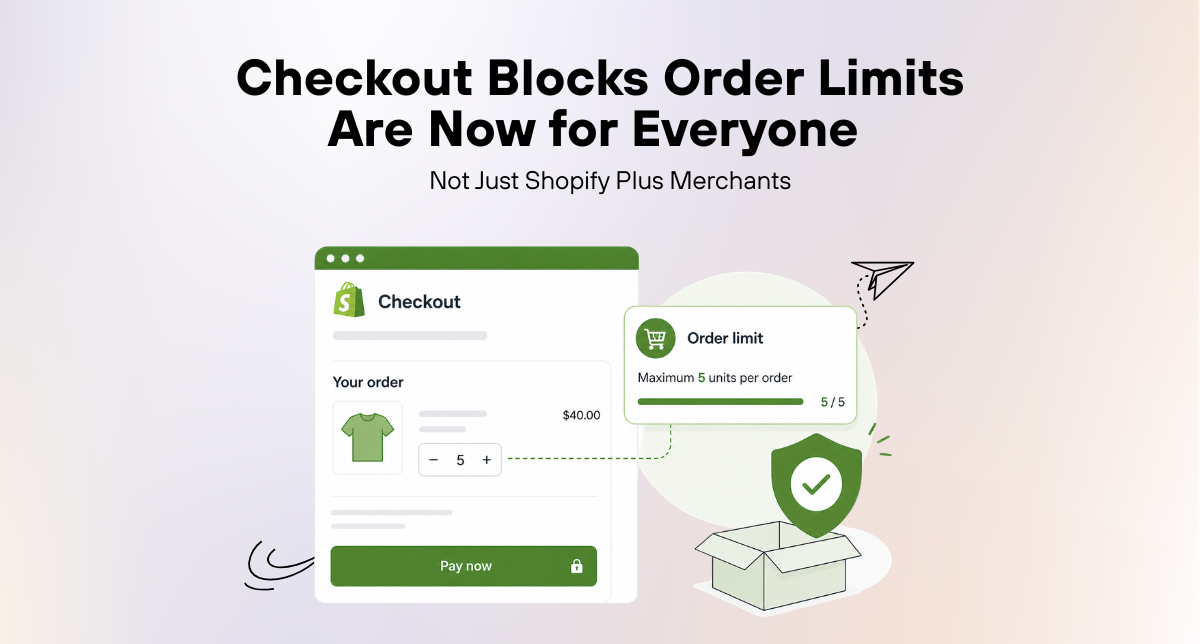
Order value limits allow merchants to control the minimum and maximum cart subtotal required to complete a purchase.
- Set a minimum order value to ensure profitability
- Set a maximum order value to manage logistics or production limits
- Block checkout if the cart does not meet the defined criteria
Shopify automatically converts these limits into the customer’s local currency, making it seamless for international buyers.
You can also apply these rules to all customers or specifically to B2B buyers.
Why This Matters for Non-Plus Merchants
This update removes a major limitation for merchants on non-Plus plans.
- No need for third-party apps to enforce order limits
- Reduced reliance on workarounds
- More reliable server-side validation powered by Shopify Functions
Merchants now have access to a native, secure, and scalable solution without upgrading to Shopify Plus.
Who Needs Order Value Limits
This feature is especially useful for specific types of eCommerce businesses.
- B2B and Wholesale Stores: Enforce minimum order quantities for profitability
- High-Value Product Stores: Limit maximum orders to manage operations
- Subscription and Bundle Stores: Encourage higher cart values
- Stores Using Third-Party Apps: Replace them with a native Shopify solution
How to Set It Up
Setting up order limits with Checkout Blocks is simple.
- Open the Checkout Blocks app in Shopify admin
- Go to the checkout editor
- Set your minimum and/or maximum order subtotal
- Save and apply the rule
Only one validation rule can be active, so plan your limits carefully.
Part of a Broader Shift
This update reflects Shopify’s ongoing effort to make advanced features more accessible across all plans.
Features that were once limited to enterprise users are now being rolled out to growing and mid-sized businesses, enabling better scalability and flexibility.
What You Should Do Right Now
- Evaluate if you can replace third-party apps with Checkout Blocks
- Set up order limits if you previously could not due to plan restrictions
- Include this feature in your checkout optimization strategy
Final Thoughts
Making order value limits available across all Shopify plans is a major step toward a more flexible and merchant-friendly platform.
It enables better control over checkout, improves operational efficiency, and supports both B2C and B2B ecommerce strategies.
Whether you are running a growing store or managing complex wholesale operations, this feature provides a reliable way to enforce order rules at checkout.
Build a Smarter Shopify Store with Amwhiz
At Amwhiz, we help merchants unlock the full potential of Shopify features.
From Checkout Blocks setup to Shopify B2B workflows, store migration, and complete ecommerce solutions, our team supports your growth at every stage.
Stay updated with Amwhiz for the latest Shopify insights and expert support.