-1.png?width=134&height=66&name=amwhiz-logo%20(1)-1.png)


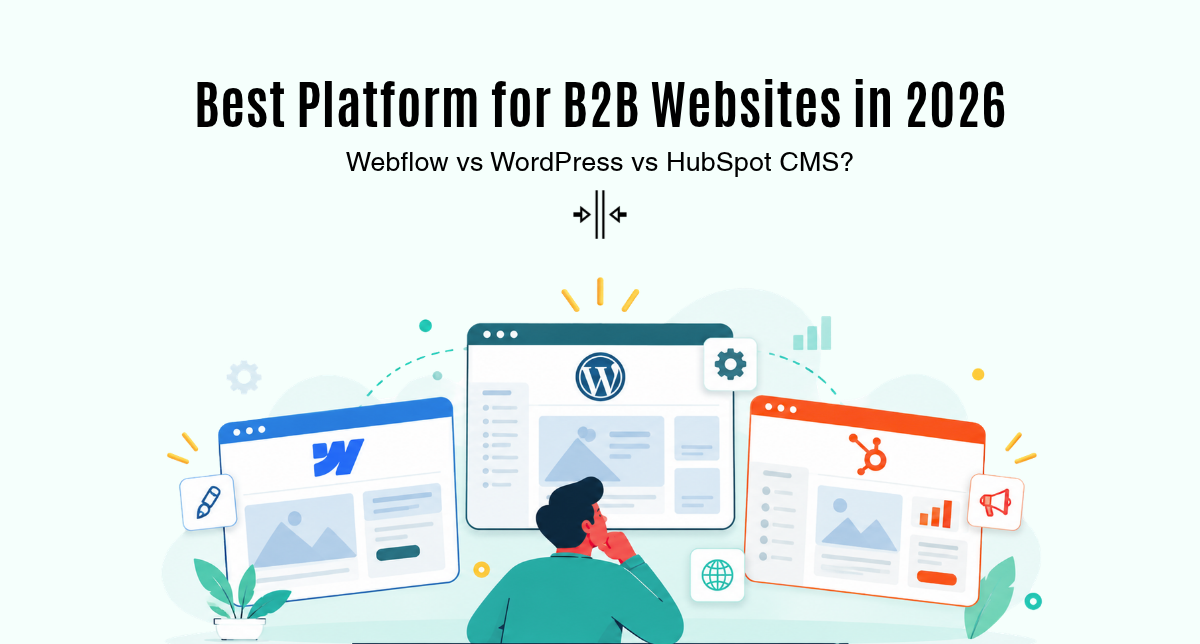
For most B2B companies in 2026, HubSpot CMS is the best fit when marketing and sales already run on HubSpot, Webflow is best for design-led marketing sites with a small team, and WordPress is best when you need maximum flexibility and have developers to maintain it. Running costs range from a few hundred dollars a year on WordPress or Webflow to USD 5,400+ a year for HubSpot Content Hub Professional.
All three can power a fast, well-ranked B2B website. The real differences are who edits the site, how leads reach your CRM and who owns security and updates. This guide compares them side by side so you can choose with confidence.
Key takeaways
- HubSpot CMS: best when your CRM is HubSpot, because forms, smart content and attribution work natively.
- Webflow: best for visual, design-led marketing sites edited by a small marketing team.
- WordPress: most flexible and cheapest to license, but you own hosting, plugins and security.
- Choose on workflow, not features: who edits, what integrates and who maintains matter more than templates.
What is the difference between Webflow, WordPress and HubSpot CMS?
WordPress is open-source software you install on your own hosting. Webflow is a hosted visual builder that turns design work into production code. HubSpot CMS, sold as Content Hub, is a hosted CMS built on the same database as HubSpot’s CRM.
That architecture shapes everything else. WordPress gives you full control and full responsibility. Webflow and HubSpot handle hosting, SSL and security patches for you, in exchange for a subscription and less low-level control.
| Factor | WordPress | Webflow | HubSpot CMS |
|---|---|---|---|
| Hosting | Self-hosted | Hosted by Webflow | Hosted by HubSpot |
| Editing | Block editor, plugins | Visual designer | Drag-and-drop modules |
| CRM fit | Via plugins | Via integrations | Native HubSpot CRM |
| Security updates | Your team | Vendor | Vendor |
| Best for | Flexible, content-heavy sites | Design-led marketing sites | HubSpot-led B2B teams |
How much do Webflow, WordPress and HubSpot CMS cost?
Licence costs differ sharply, but total cost of ownership is closer than it looks once you add hosting, plugins, maintenance and developer time.
- WordPress: the software is free. You pay for hosting, premium plugins or themes and ongoing maintenance.
- Webflow: at the time of writing, Webflow’s pricing page lists the CMS-enabled Premium site plan at about USD 25 a month billed yearly, plus paid workspace seats for editors.
- HubSpot CMS: HubSpot Content Hub pricing starts with a low per-seat Starter plan; Professional starts at USD 450 a month billed annually with three core seats, and Enterprise at USD 1,500 a month.
| Cost item | WordPress | Webflow | HubSpot CMS |
|---|---|---|---|
| Licence | Free | Site plan plus seats | Seat-based subscription |
| Hosting and SSL | Paid separately | Included | Included |
| Plugins or apps | Often paid | Some paid apps | Marketplace apps |
| Maintenance effort | High | Low | Low |
Which CMS is easiest for marketers to edit?
HubSpot CMS and Webflow are the easiest for non-technical marketers. HubSpot uses drag-and-drop modules with locked brand styles, so editors can build pages without breaking layouts. Webflow’s Designer is powerful but closer to a design tool, so most teams give marketers the simpler Editor role.
WordPress editing quality depends on the theme and page builder. A well-built block theme is easy to use; a site layered with page builders and plugins can become slow and confusing. Reusable modules, such as our 10 free HubSpot CMS modules, are one way to give editors flexibility without custom code.
Which platform is best for B2B lead generation?
HubSpot CMS wins for lead generation when HubSpot is your CRM. Forms, CTAs, smart content and page analytics all write to the same contact record, so you can see which pages create pipeline without extra tooling.
Webflow and WordPress can send form data to HubSpot, Salesforce or Zoho through native integrations or plugins, but personalisation and attribution take more setup. Here is how the three compare on B2B needs:
- Personalised content by lifecycle stage or industry: native in HubSpot, add-ons elsewhere
- Gated content and member areas: HubSpot memberships, Webflow and WordPress via apps or plugins
- Multi-language sites: all three support it, with Webflow and HubSpot offering built-in options
- Revenue attribution to pages: strongest in HubSpot’s paid tiers
Many teams moving to HubSpot share the same reasons, which we cover in why businesses are moving away from WordPress.
Which CMS is best for SEO and performance?
All three can rank well. Search engines care about content quality, page speed and technical hygiene, not the CMS brand. The difference is how much work it takes to stay fast and clean.
Webflow and HubSpot serve pages from a global CDN with SSL by default. WordPress speed depends on your hosting, caching and plugin discipline. WordPress also has the largest ecosystem: W3Techs reports that WordPress powers about 40% of all websites, which means plenty of SEO plugins and developers, but also a larger attack surface.
For HubSpot-specific tactics, see our HubSpot CMS SEO best practices and speed optimisation tips for HubSpot CMS.
Is Webflow a good WordPress alternative for B2B?
Yes, for marketing sites. Webflow removes plugin and hosting maintenance, and designers can ship pages fast. It is less suitable when you need complex custom functionality, deep CRM personalisation or thousands of dynamic records.
HubSpot CMS is the stronger WordPress alternative if you want the CRM, marketing automation and website in one system. If your site needs logins, dashboards or custom workflows, neither is enough on its own, and a custom web app build alongside the website is usually the better route.
How do you choose between Webflow, WordPress and HubSpot CMS?
Answer these questions in order and the right platform usually becomes clear:
- Is HubSpot your CRM, or will it be? If yes, start with HubSpot CMS.
- Do you have developers to maintain hosting, plugins and security? If not, rule out self-hosted WordPress.
- Is the site mainly a design-led marketing site edited by a small team? Webflow fits well.
- Do you need custom functionality, many integrations or a very large content library? WordPress or a custom build fits better.
- What will it cost over three years, including licences, maintenance and developer time?
For a deeper two-way view, read our HubSpot CMS vs WordPress guide for 2026. If you decide to switch, our HubSpot migration services team can move content and redirects safely, as in this B2B consulting website rebuild on HubSpot.
Why choose Amwhiz for your B2B website platform?
Amwhiz is a HubSpot Diamond Solutions Partner with in-house developers who build B2B websites, custom modules and integrations. We start with your sales and marketing workflow, recommend the platform that fits it, and handle design, build, migration and redirects so your rankings and lead flow stay intact. We work with clients in India, the US, the UK, the Middle East and APAC.
Ready to build a B2B site your marketing team can run? Explore Amwhiz HubSpot CMS development services and book a platform consultation.
Plan your project with our team
Book a free 30-minute call to scope your project and understand the realistic timeline and budget.
Book a free consultationFrequently asked questions
Is HubSpot CMS better than WordPress for B2B?
It is for teams that use HubSpot CRM, because forms, personalisation and reporting work natively and HubSpot handles hosting and security. WordPress is better when you need maximum flexibility and have developers to maintain it.
Is Webflow better than HubSpot CMS?
Webflow is often better for design-led marketing sites edited by a small team. HubSpot CMS is better when you want the website, CRM and marketing automation on one platform with native lead tracking.
What is the cheapest option for a B2B website?
WordPress has no licence fee, and Webflow’s site plans are low cost, so both are cheaper upfront. Once you add hosting, plugins, maintenance and developer time, the three-year costs are much closer.
Can I move my website from WordPress or Webflow to HubSpot CMS?
Yes. Pages are rebuilt with HubSpot templates and modules, blog posts can be imported, and old URLs are redirected to protect rankings. Most migrations take a few weeks depending on content volume.
Which CMS is best for SEO in 2026?
All three can rank well. Webflow and HubSpot include hosting, SSL and a CDN, which makes good performance easier. WordPress can be just as fast but depends on hosting and plugin choices.



