-1.png?width=134&height=66&name=amwhiz-logo%20(1)-1.png)



Overview In high growth ecommerce, acquisition often gets the spotlight. But for a rapidly scaling...

written by: Leo Kaiser Anto
Shopify checkout customization,
Checkout IQ,
Conditional payment methods,
Hide COD Shopify,
Shopify payment rules
Case Study: Checkout IQ, Payment Rules for Shopify Checkout
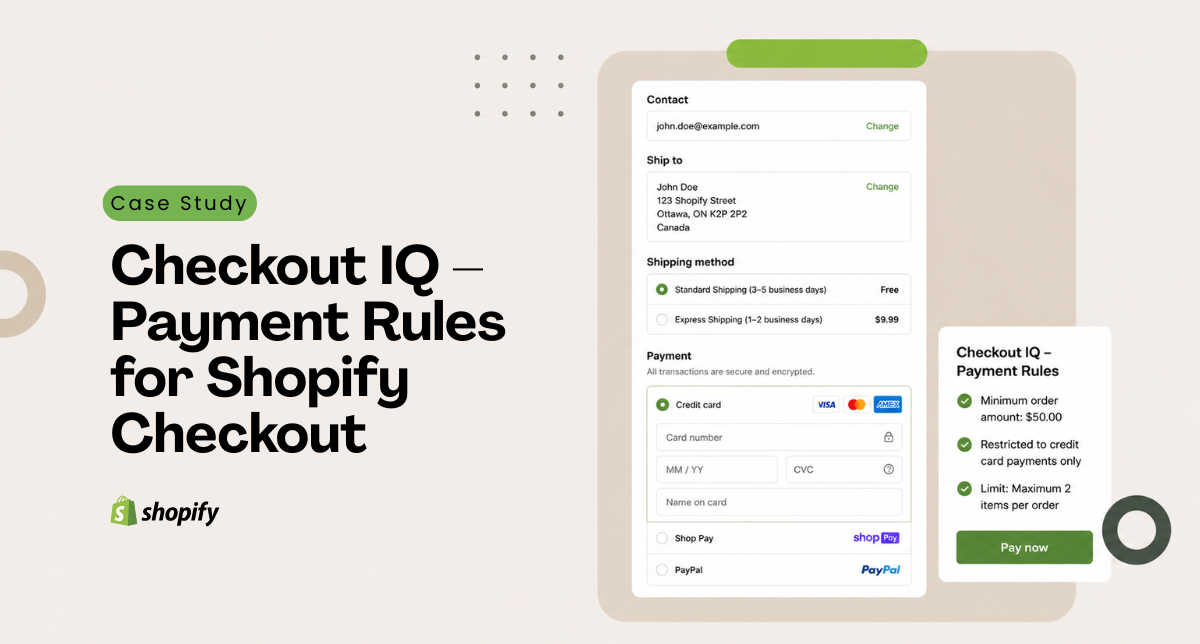
Checkout IQ: Payment Rules is a Shopify checkout extension that lets merchants show, hide, reorder, and rename payment methods using conditional rules, no code required. We ran it on our own store for a full month to find out whether it solves a real problem or just looks good in the app store.
Executive Summary
Does Checkout IQ Actually Earn Its Place on a Shopify Store?
We ran Checkout IQ: Payment Rules on our store for a full month before writing this.
The objective was simple: figure out if the app solves a real problem in managing payment methods, or if it's just another add-on that looks good in the app store but doesn't earn its place.
Below is what worked, what it's built for, and where merchants should keep their expectations in check.
The Problem We Were Trying to Solve
Why Is Managing Shopify Payment Methods a Headache?
Like most Shopify stores, we have several payment methods enabled: credit cards, digital wallets, cash on delivery (COD), bank transfers, and more.
The default Shopify checkout shows all of these to every customer, whether or not they're useful to them.
That creates a few specific headaches:
- You can't show or hide payment options based on conditions without hiring a developer or writing code yourself.
- If you handle a lot of COD orders, there's no built-in way to set a cart value cutoff for cash payments.
- Stores selling internationally end up showing payment methods that don't even work in certain countries, which just confuses people.
- Payment labels are stuck using whatever wording your payment provider defaults to.
- There's no dashboard to check which rules are running or how often they're kicking in, because there aren't any rules to begin with.
For many stores, none of this matters day to day. It's a small annoyance at most.
But if you process many COD orders, ship internationally, or have layered payment logic, it starts to add up.
What Checkout IQ Actually Does
What Can the Payment Rule Builder Control?
Checkout IQ is a Shopify checkout extension that lets you build conditional rules for how payment methods show up and get labeled. No code involved, just a rule builder.
What it can do:
- Show or hide payment methods depending on cart total, shipping country, customer tags, product type, or shipping method
- Change the order payment options appear in (Growth plan)
- Rename payment labels to whatever you want (Growth plan)
- Combine multiple conditions using AND/OR logic (Growth plan)
- Show you an activity log of when rules fire and how often
What it doesn't do:
- Catch fraud or verify transactions. That's still on your payment processor.
- Touch processing times, fees, or settlements in any way.
- Improve checkout beyond reordering or hiding options.
- Affect anything after the order is placed. Its job ends at checkout.
Setting It Up
How Long Does It Take to Get a Rule Live?
Getting our first rule live took about ten minutes with no technical procedures. The interface is built for store owners, not developers.
We put together three rules based on things we'd been dealing with:
1. Hide COD Above a Certain Cart Value
Rule: if the cart total goes over ₹10,000, Cash on Delivery disappears as an option.
It works as advertised. It doesn't stop COD fraud outright (that still happens on the processor side), but it cuts down our exposure on bigger-ticket orders.
2. Hide COD for International Shipping
Rule: if the shipping address is outside India, COD gets hidden.
This one is more about reducing confusion than driving sales. Overseas customers were sometimes confused when they saw a payment method that wouldn't work for them.
3. Renamed Payment Labels
We swapped the generic labels for wording that included incentive messaging.
The feature works fine. Whether it nudges people toward the payment method we want is harder to say and probably depends on who's shopping with you.
We also set up a couple of extra rules: bank transfer visibility got bumped up for B2B orders, and we hid certain payment methods for specific customer segments.
The activity log is useful for seeing when a rule triggers, but it's just information. It doesn't tell you what to do with it.
What Changed After a Month
What Were the Operational and Checkout Results?
Operationally:
- Total setup time for five rules, including testing: around 45 minutes
- Upkeep afterward: almost none, most rules run on their own once live
- No more waiting on a developer for basic payment logic changes, since anyone on the team can build or tweak a rule
At checkout:
- COD stopped showing up for high-value orders, as designed
- Payment options now match where the customer is actually shipping to
- Labels reflect our own messaging instead of default processor text
Being Honest About Conversion and Fraud
Can You Credit the App for Fewer Chargebacks or More Sales?
We need to be careful here because it's tempting to credit an app for things it may not have caused.
Fraud: COD chargebacks dropped in our higher cart value bracket, but we can't say for certain the app caused that. Seasonal shifts, changes in who's buying, and improvements on the processor's end could all be playing a part. The app is doing what it's supposed to do: cutting exposure on orders above ₹10K, but it's a risk-reduction tool, not a fraud-prevention system.
Conversion: No noticeable bump in checkout completion or average order value. That tracks, honestly. Removing a payment option might reduce decision friction a little, but checkout abandonment usually comes down to bigger things like shipping costs, trust signals, or payment errors. Whatever effect the app has here is probably small next to those factors.
Payment method mix: Bank transfers did tick up slightly, but we were also running a bank-transfer discount promotion at the same time, so it's hard to separate one from the other.
Bottom line: the app does exactly what it says on the tin, showing, hiding, and renaming payment methods based on rules you set. Whether that turns into real revenue depends entirely on what specific problems your store has to begin with.
Strengths and Limitations
What We Liked
Easy to pick up. The interface doesn't require any technical background. Anyone on the team can build or adjust a rule, which alone might be worth installing if your payment logic changes often.
Free tier is genuinely usable. Basic show/hide rules don't cost anything and cover most common situations. You only need the Growth plan ($9.99/month) if you want reordering or renaming.
Rules are easy to audit. The activity dashboard shows you when a rule fires, so you can confirm your logic is actually working the way you expect.
Less developer back-and-forth. If your team has been pinging developers every time a payment rule needs to change, this removes that step for most basic cases.
Where It Falls Short
It's not fraud prevention. Hiding COD on bigger orders cuts your exposure, but real fraud protection still lives with your payment processor. Don't expect chargebacks to disappear because of this app.
Conversion effects are murky. Fewer payment choices could speed up checkout, or it could push people away if they can't find the method they wanted. It really depends on your customers, and we didn't see a clear win either way.
Doesn't stop bad orders from happening. If someone loads up a high-value cart and COD isn't there anymore, they'll just pick a different payment method. The app controls what's visible, not what people actually intend to do.
Only works at checkout. Anything after the order goes through, refunds, reconciliation, order management, is outside its scope entirely.
Who Should Actually Use This
Is Checkout IQ Right for Your Store?
Makes sense for:
- Stores selling in multiple regions that need to hide irrelevant payment options by country
- Businesses with a lot of COD volume wanting to handle exposure
- B2B and B2C hybrid stores that need different payment rules depending on customer type
- Anyone who wants payment labels to match their own branding
- Teams without a developer on standby for payment changes
Probably not worth it for:
- Stores hoping it'll solve fraud on its own (it won't, that's a processor-level issue)
- Stores expecting a conversion rate lift (could help, could hurt, results are mixed)
- Stores whose payment setup never really changes
- Stores already running custom checkout builds or processors with their own rule systems
Pricing
What Do the Free and Growth Plans Include?
- Free plan: Unlimited conditional show/hide rules
- Growth plan: $9.99/month, adds reordering, renaming, AND/OR logic, and more advanced targeting by location or customer
If you're doing more than 1,000 orders a month and regularly need to adjust payment logic, the free tier alone pays for itself just in time saved.
The Growth plan breaks even if it prevents even one or two COD chargebacks a month.
The real value here isn't extra revenue; it's less manual work and fewer developer requests.
Our take: start on the free plan. Move up to Growth once you're juggling more than a handful of regions or running B2B alongside B2C.
Final Take
Is Checkout IQ Worth Installing?
Checkout IQ solves one specific, real problem: giving merchants control over which payment methods show up, without needing a developer to make it happen. It does that job well and without much fuss.
What it isn't is a growth tool. It won't improve your conversion numbers, stop fraud on its own, or drive new revenue. Those things depend on much bigger reasons like acquisition, trust, product fit, and your payment processor's own quality.
If payment method management has been a genuine bottleneck for your store, this is worth installing.
For everyone else, it's a useful extra that quietly makes life easier rather than a must-have that moves the needle.