-1.png?width=134&height=66&name=amwhiz-logo%20(1)-1.png)



Introduction Artificial intelligence is transforming how customers find and buy products online....
written by: Renuka M
Shopify Development Services,
Shopify POS integration,
Shopify ERP Integration,
Shopify CRM Integration
The Practical Answer
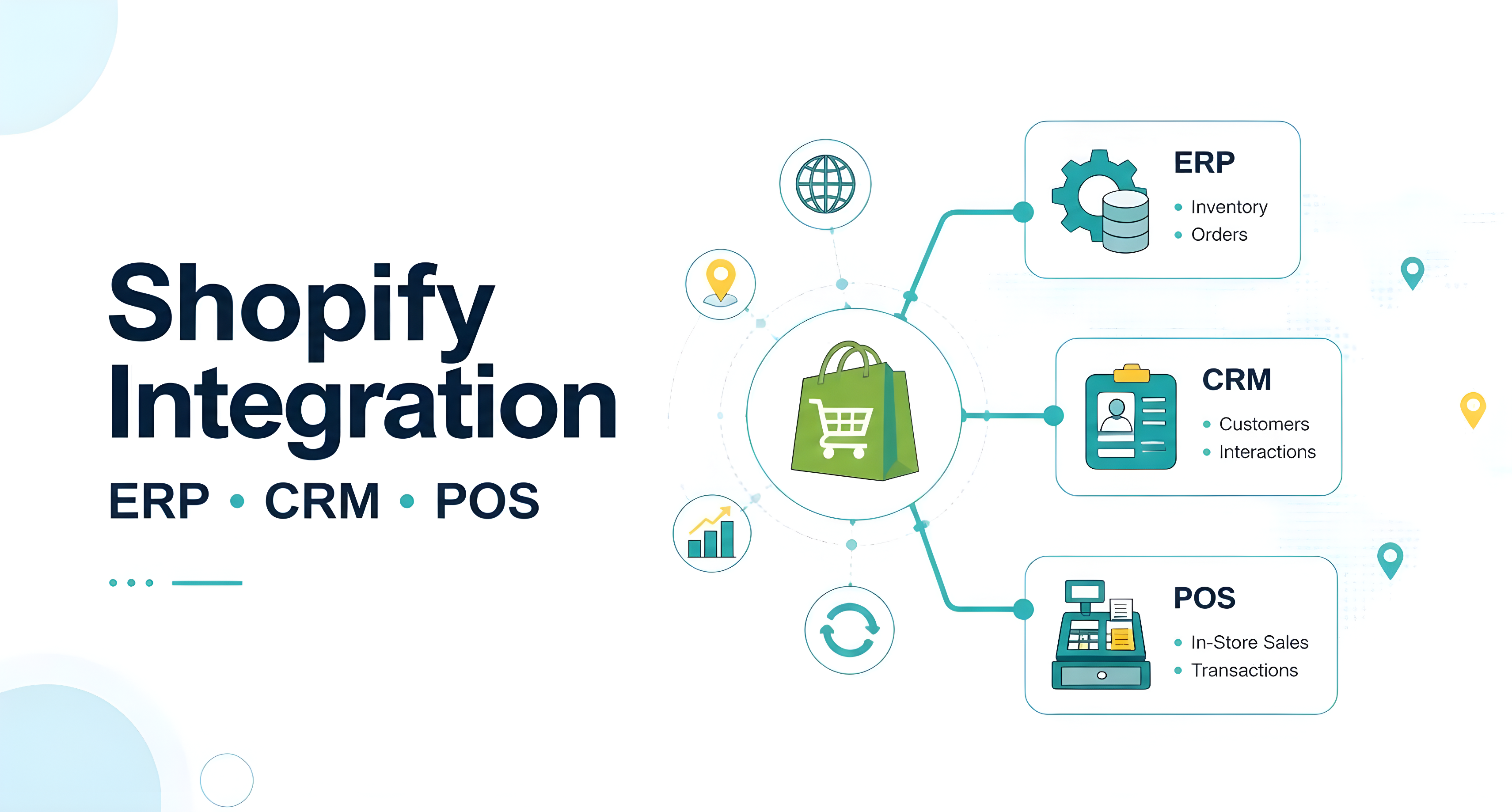
Integrating Shopify with an ERP, CRM, or POS system is typically done through pre-built connector apps (for common systems like NetSuite, SAP, HubSpot, or Square), Shopify's native Admin API, or middleware platforms like Zapier or Celigo for simpler, rule-based syncing. Costs range from Rs. 5,000/month for basic app-based connectors to Rs. 2,00,000+ for custom integration with complex or proprietary systems. Amwhiz builds every store on a clean, well-structured foundation, product data, customer records, and order structure that all make these integrations noticeably smoother once you're ready to connect them.
Why Integration Matters as You Scale
Running a Shopify store alongside separate accounting, inventory, or customer management systems works fine at small scale. It becomes a real operational drag as order volume grows, though. Manually re-entering orders into your accounting system, updating inventory across two platforms, or exporting customer data for your CRM introduces errors and eats up time that should be going toward growing the business instead. Integration solves this by keeping data synchronized automatically across systems, without someone doing it by hand.
ERP Integration
What It Solves
Syncing inventory levels, order data, and financial records between Shopify and enterprise resource planning systems like NetSuite, SAP Business One, or Microsoft Dynamics, so manual data entry between sales and back-office operations goes away entirely.
Common Approaches
- Pre-built connector apps, available in the Shopify App Store for major ERPs like NetSuite and Microsoft Dynamics, get you faster setup at lower cost.
- Custom API integration, necessary for less common or heavily customized ERP systems, uses Shopify's Admin API to build bidirectional data sync from scratch.
Realistic Cost
Rs. 15,000-Rs. 50,000/month for established connector apps, or Rs. 1,00,000-Rs. 3,00,000+ for custom-built integration with complex or proprietary systems.
CRM Integration
What It Solves
Syncing customer data, purchase history, and behavioral triggers between Shopify and CRM platforms like HubSpot, Salesforce, or Zoho, so you get better segmentation, automated email flows, and unified customer records across sales and marketing teams instead of two disconnected pictures of the same customer.
Common Approaches
- Native or App Store connectors. Most major CRMs have official or well-reviewed Shopify integration apps that need minimal custom setup.
- Webhook-based sync, using Shopify's webhook system to trigger CRM updates in real time as orders and customer events happen.
Keeping the CRM side clean matters just as much as the integration itself. Duplicate contacts and stale deal stages will undermine even a well-built sync.
Realistic Cost
Rs. 5,000-Rs. 25,000/month for standard app-based CRM connectors, scaling with the CRM's own subscription tier and data volume.
POS Integration
What It Solves
Unifying in-store and online inventory, sales data, and customer records for merchants selling through both physical retail and Shopify's online store, so you're not overselling a product or piecing together fragmented customer history from two systems.
Common Approaches
- Shopify POS, Shopify's own point-of-sale system, offers the deepest native integration since it shares the same backend as your online store.
- Third-party POS connectors, for merchants using Square, Lightspeed, or other POS systems, via dedicated Shopify App Store integrations. Fulfillment and carrier connections deserve the same level of scrutiny before you commit to one.
Realistic Cost
Rs. 0-Rs. 10,000/month if using Shopify POS itself (built-in), or Rs. 10,000-Rs. 40,000/month for third-party POS connector apps.
Middleware: The Flexible Middle Ground
For businesses without the budget or need for a fully custom integration, middleware platforms like Zapier, Make (formerly Integromat), or Celigo offer rule-based, no-code syncing between Shopify and virtually any other system with an API, at a fraction of custom development cost. This works well for simpler, well-defined data flows. It can get unwieldy fast, though, for highly complex, high-volume enterprise integrations.
What Makes Integration Easier or Harder
- Clean, consistent product and customer data structure in Shopify from the start makes any future integration dramatically smoother down the line.
- Proper use of metafields for structured custom data gives integrations clear, predictable fields to sync against, instead of guessing where data lives.
- A well-organized app stack avoids conflicts between multiple apps trying to write to the same data at the same time.
- API rate limits need to be factored into integration design for high-volume stores, or you'll run into sync delays or outright failures.
This is exactly why the foundational quality of your Shopify build matters even if integration isn't an immediate need. Retrofitting integration onto a messy, inconsistent store structure costs far more than building on a clean one from day one would have.
A Practical Example of Getting This Right
Consider a multi-location retailer running physical stores on a POS system alongside an online Shopify store, previously managed as two disconnected inventories with staff manually reconciling stock counts every week. Integrating through Shopify POS, which shares Shopify's backend natively, gets rid of the manual reconciliation entirely. Inventory updates in real time whether a sale happens online or in a physical location. The retailer sidesteps the common failure mode of overselling a product that shows available online but was actually just sold in-store, a problem that erodes customer trust fast once it happens even a handful of times.
Sequencing Integration Work Sensibly
Don't try to integrate everything at once. A sensible sequence looks like this: get your Shopify store's own data structure clean and consistent first, then integrate the single system causing the most manual work today, often inventory sync with a POS, or order data flowing into accounting, measure the time savings, then move on to the next integration. This staged approach avoids the common failure of a large, all-at-once integration project stalling out because too many systems are competing for attention simultaneously.
Frequently Asked Questions
Do I need a custom integration, or will an app-based connector work?
For common systems (NetSuite, HubSpot, Square, and similar), pre-built connector apps usually suffice. Custom integration is generally only necessary for proprietary or heavily customized back-office systems.
How long does a typical ERP or CRM integration take?
App-based connector setup can be live within days to a couple of weeks; custom integrations typically take 4-12 weeks depending on complexity.
Does Amwhiz build ERP, CRM, or POS integrations?
Amwhiz's core flat-rate, 7-day package focuses on building a clean, well-structured Shopify store, the ideal foundation for smooth future integrations. Specific ERP, CRM, or POS integration projects get scoped separately based on your systems.
What's the biggest mistake stores make with integrations?
Attempting to integrate on top of messy, inconsistent product or customer data. Cleaning up data structure before integrating saves real cost and troubleshooting time later.
Should I integrate everything at once, or one system at a time?
One system at a time, starting with whichever manual process currently costs you the most time, is almost always the more successful and manageable approach.
Does Shopify POS work well for multi-location retail?
Yes, Shopify POS is specifically designed for multi-location retail, sharing inventory and customer data natively with your online store without needing a separate third-party connector.
Build the Right Foundation First
Whatever systems you eventually connect to Shopify, a clean, well-structured store makes every future integration easier and cheaper. Amwhiz builds exactly that foundation at a flat rate in 7 days. Reach out to discuss your specific systems and integration needs.