-1.png?width=134&height=66&name=amwhiz-logo%20(1)-1.png)


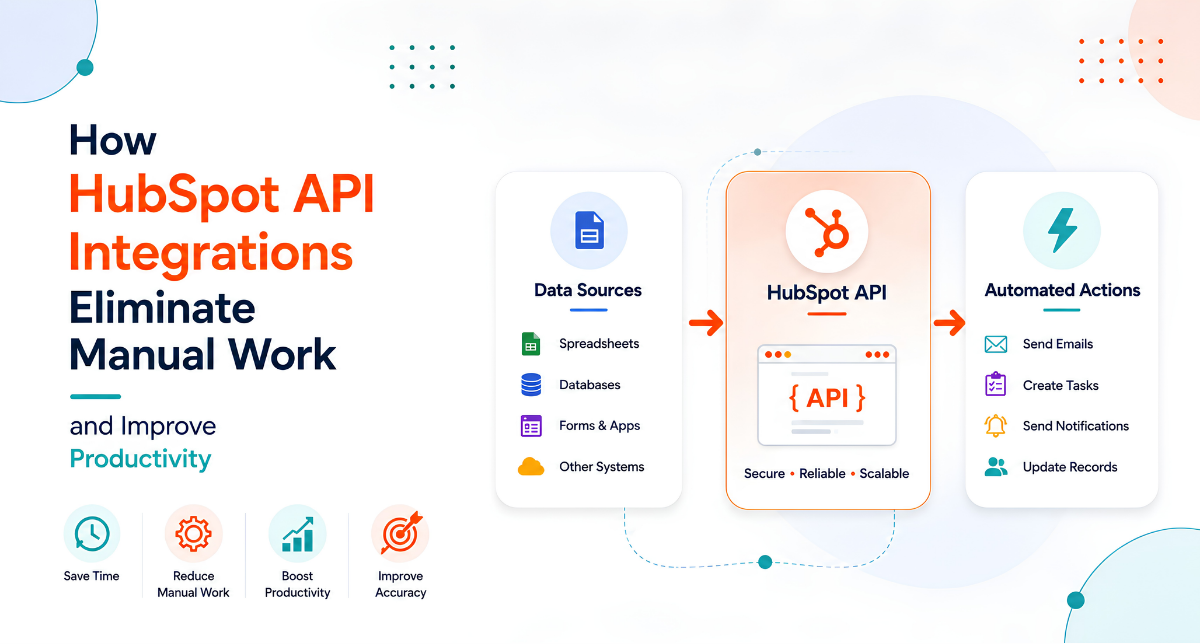

A CRM That Doesn't Talk to Your Other Tools Is Only Half a CRM HubSpot is powerful on its own. But...
Your Business Runs on a Dozen Tools. They Should Act Like One.
Most businesses don't run on a single system. There's the store, the CRM, the accounting software, the messaging apps, the ERP that's been around forever. Each does its job. The trouble is the space between them, where data gets copied by hand, context gets lost, and mistakes creep in.
HubSpot integration services close those gaps, so your dozen tools behave like one connected system with HubSpot at the centre. Here's what that involves and why it matters.
This is a look at HubSpot integration services that connect your CRM with Shopify, ERP, WhatsApp, and more, from Amwhiz, a HubSpot partner.
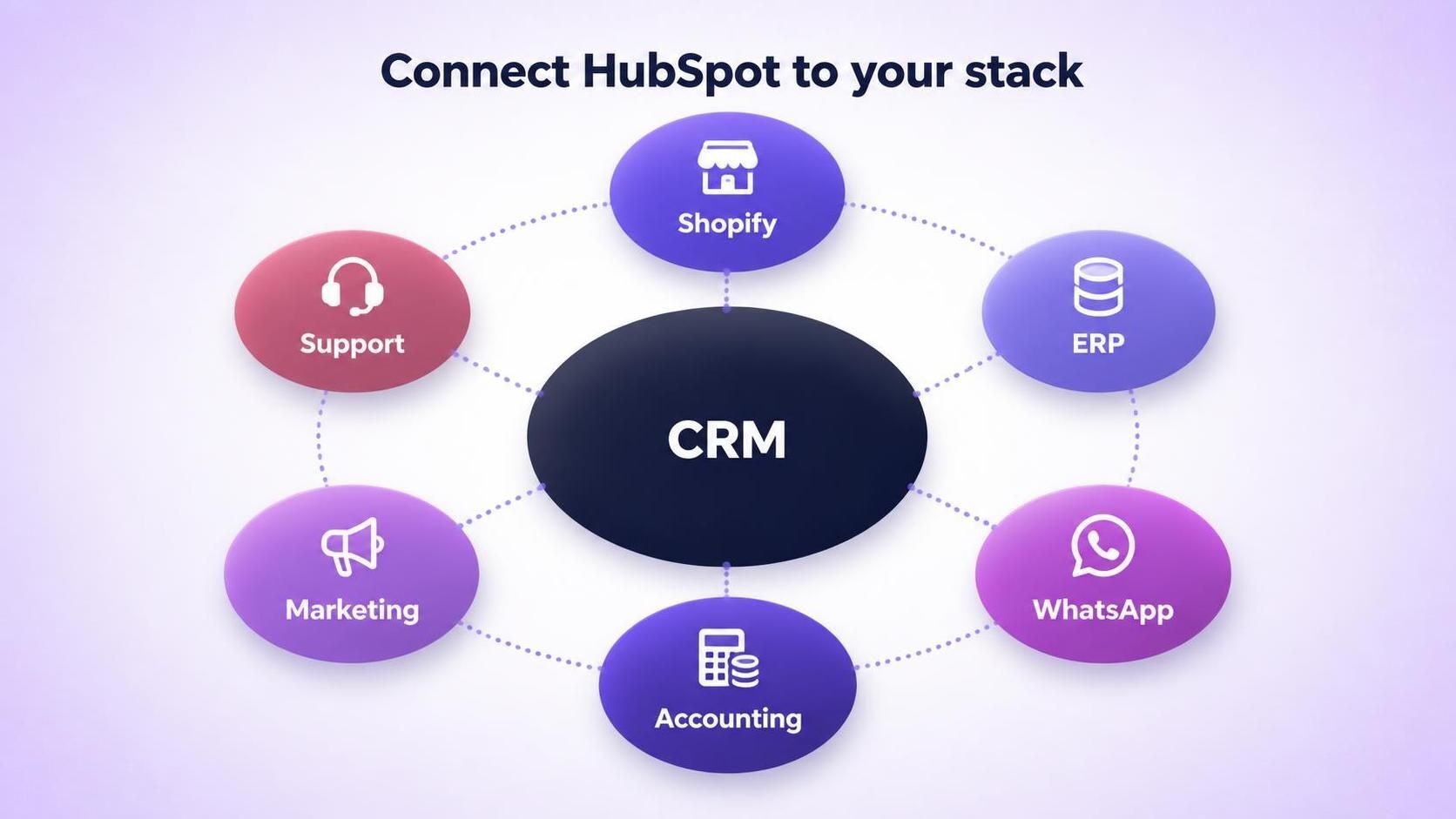
Shopify, ERP, WhatsApp, accounting, marketing, support, all connected to one CRM.
What Integration Actually Means
Integration is simply getting two systems to share the right data automatically. When a Shopify order comes in, HubSpot should know. When a deal closes, your accounting should see it. When a customer messages on WhatsApp, it should land against their contact in HubSpot.
Simple in principle. The craft is doing it reliably, so the data lands correctly every time, including on the messy days when something unusual happens.
Connecting Shopify and Your Store
For ecommerce businesses, connecting the store to HubSpot is often the first and most valuable integration. Orders and customers flow into the CRM, purchase behaviour becomes visible to marketing and sales, and abandoned carts can trigger automated recovery. The store stops being a separate world and becomes part of your customer picture.
Connecting Your ERP
The ERP is often the trickiest integration, because it's central and less forgiving. But it holds a lot of your truth, products, pricing, orders, financial rules, so connecting it to HubSpot is frequently the most valuable link of all. The approach depends on what your ERP supports, from clean APIs to a middle layer, but the goal is the same: HubSpot and the ERP agree, and nobody maintains the same data twice.
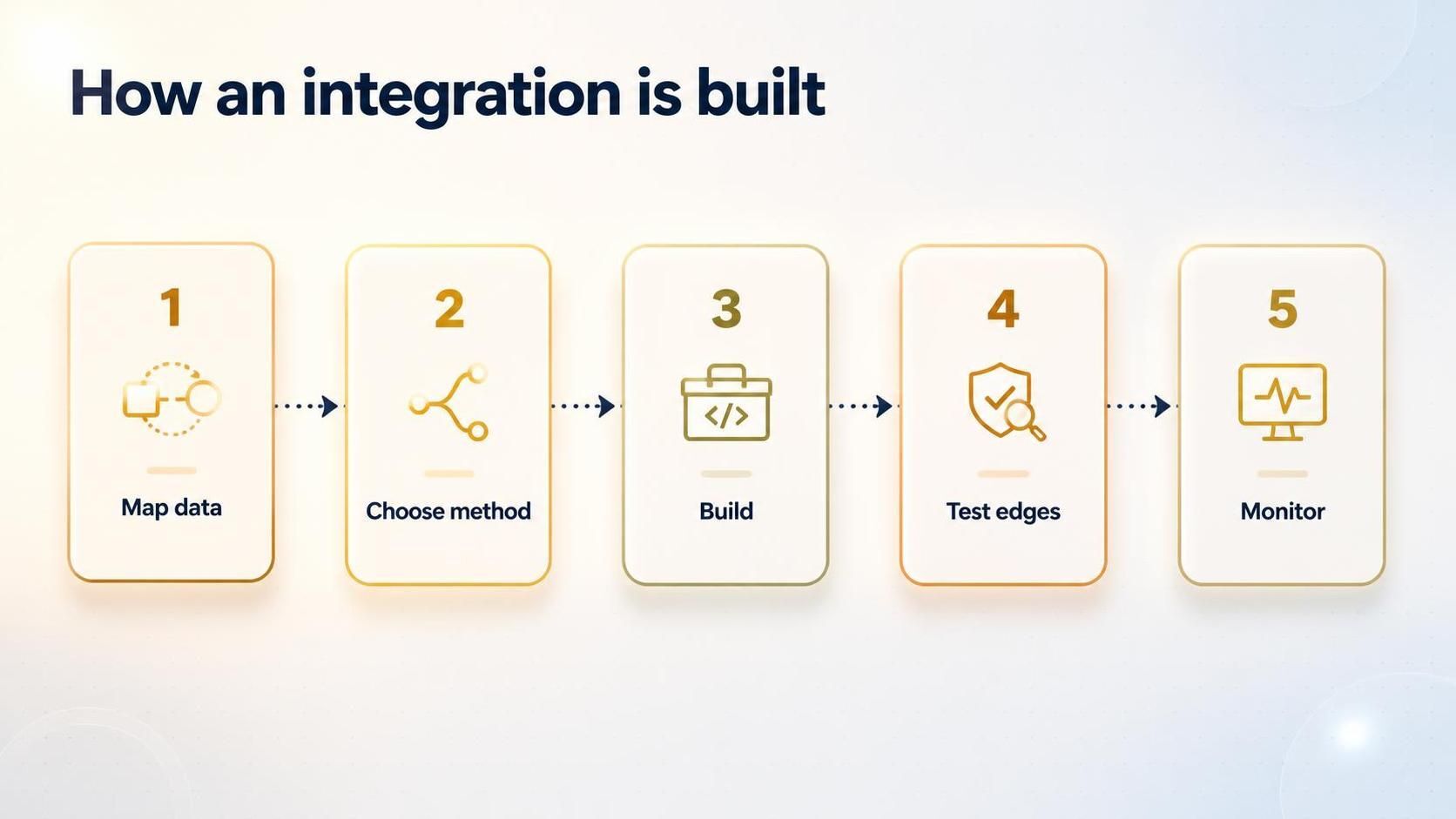
Map the data, choose the method, build and connect, test the edge cases, then monitor it.
Connecting WhatsApp and Messaging
Integrating WhatsApp with HubSpot brings a channel your customers love directly into your CRM. Conversations are logged against contacts, replies can be automated, and your whole team gets visibility instead of chats living on one person's phone. For businesses that sell and support through messaging, this turns a scattered channel into a managed, trackable one.
The Part That Separates Good Integrations From Fragile Ones
Any integration works on a normal transaction. The real test is the abnormal one: a partial refund, an edited order, a product that exists in one system but not the other, a payment that fails halfway. These edge cases are where careless integrations quietly break, dropping data or creating duplicates.
Good integration services design for these moments, and monitor the connection afterwards so a break is caught quickly rather than leaking data for weeks. That reliability is the whole point.
Which Integration to Build First
You don't have to connect everything at once, and you probably shouldn't. Start where the manual pain is worst, usually wherever someone is copying data by hand every day. For an ecommerce business that's often the store; for others it's the ERP or the messaging channel that's currently a black hole.
Prioritising by pain means you feel the benefit early, which builds the case for connecting the next piece. Trying to integrate everything in one go tends to stall, because each connection has its own quirks and edge cases. One solid, reliable integration is worth more than three half-finished ones, so build them one at a time.
How Amwhiz Delivers Integration Services
Amwhiz is a HubSpot partner, and we connect HubSpot to Shopify, ERPs, WhatsApp, accounting, and the rest of your stack. We map exactly what needs to flow where, pick the right method for each system, build the connection, test the edge cases that break careless integrations, and monitor it so it stays reliable.
The result is a stack that behaves like one system, with HubSpot as the connected centre, rather than a pile of tools held together by manual work.
Frequently Asked Questions
What can HubSpot integrate with?
Shopify, ERPs, WhatsApp, accounting, marketing and ad platforms, chat tools, and many more, so your whole stack can feed one CRM.
Which integration should I build first?
The one that removes the most daily manual work, often the store for ecommerce, or the ERP where finance and sales are out of sync.
What usually breaks an integration?
Edge cases like partial refunds, edited orders, mismatched records, and platform updates. Designing for these and monitoring the connection keeps it reliable.
Do I need custom development for integrations?
Sometimes a standard connector works; complex or older systems may need custom work or middleware. The right approach depends on your specific stack.
Is an integration a one-time job?
The build is, but healthy integrations are monitored and maintained, because the platforms they connect keep changing. Planning for that upkeep avoids silent failures.
The Short Version
HubSpot integration services connect your CRM with Shopify, your ERP, WhatsApp, and more, so your tools share data automatically instead of relying on manual copying. The build is straightforward; the value is in handling the edge cases and keeping the connection monitored. Done right, your stack acts like one system.
Book a free HubSpot integration consultation.
Amwhiz will connect HubSpot to the rest of your business and keep it running as one system. Visit amwhiz.com or email sales@amwhiz.com.