
EDITOR – MERGE: This topic overlaps an existing published post: /blog/tally-to-zoho-finance-migration. Recommended: move the best sections of this draft into the existing post (keep its URL), then delete this draft. Do not publish both.
Moving from Tally to Zoho Books usually means migrating masters (chart of accounts, customers, vendors, items), opening balances as of a cutover date, and open transactions like unpaid invoices and bills. Full historical vouchers are often left in Tally for reference. A clean migration for an SMB takes 2 to 4 weeks, ideally timed to the start of a quarter or financial year.
Key takeaways
- Pick a cutover date, ideally 1 April or the start of a quarter, to keep GST returns clean.
- Migrate masters, opening balances and open invoices and bills; keep old vouchers in Tally as an archive.
- Clean ledgers and item names in Tally before exporting.
- Reconcile trial balance, receivables, payables and stock in both systems before going live.
- Plan integrations (CRM, Shopify, banks) at the same time so Zoho Books starts automated.
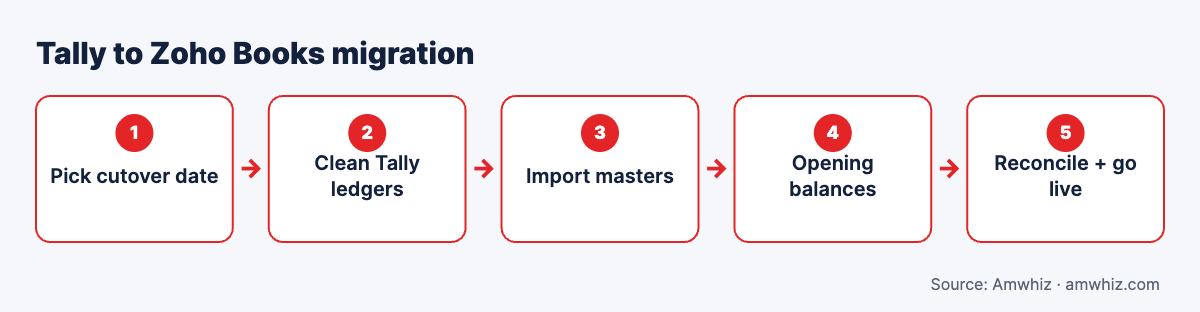
Tally to Zoho Books migration.
Why businesses move from Tally to Zoho Books
- Cloud access from anywhere without remote desktop setups
- Built-in GST e-invoicing and e-way bills
- Native connection to Zoho CRM, Inventory, Payroll and banks
- Automated payment reminders and customer portal
- Easier integration with Shopify, HubSpot and payment gateways via APIs
Tally remains strong for heavy inventory and accountant-led workflows. Move when collaboration, automation and integrations matter more.
What can be migrated from Tally to Zoho Books?
| Data | Migrate? | Notes |
|---|---|---|
| Chart of accounts (ledgers, groups) | Yes | Map Tally groups to Zoho account types |
| Customers and vendors | Yes | Include GSTIN, state, addresses, credit terms |
| Items / stock items | Yes | Include HSN/SAC, units, tax rates |
| Opening balances | Yes | As of cutover date |
| Open invoices and bills | Yes | Unpaid or partly paid as of cutover |
| Stock quantities and values | Yes | Opening stock by warehouse |
| Historical vouchers (full) | Optional | Usually kept in Tally; summary journals if needed |
| Cost centres | Partly | Map to reporting tags in Zoho |
| Payroll | Separate | Use Zoho Payroll or keep existing |
| Custom TDL reports | No | Rebuild as Zoho reports |
Step-by-step migration plan
Step 1: Choose the cutover date
Most businesses migrate at the start of a financial year or quarter. Finish the period in Tally, file GST returns, then start Zoho Books from the new period.
Step 2: Clean Tally data
- Merge duplicate ledgers (e.g. "ABC Traders" and "ABC Traders Pvt Ltd")
- Fix missing GSTINs and states on party ledgers
- Close unused ledgers and stock items
- Confirm stock valuation method
Step 3: Set up Zoho Books
Configure organisation details, GST registration(s), tax rates, invoice templates, number series, branches and warehouses, users and roles.
Step 4: Export from Tally
Export masters and reports (trial balance, outstanding receivables/payables, stock summary) as Excel or via Tally's export. Zoho Books also offers a migration tool for Tally data; check the latest version for supported data.
Step 5: Map and import masters
Map Tally groups to Zoho account types. Import accounts, customers, vendors and items using Zoho's import templates.
Step 6: Enter opening balances
Enter account opening balances as of cutover. Import open invoices and bills so receivables and payables match by party.
Step 7: Reconcile
| Check | Must match |
|---|---|
| Trial balance | Tally closing = Zoho opening |
| Receivables by customer | Outstanding report |
| Payables by vendor | Outstanding report |
| Stock | Quantity and value by item and location |
| Bank balances | Bank statements |
Step 8: Integrations and automation
Connect bank feeds, payment gateways, Zoho CRM or HubSpot, and Shopify. Set up reminders, recurring invoices and approval workflows.
Step 9: Train and go live
Train accounts, sales and management users. Run a short parallel period if needed.
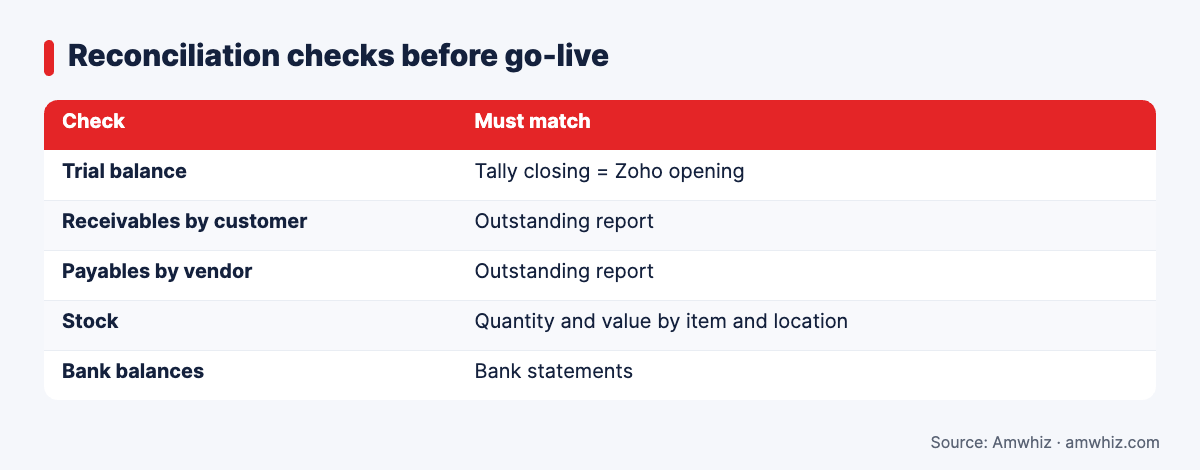
Reconciliation checks before go-live
Timeline
| Business size | Typical duration |
|---|---|
| Small (1 GSTIN, simple inventory) | 1 to 2 weeks |
| Mid-size (multiple branches, inventory) | 2 to 4 weeks |
| Multi-entity or multi-GSTIN | 4 to 8 weeks |
Common mistakes
- Migrating mid-quarter and complicating GST returns
- Importing duplicate ledgers from Tally
- Not reconciling receivables party by party
- Forgetting HSN codes, causing e-invoice errors later
- Migrating every historical voucher when a summary would do
- Leaving integrations for "later", so manual entry continues
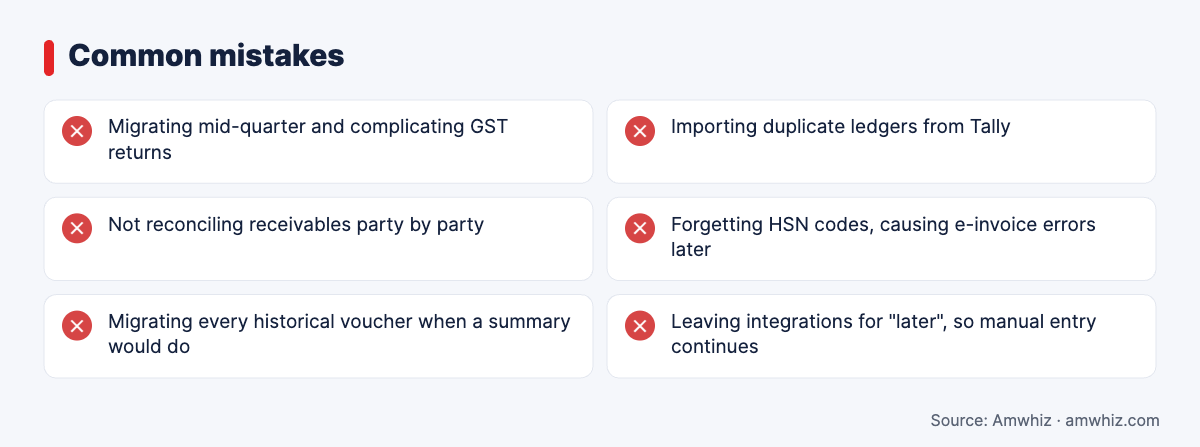
Common mistakes
Why choose Amwhiz for your Tally to Zoho Books move?
Amwhiz implements Zoho for Indian and GCC businesses, from Books and Inventory to CRM and Zoho One. We clean and migrate your Tally data, set up GST and e-invoicing, reconcile with your CA, and connect Zoho Books to your CRM and store.
Want help with this? Book a free migration assessment with the Amwhiz team.
Related guides
- Zoho Books GST E-Invoicing Setup: Step-by-Step Guide for Indian Businesses
- CRM Data Migration Checklist: 25 Things to Fix Before You Switch Platforms
- Shopify TallyPrime Integration: Options, Costs and Common Sync Errors
Frequently asked questions
Can I import Tally data into Zoho Books?
Yes. Masters, opening balances and open transactions can be imported. Zoho Books also provides a Tally migration option; complex data usually needs cleanup first.
Should I migrate all historical data from Tally?
Usually not. Most businesses migrate opening balances and open transactions, and keep Tally as an archive for older vouchers.
When is the best time to switch from Tally to Zoho Books?
At the start of a financial year or quarter, after filing GST returns for the previous period.
Does Zoho Books support GST e-invoicing?
Yes. Zoho Books connects to the Invoice Registration Portal to generate IRNs and QR codes, and supports e-way bills.
How long does a Tally to Zoho Books migration take?
Most SMB migrations take 1 to 4 weeks, depending on data volume, number of GSTINs and inventory complexity.
Leave a comment
Your email address will not be published. Comments are reviewed before they appear.