-1.png?width=134&height=66&name=amwhiz-logo%20(1)-1.png)


The Challenge Our client was facing challenges in effectively tracking lead sources and campaign...

written by: Vijay Durai
Starting with HubSpot can be a major step toward improving your marketing, sales, and customer relationship processes. However, successful HubSpot onboarding involves more than creating an account and exploring the dashboard. It requires clear goals, organized data, proper CRM configuration, user training, and a practical plan for adopting the platform across your team.
This guide explains how to approach HubSpot onboarding, what to prepare before getting started, how to configure your account, and which steps can help new users gain value from the platform more efficiently.
What Is HubSpot Onboarding?
HubSpot onboarding is the process of setting up HubSpot, configuring the CRM, importing or migrating data, connecting business tools, creating initial workflows, and helping users understand how to use the platform effectively.
A complete onboarding process typically includes:
- Creating and configuring your HubSpot account
- Defining your marketing, sales, and service goals
- Setting up users, teams, permissions, and notifications
- Organizing contacts, companies, deals, and lifecycle stages
- Importing existing customer and prospect data
- Connecting email, website, advertising, and other business tools
- Creating campaigns, forms, landing pages, and workflows
- Building reports and dashboards
- Training team members
- Reviewing performance and improving adoption
The purpose of onboarding is to create a reliable foundation so your team can use HubSpot consistently and your business can make better use of its customer data.
What Should You Prepare Before Starting HubSpot Onboarding?
Before creating your HubSpot setup, identify what your business expects to achieve with the platform. This helps prevent unnecessary configuration and ensures that the system supports actual business requirements.
Define Your Business Goals
Start by identifying the main reasons your company is adopting HubSpot. Your goals may include:
- Improving lead management
- Centralizing customer information
- Increasing marketing campaign efficiency
- Improving sales pipeline visibility
- Automating repetitive follow-up tasks
- Improving reporting and attribution
- Aligning marketing and sales teams
- Creating a more consistent customer experience
Each goal should connect to a measurable business outcome. For example, instead of simply aiming to “improve lead management,” define a goal such as reducing lead response time, improving lead qualification, or increasing the percentage of leads followed up by the sales team.
Identify Your Users and Teams
Determine who will use HubSpot and what each person needs to access. Marketing users may need campaign and content tools, while sales representatives may primarily need access to contacts, companies, deals, tasks, and sales reports.
Create a basic user and permission plan before inviting everyone into the account. This can help reduce confusion and limit unnecessary access to sensitive information.
Review Your Existing Data
If your business already uses a CRM, spreadsheet, email platform, or marketing database, review the available data before importing it into HubSpot.
Check for:
- Duplicate contacts
- Missing email addresses
- Incorrect company names
- Inconsistent phone numbers
- Outdated contact records
- Unclear lifecycle stages
- Incomplete deal information
- Unused or conflicting custom fields
Clean data makes the onboarding process easier and helps prevent reporting problems later.
Document Your Current Processes
Write down how your team currently manages leads, contacts, sales opportunities, campaigns, and customer communication. This will help you determine which processes should be recreated in HubSpot and which ones should be improved before implementation.
Setting Up Your HubSpot Account
Setting up your HubSpot account is the first step to getting started with using HubSpot effectively. Begin by visiting the HubSpot website and clicking on the 'Get Started' button.
- You will be prompted to create an account by providing your email address and choosing a password. Once you have successfully created your account, you can log in and start setting up your HubSpot account. After logging in, you will be guided through a series of setup steps.
- These steps include providing information about your company, such as its name, industry, and website. You will also be asked to connect your social media accounts and integrate any existing CRM or email marketing platforms you may be using.
- Once you have completed the initial setup steps, you can customize your account settings to align with your specific needs and preferences.
- This includes configuring your notification settings, setting up user roles and permissions, and customizing your dashboard and reporting options.
- Setting up your HubSpot account is an important foundation for effectively using the platform. Take the time to thoroughly complete the setup process to ensure that you are able to make the most of HubSpot's features and functionalities.
How Should You Configure Your HubSpot CRM During Onboarding?
Your CRM configuration determines how your team stores information, manages relationships, tracks opportunities, and measures performance. A poorly configured CRM can create inconsistent records and make reporting difficult.
Configure Contact and Company Properties
Review the standard properties available in HubSpot and identify which additional properties your business needs. Avoid creating custom fields for information that can already be stored in an existing standard property.
Useful property categories may include:
- Contact details
- Company information
- Lead source
- Industry
- Company size
- Lifecycle stage
- Lead status
- Customer type
- Product interest
- Sales territory
- Account owner
Use clear naming conventions for custom properties. For example, property names such as “Primary Product Interest” or “Lead Qualification Status” are easier for users to understand than unclear internal labels.
Define Lifecycle Stages
Lifecycle stages help your team understand where a contact or company is in the customer journey. Your business should define what each stage means and when a record should move from one stage to another.
Your lifecycle framework may include stages such as:
- Subscriber
- Lead
- Marketing qualified lead
- Sales qualified lead
- Opportunity
- Customer
- Evangelist
The exact stages and definitions should reflect your sales and marketing process. More importantly, your team should use the same definitions consistently.
Set Up Deal Pipelines
If your sales team manages opportunities through a defined sales process, configure deal pipelines and stages that match the actual buying journey.
For each deal stage, document:
- What the stage represents
- What conditions must be met before entering the stage
- Which team member owns the deal
- What information must be completed
- What action is expected next
- When the deal should move forward or be closed
This creates more reliable pipeline reporting and helps sales representatives understand what is expected at each stage.
Establish Data Ownership
Assign ownership rules for contacts, companies, and deals. Decide how records will be assigned to sales representatives, account managers, or other responsible team members.
Clear ownership helps prevent missed follow-ups and ensures that every important record has someone responsible for taking the next action.
How Do You Migrate Existing Data Into HubSpot?
Data migration is one of the most important stages of HubSpot onboarding. Moving data without preparation can create duplicate records, missing information, incorrect associations, and unreliable reports.
Audit Your Existing Data
Before importing information, review the data source and determine:
- Which records should be migrated
- Which records should be archived
- Which fields are required
- Which records contain duplicates
- Which data needs to be cleaned
- Which records need to be associated with companies or deals
Not every historical record needs to be moved into the new system. Import only the data that supports your current business processes and reporting needs.
Map Your Fields
Create a field mapping document that connects the fields in your existing system with the correct HubSpot properties.
For example:
| Existing Field | HubSpot Property |
|---|---|
| First Name | First Name |
| Last Name | Last Name |
| Email Address | |
| Company Name | Company Name |
| Job Title | Job Title |
| Lead Source | Original or Custom Lead Source |
| Sales Owner | Contact Owner |
| Customer Type | Custom Contact Property |
Field mapping should be completed before importing data. This reduces the risk of placing information in the wrong property.
Prevent Duplicate Records
Use consistent identifiers, such as email addresses for contacts, to reduce duplicate creation. Review existing records and decide how duplicates should be handled before beginning the migration.
After importing data, check a sample of records manually. Confirm that contact details, company associations, owners, lifecycle stages, and other important properties were transferred correctly.
Validate the Migration
A successful import is not confirmed simply because the import process finishes. Validate the results by reviewing:
- Total records imported
- Failed records
- Duplicate records
- Missing required fields
- Contact and company associations
- Deal ownership
- Lifecycle stages
- Custom property values
Document any issues and correct them before your team begins using the imported data for campaigns or sales activity.
Exploring HubSpot Tools and Features
Once you have set up your HubSpot account, it's time to start exploring the wide range of tools and features that the platform has to offer. HubSpot offers a comprehensive suite of tools designed to help you attract, engage, and delight your customers. These tools include a powerful CRM, email marketing capabilities, social media management tools, content management features, and much more. One of the key features of HubSpot is its CRM, which allows you to manage your contacts, track interactions, and monitor the progress of your sales pipeline. Take the time to familiarize yourself with the CRM and learn how to effectively use it to organize and track your customer interactions.
In addition to the CRM, HubSpot offers a range of marketing and sales tools that can help you automate and streamline your processes. These tools include email marketing, social media scheduling, lead generation forms, landing page builders, and more. Explore these tools and experiment with different strategies to find what works best for your business. As you explore HubSpot's tools and features, don't hesitate to reach out to the HubSpot support team for assistance. They are available to answer any questions you may have and provide guidance on how to make the most of the platform.
Which Integrations Should You Set Up During HubSpot Onboarding?
Integrations help connect HubSpot with the other systems your business uses. The right integrations can reduce duplicate data entry and improve visibility across marketing, sales, customer service, and operations.
Depending on your business needs, you may need to connect:
- Business email accounts
- Calendar tools
- Website forms
- Advertising platforms
- Social media accounts
- Customer support platforms
- Accounting software
- Ecommerce platforms
- Webinar platforms
- Meeting scheduling tools
- Internal communication tools
- Data enrichment or lead intelligence platforms
Before connecting an integration, identify what information should move between systems. Define which platform owns the data and determine whether the connection should be one-way or two-way.
Review Integration Permissions
Only connect the tools that are required for your business process. Review the permissions requested by each integration and ensure that the appropriate administrator approves the connection.
Test Each Integration
After connecting an integration, test the full process. For example, if a website form sends leads into HubSpot, submit a test form and confirm that:
- The contact record is created correctly
- The correct source is recorded
- The appropriate owner is assigned
- Any workflow is triggered as expected
- Notifications are delivered
- The data appears in the correct report
Testing integrations before launch can help identify problems before they affect real customer records.
Creating Your First Campaign
Creating your first campaign in HubSpot is an exciting step towards achieving your marketing goals.
Start by defining the objective of your campaign. What are you trying to achieve? Whether it's generating leads, increasing brand awareness, or driving sales, clearly define your goals before proceeding. Next, identify your target audience. Who are you trying to reach with your campaign?
Use HubSpot's segmentation tools to create targeted lists based on criteria such as demographics, behavior, and interests. Once you have defined your objectives and identified your target audience, it's time to create your campaign assets. This may include designing compelling email templates, creating engaging social media posts, or developing captivating landing pages.
After creating your assets, use HubSpot's automation features to schedule and launch your campaign. Set up workflows to automate follow-ups, nurture leads, and track the performance of your campaign. Throughout the campaign, regularly monitor and analyze the data to gain insights into its effectiveness. HubSpot provides robust analytics and reporting features that can help you track key metrics and make data-driven decisions to optimize your campaign performance.
Creating your first campaign in HubSpot is an iterative process. Continuously analyze the results, make adjustments, and optimize your campaign to maximize its impact.
Analyzing Data and Performance
Analyzing data and performance is a crucial step in optimizing your onboarding process with HubSpot.
HubSpot provides a wealth of data and analytics to help you track and measure the success of your marketing efforts. From website traffic and lead generation to email performance and social media engagement, HubSpot's reporting tools provide valuable insights into the effectiveness of your campaigns. Start by identifying the key metrics that align with your marketing goals. These may include conversion rates, click-through rates, bounce rates, or customer acquisition costs. Set up custom reports and dashboards to monitor these metrics and track your progress over time.
In addition to tracking your own performance, it's also important to benchmark your results against industry standards and competitors. Use HubSpot's benchmarking tools to compare your performance with similar businesses and identify areas for improvement. Regularly review and analyze the data to identify trends, patterns, and opportunities. Use this information to make data-driven decisions and optimize your marketing strategies.
Remember, data analysis is an ongoing process. Continuously monitor and measure your performance to stay ahead of the competition and drive better results.
What Common HubSpot Onboarding Mistakes Should You Avoid?
Even with a clear onboarding plan, businesses can face problems when the implementation process is rushed or poorly documented.
Configuring Everything Without a Clear Goal
HubSpot includes many tools and settings, but not every feature needs to be configured immediately. Focus on the workflows, records, reports, and campaigns that support your most important business goals.
Importing Unclean Data
Importing duplicate or outdated data can create problems throughout the CRM. Clean and validate your data before migration rather than attempting to correct every issue after launch.
Creating Too Many Custom Properties
Custom properties can be useful, but unnecessary fields make the CRM harder to maintain. Before creating a new property, check whether an existing field can meet the requirement.
Ignoring User Permissions
Giving every user access to every feature or record can create security and data management issues. Assign permissions according to each user's responsibilities.
Launching Workflows Without Testing
A workflow that has not been tested may send incorrect emails, assign records to the wrong person, or trigger actions at the wrong time. Test workflows using sample records before activating them.
Failing to Train the Team
Even a well-configured HubSpot account will not deliver value if users do not understand how to use it. Provide training based on each team's daily responsibilities.
Measuring Activity Instead of Outcomes
Tracking the number of emails sent or contacts created may not explain whether onboarding is successful. Measure business outcomes such as lead response time, pipeline visibility, campaign conversions, user adoption, and data quality.
Optimizing Your Onboarding Process
Optimizing your onboarding process is essential for ensuring a smooth and successful transition to using HubSpot.
Start by gathering feedback from your team members who have gone through the onboarding process. What worked well? What could be improved? Use this feedback to identify areas for optimization and make necessary adjustments.
Next, evaluate your current onboarding materials and resources. Are they comprehensive and easy to understand? Consider creating step-by-step guides, video tutorials, or interactive training modules to help new users get up to speed quickly.
- Implement a structured onboarding plan that includes specific milestones and goals. This will help new users track their progress and stay motivated throughout the onboarding process.
- Regularly communicate with new users and provide ongoing support. Offer training sessions, host Q&A sessions, and provide access to a dedicated support team to address any questions or concerns.
- Continuously evaluate and refine your onboarding process based on user feedback and data. Monitor user engagement and satisfaction metrics to identify areas for improvement and ensure a positive onboarding experience.
By optimizing your onboarding process, you can maximize the value of HubSpot for your organization and set new users up for success.
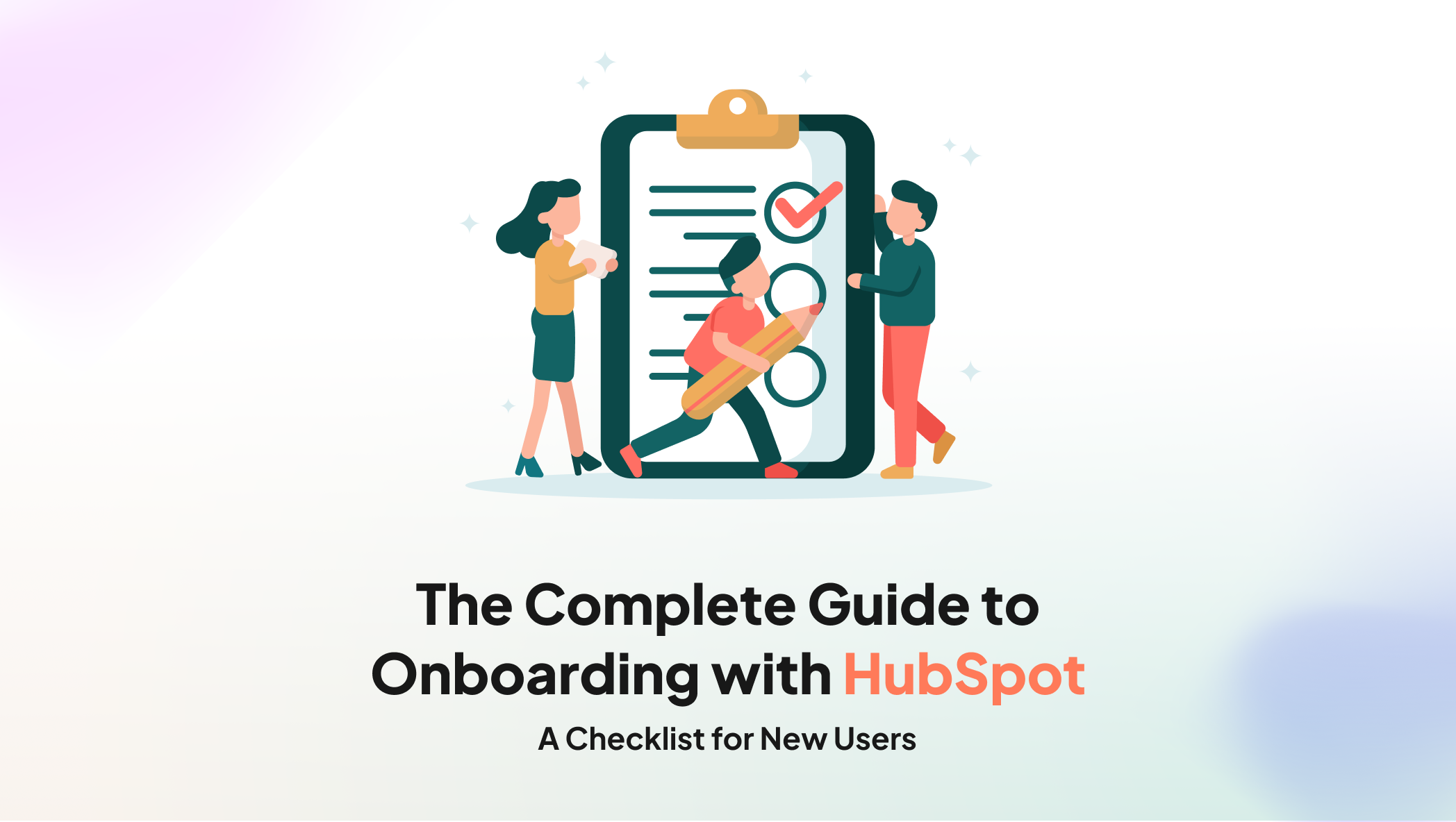
HubSpot Onboarding Checklist for New Users
Use this checklist to track the main tasks involved in setting up and adopting HubSpot.
Account Setup
- Create your HubSpot account
- Add company information
- Configure account settings
- Set up users and teams
- Review permissions
- Configure notifications
- Connect business email accounts
- Connect calendars where required
CRM Configuration
- Review standard contact properties
- Create necessary custom properties
- Define lifecycle stages
- Configure lead statuses
- Set up deal pipelines
- Assign record ownership
- Define data entry standards
- Document CRM processes
Data Migration
- Audit existing data
- Remove duplicate records
- Clean outdated information
- Map existing fields to HubSpot properties
- Prepare import files
- Import a small test group
- Validate imported records
- Review contact and company associations
- Confirm owners and lifecycle stages
Integrations
- Connect website forms
- Connect advertising platforms
- Connect social media accounts
- Connect customer support tools
- Connect ecommerce or accounting tools where needed
- Review integration permissions
- Test data synchronization
Marketing and Sales
- Create target lists
- Build your first campaign
- Create email templates
- Create landing pages
- Configure forms
- Set up workflows
- Define lead follow-up processes
- Configure sales tasks
- Create dashboards and reports
Training and Adoption
- Train marketing users
- Train sales users
- Provide role-specific documentation
- Create internal process guides
- Test common user workflows
- Gather team feedback
- Review user adoption
- Schedule regular account reviews
How Long Does HubSpot Onboarding Take?
The time required for HubSpot onboarding depends on the size of the business, the number of users, the complexity of the CRM, the amount of data being migrated, and the number of integrations required.
A basic setup may involve account configuration, user invitations, and initial CRM settings. A more advanced implementation may require:
- Complex data migration
- Multiple deal pipelines
- Custom properties
- Advanced workflows
- Marketing and sales alignment
- Third-party integrations
- Custom reporting
- User training
- Data governance
- Ongoing optimization
Instead of focusing only on how quickly the account can be launched, businesses should focus on whether the system is configured correctly and whether users can adopt it confidently.
How Can You Measure HubSpot Onboarding Success?
HubSpot onboarding success can be measured through a combination of technical, operational, and business metrics.
Technical Metrics
- Percentage of required integrations connected
- Data migration accuracy
- Number of duplicate records
- Number of import errors
- Workflow testing completion
- CRM configuration completion
User Adoption Metrics
- Percentage of users logging in regularly
- Number of completed user training sessions
- CRM record completion rate
- Sales activity recorded in HubSpot
- Use of dashboards and reports
- User feedback and support requests
Business Metrics
- Lead response time
- Lead qualification rate
- Sales pipeline visibility
- Campaign conversion rate
- Email engagement
- Marketing and sales alignment
- Reporting accuracy
- Time saved on repetitive tasks
The most useful metrics are those connected to the goals defined before onboarding began.
Frequently Asked Questions About HubSpot Onboarding
1. What is included in HubSpot onboarding?
HubSpot onboarding typically includes account setup, CRM configuration, user permissions, data migration, integrations, campaign setup, workflow configuration, reporting, and user training. The exact activities depend on the company's goals and the complexity of its HubSpot account.
2. How do I prepare for HubSpot onboarding?
Prepare by defining your business goals, identifying users, reviewing existing customer data, documenting current processes, listing required integrations, and deciding how your CRM should be organized. Preparing these details in advance can make the onboarding process more efficient.
3. Do I need to migrate all my existing data into HubSpot?
No. Businesses should review their existing data and migrate the records needed for current operations, reporting, and customer management. Unused, outdated, or duplicate records may be cleaned or archived instead of being imported.
4. How can I improve HubSpot user adoption?
Improve adoption through role-specific training, simple documentation, clear CRM processes, regular communication, internal support, and ongoing feedback. Users are more likely to adopt HubSpot when it supports their daily responsibilities and is easy to understand.
5. Should I work with a HubSpot onboarding partner?
A HubSpot onboarding partner may be helpful when your business needs complex CRM configuration, data migration, integrations, custom workflows, reporting, or team training. A partner can also help document processes and reduce implementation risks.
Get More Value From Your HubSpot Onboarding
Successful HubSpot onboarding is not only about activating tools. It is about creating a connected system that supports your business goals, keeps customer data organized, and helps your team work consistently.
By preparing your data, defining your processes, configuring the CRM carefully, testing integrations, training users, and reviewing performance regularly, your business can build a stronger foundation for long-term HubSpot adoption.
If you need support with CRM setup, data migration, integrations, workflows, reporting, or user training, explore HubSpot onboarding services to learn how a structured onboarding process can support your business.