-1.png?width=134&height=66&name=amwhiz-logo%20(1)-1.png)



Overview For any established eCommerce business, a website migration is one of the most critical...

written by: Madhan
Data Migration,
HubSpot contact management,
crm migration,
contact management,
platform migration,
Salesforce to HubSpot migration
You can execute a Salesforce to HubSpot migration without losing critical information or disrupting operations. Extract your data systematically, clean it aggressively, map objects carefully, and import in phases. This CRM migration approach preserves relationships, improves data quality, and actually gives your team a better tool than they had before. Our data migration strategy ensures seamless contact management throughout the platform move.
Overview
We helped a company escape Salesforce hell. After years of living in that system, they had accumulated over 50,000 contact records, thousands of opportunities, and so much data baggage that every admin action felt like pushing a boulder uphill. They needed out, but they couldn't afford to lose their historical data or blow up operations in the process.
This is how we got them to HubSpot without a disaster.
Problem Statement
Salesforce had become a headache for this team. Their reps hated it. Their admins hated maintaining it. And their marketing team was completely disconnected from sales data because Salesforce is built for sales, not collaboration. They wanted HubSpot's simpler interface, better marketing integration, and general sanity. A proper Salesforce to HubSpot migration would solve these issues.
The catch? Ten years of Salesforce data. Thousands of contacts. Hundreds of opportunities. Custom objects they built to solve problems Salesforce didn't handle. Workflows that drove their business. They couldn't just click an export button and pray. This platform migration required careful contact management and data migration strategy.
They needed a CRM migration approach that preserved everything while improving their overall system and maintaining business operations throughout the process.
Why This Migration Was Hard
Salesforce and HubSpot speak different languages. The complexity of CRM migration lies in mapping Salesforce Accounts to HubSpot Companies. Opportunities have different structures. Custom objects have no direct equivalent. Any platform migration requires careful architectural planning.
Beyond structure, the data itself was a mess. A decade of manual entry had created duplicates, inconsistencies, and field values that made no sense. You can't execute a clean data migration with bad source data. It just doesn't work that way. Poor contact management during migration creates bigger problems post-cutover.
And then there's the operational risk. You can't take a sales team offline for days while you figure out how to migrate. You can't lose deal history. You can't disconnect from your communication records. The Salesforce to HubSpot migration had to maintain business continuity.
How We Actually Did It
Phase 1: Understanding what we were dealing with
We spent two weeks just auditing Salesforce. What objects existed? What was actually being used? What was legacy cruft nobody touched? How were things related? What custom fields actually mattered?
This sounds tedious but it's the difference between a smooth migration and a nightmare. You can't plan for something you don't understand.
Phase 2: Cleaning the data before touching HubSpot
We extracted data using Salesforce Data Loader, ran it through validation routines, and identified problems:
- 8,000 duplicate contacts (mostly typos and variations on company names)
- Fields where people were storing data in random ways (dates formatted three different ways in the same field)
- Inactive records cluttering the dataset
- Email addresses that were obviously wrong
We merged duplicates, standardized formats, and validated critical fields before even thinking about HubSpot. This wasn't optional. Moving bad data into HubSpot is the fastest way to make a new system look broken.
Phase 3: Designing HubSpot to actually work
We didn't just make HubSpot look like Salesforce. We rethought how it should be organized. We created custom objects where Salesforce custom objects existed. We defined pipelines that matched how they actually sold, not how they used to sell. We created properties that mattered, not just mapped every Salesforce field.
This is where you create the better system, not a replica of the old broken one.
Phase 4: Moving the data
We exported from Salesforce in pieces. We retained Salesforce IDs so we could verify that everything matched up. We imported companies first, then contacts, then deals, then tickets. After each phase, we ran reports comparing record counts and spot checked data.
This phased approach meant if something broke, we caught it early rather than discovering halfway through that 10,000 records imported wrong.
Phase 5: Testing and training
Before anyone used it, we had team members review data in their areas. Sales leadership checked their pipeline. Marketing verified contact data. We recreated automation in HubSpot. We trained the team on the new system.
What Moved Where
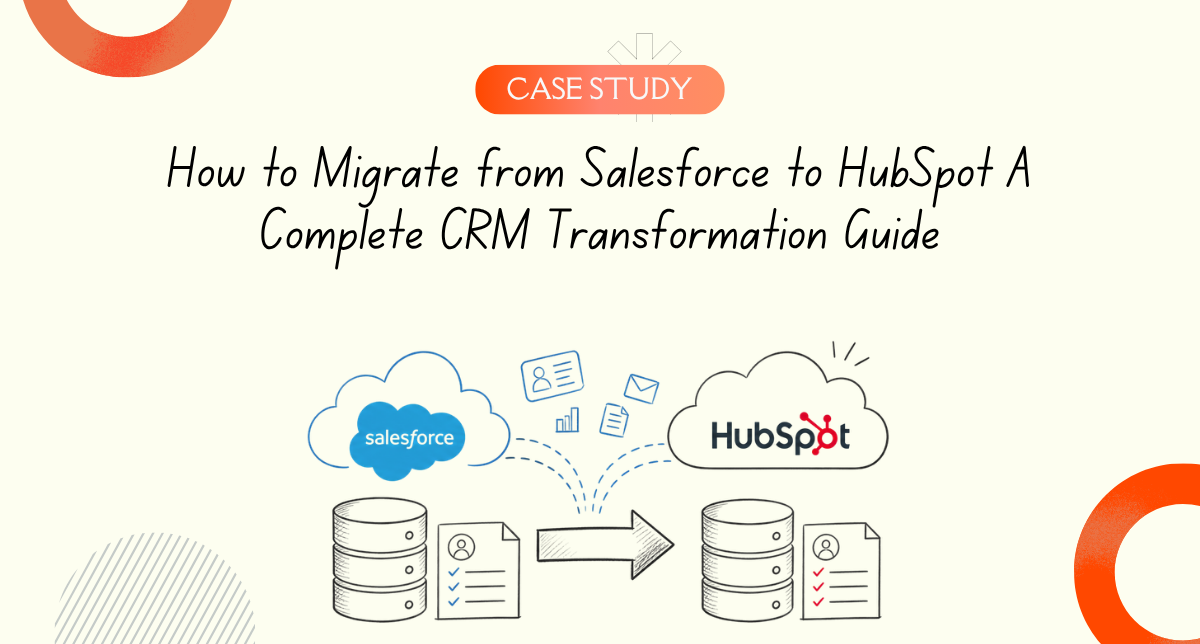
- Salesforce Accounts became HubSpot Companies
- Salesforce Leads and Contacts became HubSpot Contacts
- Salesforce Opportunities became HubSpot Deals
- Salesforce Cases became HubSpot Tickets
- Salesforce Tasks remained HubSpot Tasks
- Salesforce custom objects got recreated as HubSpot custom objects
For anything complex, we kept the Salesforce IDs in HubSpot so we could trace things back if needed.
What Actually Changed
The migration wasn't just a data move. It was a reset. Here's what they got:
Better data quality - We removed 8,000 duplicates before migration. The data that entered HubSpot was clean. Not perfect, but usable.
Simpler workflows - Salesforce automation was complicated. We rebuilt it in HubSpot in ways that were actually logical. Some things that took three workflow steps in Salesforce took one in HubSpot.
Marketing and sales on the same page - HubSpot integrates marketing and sales in ways Salesforce never will. Their marketing team could finally see deal data. Sales could see which leads came from which campaigns. This alone paid for the migration.
Better user adoption - The reps immediately appreciated HubSpot's interface. They weren't fighting the system anymore. More people actually used it correctly.
Maintainability - The admin didn't need to be a Salesforce ninja to keep things running. HubSpot is simpler. Workflows are clearer. Automation is more intuitive.
The Numbers
- 50,000 contacts migrated cleanly
- 5,000 opportunities moved to deals
- 10,000 historical activities preserved
- Zero deals lost
- 8,000 duplicate records removed before migration
- Six weeks from decision to full cutover
- Three days of parallel running with both systems active
When This Approach Works
Use this approach if:
- You have years of Salesforce data and can't afford to lose it
- Your data quality is questionable and needs cleaning
- You want to improve your system, not just recreate it
- You need to keep operations running during migration
- You have complex custom objects or automation
This doesn't work if:
- You want a quick migration and don't care about data quality
- You're willing to start fresh without historical data
- You're moving a small dataset with no complexity
Conclusion
A Salesforce to HubSpot migration requires more than data exports and imports. It demands careful planning, data quality discipline, and architectural design to preserve historical data while modernizing your CRM environment.
Implement this approach if you need to migrate from Salesforce to HubSpot while maintaining business continuity and improving long term data quality and team adoption.
Frequently Asked Questions
How long does a migration actually take?
Real timeline? 6 to 16 weeks depending on size and complexity. Small organizations with clean data go fast. Large ones with messy data take longer. The phased approach extends the calendar but reduces risk. You could be importing data in weeks but cleaning and validating takes months.
Do you really need to clean data before migrating?
Yes. Fundamentally yes. If you migrate bad data, you'll spend six months fixing it in HubSpot. It's way easier to clean it once in Salesforce, verify it, then move it clean. Your future self will thank you.
What's the best way to extract from Salesforce?
Salesforce Data Loader for large exports. SOQL queries if you need to be selective. CSV exports work for smaller datasets. The key is retaining Salesforce IDs so you can verify relationships after import. Don't lose that connection.
How do you actually map custom objects?
Create the equivalent in HubSpot before you start moving data. Map every field. Define all associations. Then import the data. Custom objects require the same care as standard objects. Don't skip this step.
What happens to Salesforce workflows when you migrate?
They don't come with you. You have to rebuild them in HubSpot. But HubSpot workflows are usually simpler and more powerful. This is actually an opportunity to rethink your automation and make it better. View it as a reset, not a burden.
How do you handle duplicate records?
Merge them in Salesforce before export. Identify obvious duplicates (same company, same person) and consolidate. Keep the most complete version. This is tedious but necessary. Moving duplicates into HubSpot magnifies the problem.
What about historical email records?
Salesforce EmailMessages can export, but attachments sometimes don't come through. Document which emails have critical attachments and decide if you need to archive them separately. The email body usually comes through fine. Always test with a sample first.
Can you parallel run Salesforce and HubSpot?
Yes, for a limited time. Use both systems for a few weeks while you validate HubSpot is working. Have your team use HubSpot for new activity but pull historical data from both systems. This reduces cutover risk. Then set a cutoff date and go HubSpot only.
How do you verify everything migrated correctly?
Compare record counts. Spot check data in each section (companies, contacts, deals). Run reports in both systems and compare results. Have department heads review data in their areas. Test key automations. This verification phase catches problems before they become disasters.
What about Salesforce IDs after migration?
Store them in HubSpot as a property. Even after successful migration, those IDs are useful for auditing, troubleshooting, and if you ever need to reference the original records. Keep them indefinitely.
How do you minimize disruption during cutover?
Phased cutover by team or region. Don't migrate everyone on the same day. Provide redundant access initially. Have IT support standing by. Clear communication about timing and expectations. The better prepared you are, the smoother it goes.
What's the biggest mistake people make?
Migrating without cleaning data first. Or trying to recreate Salesforce exactly in HubSpot instead of using HubSpot's different approach. Or skipping the verification phase and discovering problems after everyone is on the system. Do it right the first time.
How much does this cost?
Depends on who does it. DIY migrations are cheap but risky. Professional migrations run $10,000 to $50,000+ depending on complexity. Factor in team time for data cleanup and validation. It's an investment, but getting it right saves way more than getting it wrong costs.
Can you migrate while still using Salesforce?
Yes, but parallel running adds complexity. Both systems need the same data for the overlap period or you'll create inconsistencies. Set a firm cutoff date and stick to it. Dragging out parallel running usually extends problems rather than preventing them.
What happens after cutover?
Monitor HubSpot closely for the first month. Have teams report issues immediately. Keep the first few weeks lightweight so you have capacity to troubleshoot. Run daily reports comparing expectations to reality. Address problems fast while memory of Salesforce is still fresh.
Is this the final step or just the beginning?
This is the foundation. The real work starts after migration: training teams on HubSpot's different features, building new automation that leverages HubSpot's strengths, and moving marketing and sales together. The data move is step one of a larger transformation.