-1.png?width=134&height=66&name=amwhiz-logo%20(1)-1.png)


Amwhiz, an authorized Zoho partner, gets this question from almost every sales team: is WhatsApp...
Amwhiz, an authorized Zoho partner, connects Zoho Social to Zoho CRM so social media stops being a silo and starts feeding your pipeline. This guide explains the best way to link the two and why it turns social activity into trackable leads.
How Do You Connect Zoho Social to Your CRM?
The Short Answer
The best way to connect Zoho Social to your CRM is through the native Zoho Social and Zoho CRM integration, which links social engagement directly to your customer records. Leads generated on social flow into CRM, existing contacts show their social interactions, and your team can see and act on social activity without leaving the CRM. It turns social from a separate channel into part of your sales process.
The reason this matters is that social media is where a lot of first contact now happens, yet for many businesses it lives in a world of its own, disconnected from where deals are managed. Connecting Social to CRM closes that gap, so a promising interaction on social does not vanish but becomes a tracked lead your team can follow up.
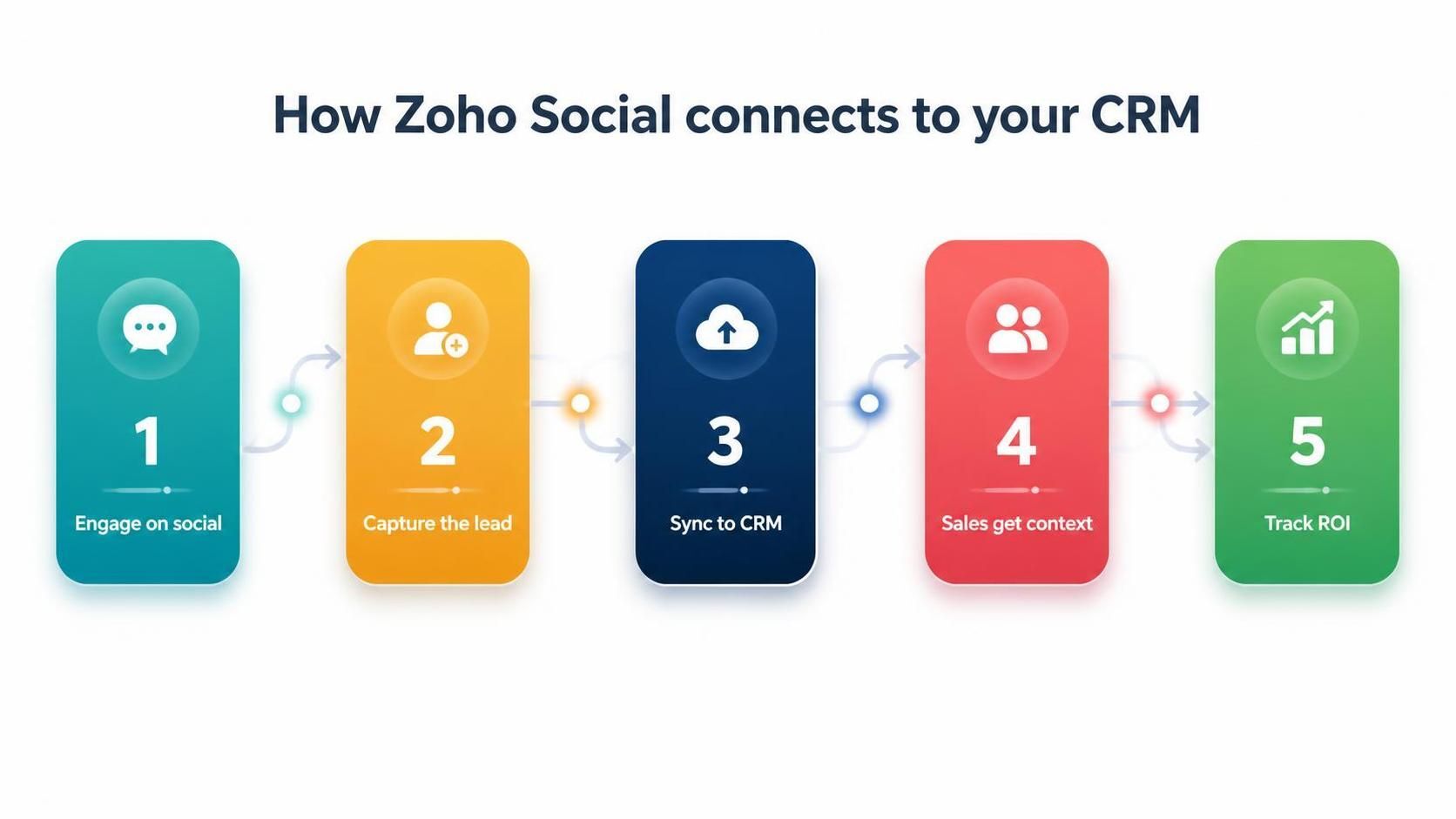
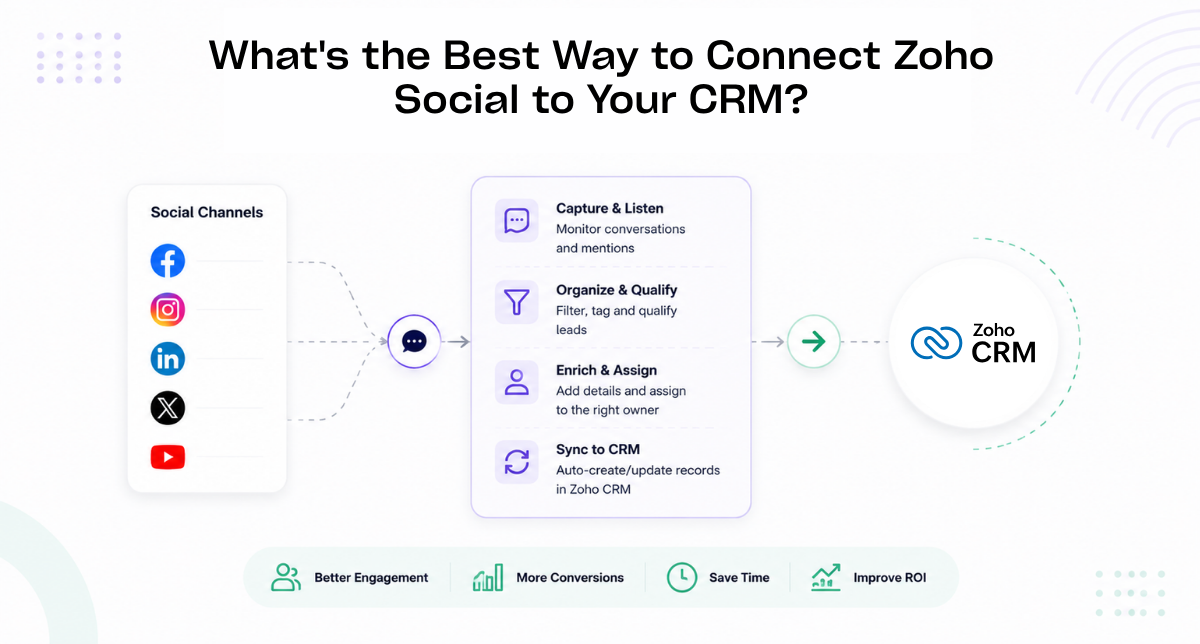
Engagement on social becomes a captured lead that syncs to CRM with full context for sales.
Why Social and CRM Should Talk to Each Other
When social media and your CRM are disconnected, valuable signals are lost. Someone who engages with your posts, asks a question, or shows interest on social is a warm lead, but if that activity never reaches your CRM, your sales team never knows. Connecting the two means these signals become visible and actionable rather than disappearing into a social inbox.
The connection also enriches the picture you have of existing contacts. When a lead in your CRM also interacts with you on social, seeing that activity alongside their record gives your team a fuller understanding of their interest. Context like this makes follow-up more relevant and more likely to convert.
What the Integration Actually Does
The native integration between Zoho Social and Zoho CRM links the two in practical ways. You can generate leads from social interactions directly into CRM, associate social profiles with contacts, monitor and respond to social conversations, and see social context on customer records. Your marketing and sales teams work from a connected view rather than switching between disconnected tools.
- Leads captured from social flow straight into Zoho CRM.
- Social interactions appear on the relevant contact records.
- Publish, schedule, and monitor social from one place.
- Report on how social contributes to your pipeline.
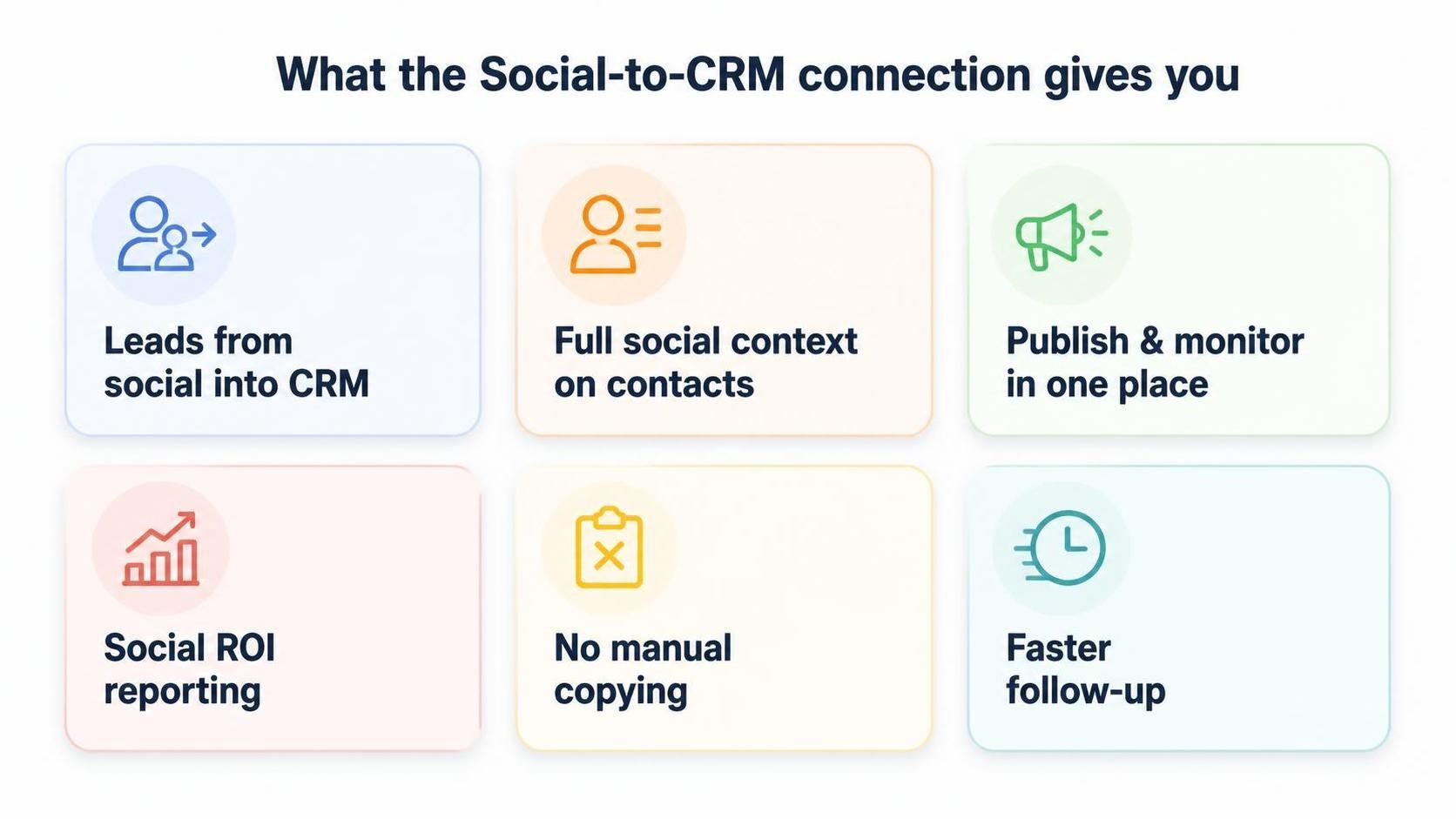
The connection brings social leads, context, publishing, and ROI reporting into one place.
From Social Engagement to Sales Pipeline
The real power of connecting Social to CRM is turning engagement into pipeline. When someone interacts meaningfully on social, that moment can become a lead in your CRM with the social context attached, so sales can follow up while interest is fresh. Instead of hoping social activity somehow leads to business, you have a traceable path from engagement to opportunity.
This also lets you finally measure social properly. Rather than vanity metrics like likes and follows, you can see how social contributes to actual leads and deals, because the connection tracks that journey in your CRM. Social stops being an act of faith and becomes a channel you can evaluate on real business outcomes.
Getting the Setup Right
The best results come from a thoughtful setup, not just flipping the integration on. You want to decide how social leads are captured and routed, which team owns social responses, and how social activity should appear on contact records. Getting these decisions right means the connection genuinely helps your sales process rather than adding noise.
It is also worth defining what a social lead looks like for your business, so the right interactions become leads and casual engagement does not clutter your CRM. A little planning here ensures the integration surfaces genuine opportunities and keeps your data clean, which is exactly the kind of judgement a partner brings.
Common Mistakes to Avoid
The most common mistake with a Social-to-CRM connection is treating it as purely technical and forgetting the human process around it. If nobody owns responding to social interactions, or there is no agreement on which engagements become leads, the integration surfaces activity that then goes nowhere. The connection is only as good as the team process wrapped around it, so responsibilities need to be clear from the outset.
Another pitfall is flooding the CRM with low-value social noise, so genuine leads get buried under casual likes and follows. Defining what counts as a meaningful interaction keeps the data clean and useful. And relying on vanity metrics rather than tracking social through to real leads and deals leaves you unable to prove the channel's worth, which is the whole reason to connect it to CRM in the first place.
Social Selling and Your Team
Connecting Social to CRM also enables social selling, where your sales team uses social insight to build relationships and time their outreach. When a rep can see that a contact has been engaging with your content, they have a natural, well-timed reason to reach out, and the conversation starts warmer than any cold approach. The integration puts that context right where sales already works.
For this to work, marketing and sales have to collaborate around the connected data rather than operating separately. Marketing surfaces the engagement and the leads, and sales acts on them with context. When both teams treat social as a shared source of pipeline rather than a marketing sideshow, the connection delivers far more than either team could achieve alone.
How Amwhiz Connects Zoho Social and CRM
Amwhiz is an authorized Zoho partner, and we connect Zoho Social to Zoho CRM so your social activity feeds your pipeline. We set up the integration, define how social leads are captured and routed, configure how social context appears on contacts, and build the reporting that shows social's contribution to your sales. The result is social media that generates trackable leads rather than disappearing into a separate app.
We also help align your teams around the connected setup, because the technology only pays off if marketing and sales use it together. By agreeing who responds to social, how leads are handed over, and how success is measured, we make sure the integration drives real pipeline rather than just linking two tools on paper.
Frequently Asked Questions About Zoho Social and CRM
Does Zoho Social Integrate Natively With Zoho CRM?
Yes. Zoho Social has a native integration with Zoho CRM that links social engagement to customer records and lets you generate leads from social directly into CRM.
Can I Turn Social Interactions Into CRM Leads?
Yes. Meaningful social interactions can be captured as leads in Zoho CRM with their social context attached, so sales can follow up while interest is warm.
Will I See Social Activity on Contact Records?
Once connected, social interactions can appear alongside the relevant CRM contact, giving your team a fuller view of each person's engagement.
Can I Manage Multiple Social Accounts?
Yes. Zoho Social manages multiple channels and accounts from one place, and the CRM connection applies across them, so all your social activity feeds one pipeline.
How Do I Measure Social ROI?
By tracking how social leads progress in your CRM. The connection lets you tie social engagement to actual leads and deals, so you can measure real business impact rather than vanity metrics.
Does This Help With Customer Service Too?
Yes. When social messages and mentions are linked to CRM contacts, your team can respond with full context, so social becomes a service channel as well as a lead source, and customers feel recognised rather than anonymous.
Can I Schedule and Publish Content From Zoho Social?
Yes. Zoho Social lets you plan, schedule, and publish across channels from one place, and because it connects to CRM, the engagement that content generates can flow back as trackable leads.
Is the Integration Suitable for Small Teams?
Very much so. Small teams benefit most from not switching between apps, because the connection lets one or two people manage social and follow up leads without losing context or duplicating work.
Conclusion
The best way to connect Zoho Social to your CRM is through the native integration, which turns social engagement into trackable leads, adds social context to your contacts, and lets you measure social's real contribution to pipeline. It moves social from an isolated channel into the heart of your sales process.
For businesses that generate genuine interest on social, this connection is the difference between that interest evaporating and it becoming revenue. Set up thoughtfully and used by aligned marketing and sales teams, it makes social media a measurable, productive part of how you win customers.
Book a free Zoho Social and CRM consultation.
Amwhiz, an authorized Zoho partner, will connect Zoho Social to your CRM so social activity feeds your pipeline. Visit amwhiz.com or email sales@amwhiz.com to get started.