-1.png?width=134&height=66&name=amwhiz-logo%20(1)-1.png)



Zoho CRM works well for real estate when it is configured around properties, not just contacts: a...
Amwhiz, an authorized Zoho partner, gets this question from almost every sales team: is WhatsApp integration and telephony integration in Zoho CRM worth it, or a nice-to-have? For most customer-facing teams, the answer is a clear yes, and here is why.
Is WhatsApp and Telephony Integration Worth It?
The Short Answer
If your team talks to customers by phone or WhatsApp, integrating those channels into Zoho CRM is worth it. It automatically logs every call and message against the right contact, removes manual note-taking, and gives managers a complete view of customer communication. The payoff is time saved and context that is never lost.
The alternative is reps switching between their phone, WhatsApp, and the CRM, copying details by hand or, more often, not logging anything at all. That gap is where follow-ups are missed and deals go cold.
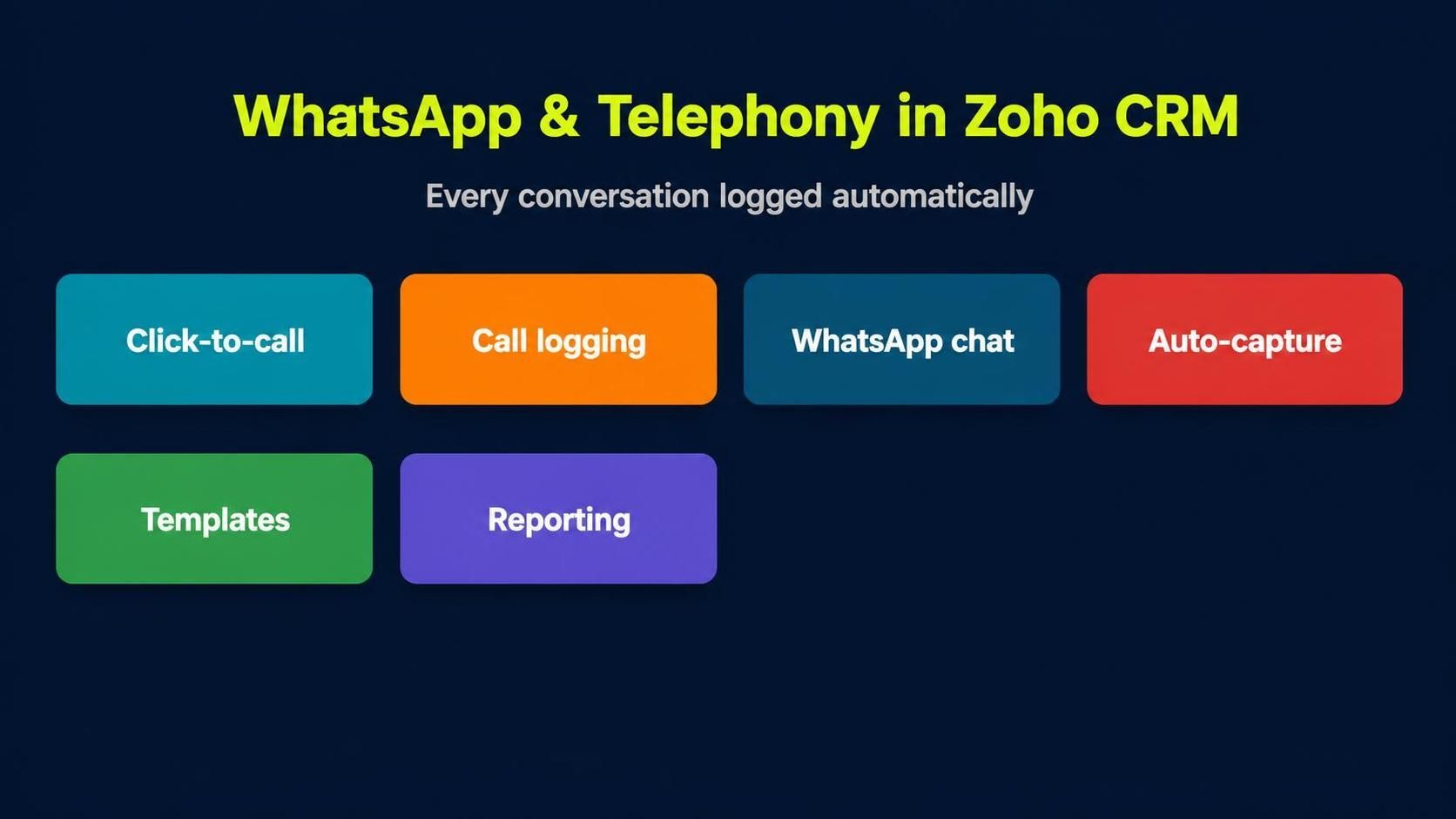
Integration brings click-to-call, call logging, WhatsApp chat, and reporting into one place.
What Telephony Integration Adds
Telephony integration connects your phone system to Zoho CRM so calls become data. Reps click to call from a record, incoming calls pop the matching contact, and every call is logged with duration and outcome. Nothing has to be typed up afterwards.
- Click-to-call directly from any CRM record.
- Automatic call logging with duration and notes.
- Screen pop of the caller's history on incoming calls.
- Call analytics for managers to coach and forecast.
What WhatsApp Integration Adds
WhatsApp is where many customers now prefer to talk. WhatsApp integration brings those conversations into Zoho CRM, so messages are captured against the contact, templates speed up replies, and no thread lives only on someone's personal phone.
- Messages logged automatically against the right contact.
- Approved templates for fast, consistent replies.
- A shared history so any team member can pick up the thread.
- Notifications so enquiries are not left unanswered.
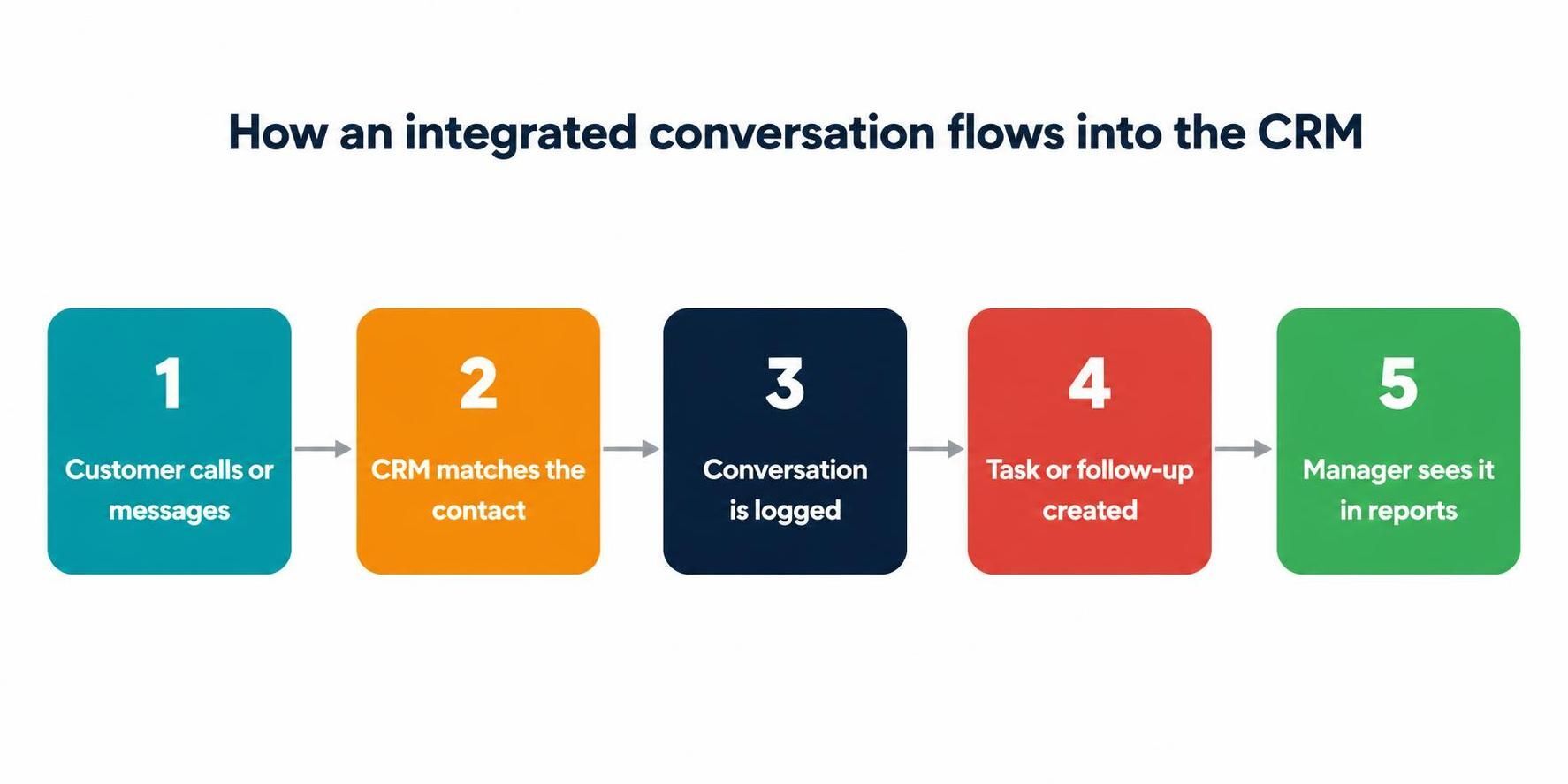
Integrated channels match the contact, log the conversation, and trigger follow-up automatically.
When You Probably Do Not Need It
To be fair, not every team needs both. If you sell entirely through email or web forms and rarely call customers, telephony integration adds little. If your audience does not use WhatsApp, that channel is optional. The test is simple: integrate the channels your customers actually use, and skip the ones they do not.
The Business Case in Plain Terms
The value of integrating your channels comes down to three things: time saved, deals protected, and visibility gained. The time saving is obvious once you count it. If every rep spends even fifteen minutes a day logging calls and messages by hand, that adds up to more than a full working week each month across a small team, and integration hands almost all of it back.
The protected deals are less visible but more valuable. When a conversation is not logged, the context lives only in one person's memory or their personal phone. If they are busy, on leave, or leave the company, that context vanishes and the customer relationship suffers. Automatic logging means the full history is always there for whoever picks up the thread. And the visibility matters for managers, who can finally see call volumes, response times, and message activity in one place instead of asking reps to report on their own effort.
Beyond Sales: Support and Service Uses
It is easy to think of telephony and WhatsApp as sales tools, but they matter just as much for service. A customer who messages on WhatsApp about an order expects a quick, informed reply, and integration means whoever answers can see the full history without asking the customer to repeat themselves. Calls logged against the contact give your service team the same context, so support feels joined-up rather than starting from scratch every time.
This is where integrated channels quietly raise the quality of every interaction. The customer does not care which team they reach; they care that the person on the other end already knows who they are. Capturing every conversation in the CRM is what makes that possible across sales and support alike.
Common Mistakes to Avoid
The biggest mistake is treating integration as a plug-and-play switch. WhatsApp in particular requires the official Business platform and approved message templates, and getting this wrong leads to blocked messages or policy problems. The second mistake is skipping the reporting setup, which leaves you with logged conversations but no insight into volumes or response times. Both are avoidable with a proper implementation that thinks past the initial connection.
How Amwhiz Sets Up Communication Channels
Amwhiz is an authorized Zoho partner, and we integrate telephony and WhatsApp into Zoho CRM so every conversation is captured without extra effort from your reps. We connect your phone system and WhatsApp Business, set up logging, templates, and notifications, and make sure managers get the reporting they need. The result is a CRM where the full customer story lives in one place.
We also make sure the setup is compliant and sustainable, not just functional on day one. That means using the official WhatsApp Business platform, getting your templates approved, configuring the analytics your managers will actually use, and training your team so the new channels feel natural rather than like extra steps. The aim is integration that people are glad to use, because it makes their job easier.
Choosing the Right Channels for Your Customers
The smartest integration strategy starts with your customers, not the technology. Look at how enquiries and conversations actually reach you today. If most of your customers pick up the phone, telephony integration is the priority. If they prefer messaging and your market treats WhatsApp as normal, that channel comes first. There is no prize for connecting a channel your customers never use, and every channel you add carries some setup and maintenance.
It is also worth thinking about where conversations currently go to die. If reps are having useful customer chats on their personal phones that never make it into any system, that is precisely the gap integration should close first. Prioritise the channels that carry real volume and currently leak the most context, and you will get the fastest return from the work.
What Good Reporting Looks Like
Once calls and messages flow into the CRM, the reporting is where a lot of the ongoing value sits. Good reporting shows call volumes by rep, average response times to messages, and how communication activity correlates with deals won. This turns raw conversation logs into management insight, helping you spot the rep who needs coaching, the enquiries that go unanswered too long, and the channels that actually drive revenue. Without this reporting layer, you have captured the conversations but left the insight on the table.
Frequently Asked Questions
Does Zoho CRM Support WhatsApp?
Yes. Zoho CRM can integrate with WhatsApp Business so messages are captured against contacts and reps can reply from within the CRM. Setup and template approval are part of a proper implementation.
What Phone Systems Work With Zoho CRM?
Zoho CRM integrates with many popular telephony providers for click-to-call, logging, and screen pops. A partner can confirm compatibility with your current provider or recommend one.
Will Integration Log Calls Automatically?
Yes. Once telephony integration is set up, calls are logged automatically with duration and outcome, removing the need for manual note-taking.
Is WhatsApp Integration Compliant?
Using the official WhatsApp Business platform with approved templates keeps messaging compliant. A partner sets this up correctly so you avoid policy issues.
Can Multiple Team Members Share One WhatsApp Number?
Yes. With the WhatsApp Business platform connected to Zoho CRM, a shared number can be handled by a team, with conversations logged centrally so anyone can pick up a thread. This avoids the trap of customer chats being locked to one person's personal phone.
Do These Integrations Work on Mobile?
They do. Reps can click to call, take logged calls, and handle WhatsApp conversations from the Zoho CRM mobile app, so the full context travels with them whether they are at a desk or on the road.
Getting Started the Right Way
The best way to begin is small and deliberate. Pick the single channel your customers use most, connect it properly, and get your team comfortable before adding the next. A phased approach means people learn one new habit at a time, and you can prove the value of logged conversations before expanding. Trying to switch on every channel at once tends to overwhelm reps and buries the benefit under confusion.
It also pays to decide up front what success looks like. Whether that is faster response times, fewer missed follow-ups, or simply having every conversation in one place, naming the goal keeps the setup focused on outcomes rather than features. With a clear target and a phased rollout, integrated communication becomes something your team adopts willingly because it visibly makes their day easier.
Conclusion
For teams that call or message customers, WhatsApp integration and telephony integration in Zoho CRM are well worth it. They log every conversation automatically, save reps time, and give managers full visibility. Integrate the channels your customers use and leave out the ones they do not.
Book a free Zoho CRM communication setup consultation.
Amwhiz, an authorized Zoho partner, will connect telephony and WhatsApp to your CRM so no conversation is ever lost. Visit amwhiz.com or email sales@amwhiz.com to get started.