-1.png?width=134&height=66&name=amwhiz-logo%20(1)-1.png)



Introduction Off the shelf apps can take you only so far. As your business grows, you may need...
written by: Renuka M
Shopify UI extension development,
Shopify customer account customization,
Shopify developer guide,
Shopify customer account UI extensions,
Shopify extension tutorial
The New Customer Accounts experience in Shopify has evolved beyond simple order history. With the Shopify Winter 26 Edition, developers can now customize the post purchase experience using Shopify UI Extensions.
At Amwhiz, we help brands increase Lifetime Value. One of the most effective strategies is transforming the Customer Account page into a dynamic loyalty hub. This guide explains how to build your first UI extension.
Introduction
Customer expectations are growing rapidly in ecommerce. A simple account page is no longer enough to retain users. Businesses need personalized and interactive experiences that add value after purchase.
Shopify UI extensions allow you to enhance the customer journey directly within the account section. This improves engagement, retention, and repeat purchases.
What are Customer Account UI Extensions
Customer Account UI extensions are modular components that developers can integrate into specific areas within Shopify Customer Accounts.
These extensions are app integrated using Shopify CLI, optimized for performance through Remote UI, and built in a secure sandbox environment to protect customer data.
Common use cases include displaying loyalty points, enabling reorder options, showing exclusive banners for premium users, and integrating return portals directly within order details.
Prerequisites
Before starting, ensure your setup is ready. Install the latest version of Shopify CLI. Create a development store and enable New Customer Accounts in settings. Basic knowledge of React is recommended since Shopify UI components follow a similar structure.
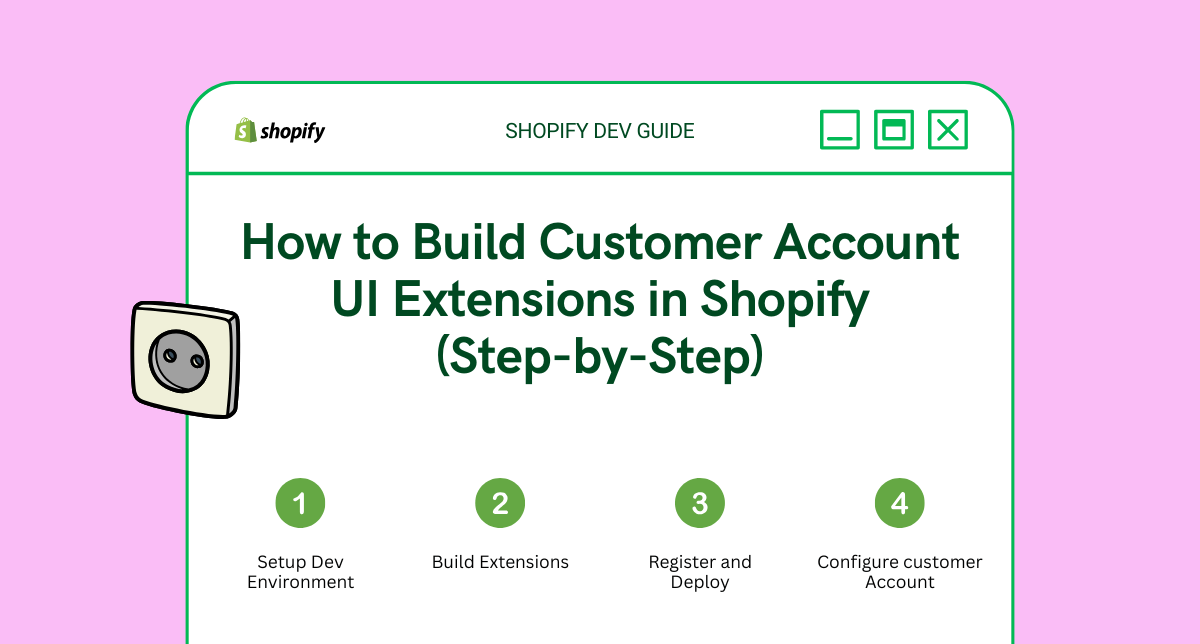
Step 1 Create Your Extension Project
Open your terminal and navigate to your Shopify app directory. If you do not have an app, create one using npm init.
Run the following command to generate the extension.
shopify app generate extensionSelect Customer Account UI as the extension type. Provide a name such as loyalty status banner and choose React as the template.
Step 2 Define Your Extension Point
Shopify allows extensions to be placed in predefined locations called targets. These are configured in the shopify extension configuration file.
Common targets include order status page and profile page.
[[extensions.targeting]]
target = "customer-account.profile.block.render"
module = "./src/ProfileExtension.jsx"
Step 3 Develop the UI Component
Navigate to the source folder and open your extension file. Use Shopify UI components to build a consistent and native experience.
import {
  reactExtension,
  Banner,
  BlockStack,
  Text,
} from '@shopify/ui-extensions-react/customer-account';

export default reactExtension(
  'customer-account.profile.block.render',
  () => <Extension />,
);

function Extension() {
  return (
    <Banner status="info">
      <BlockStack>
        <Text size="medium" emphasis="bold">You have 500 Amwhiz Points</Text>
        <Text>Redeem them at checkout for savings on your next order</Text>
      </BlockStack>
    </Banner>
  );
}
Step 4 Preview and Test
Run the development server to preview your extension in real time.
shopify app devOpen your development store and navigate to the customer account section. You will see the extension rendered in the selected location.
Use the Shopify developer console to inspect data and access customer details such as tags and names.
Step 5 Deploy to Production
Once your extension is ready, deploy it using the Shopify CLI.
shopify app deployGo to Shopify admin settings, open customer accounts, and customize the layout. Add your app block to the desired section.
SEO Checklist for Shopify Extensions
Ensure strong performance since UI extensions are pre rendered. Use native Shopify components for accessibility. Test layouts across devices to maintain mobile responsiveness.
Conclusion
Customer Account UI extensions help brands stay connected with customers after purchase. By adding personalized elements such as loyalty information and targeted offers, businesses can improve retention and drive repeat sales.
Looking to build custom Shopify UI extensions for your store. Connect with Amwhiz to create scalable ecommerce experiences that drive growth.
Contact hello@amwhiz.com today for a technical audit.