-1.png?width=134&height=66&name=amwhiz-logo%20(1)-1.png)



The One-Line Version Shopify Online Store 2.0 (OS 2.0) is a major theme architecture update Shopify...
The Quick Fix Summary
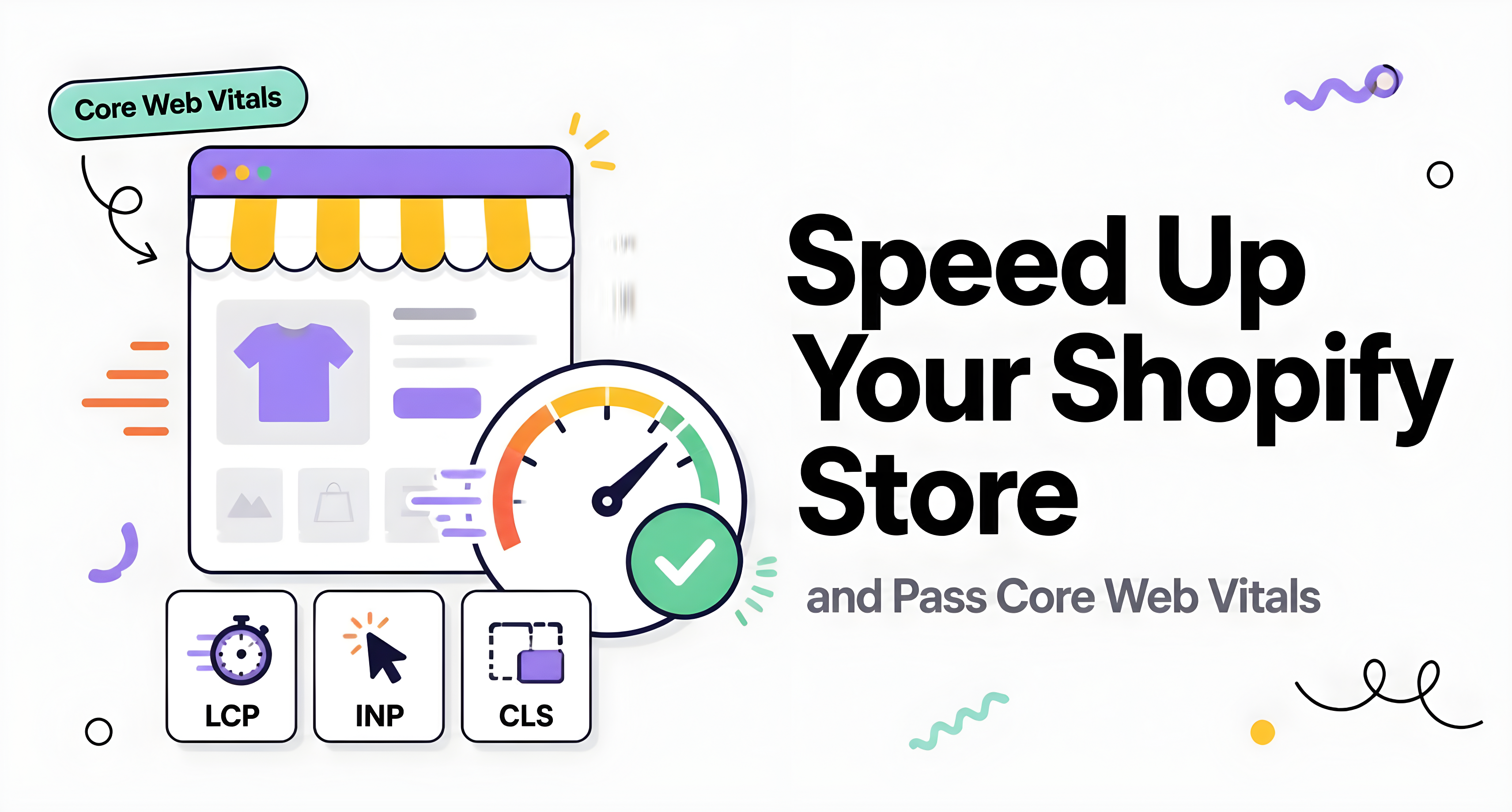
Speeding up a Shopify store and passing Core Web Vitals comes down to reducing app bloat, optimizing images, minimizing render-blocking scripts, and choosing a cleanly coded theme. The three Core Web Vitals metrics, Largest Contentful Paint (LCP), Interaction to Next Paint (INP), and Cumulative Layout Shift (CLS), are directly affected by how many apps you run and how efficiently your theme is built. Amwhiz builds performance optimization directly into every flat-rate, 7-day store, instead of treating speed as something to fix later.
Why Page Speed Actually Matters
Page speed isn't just a technical vanity metric. It directly affects both conversion rate and search rankings. Studies consistently show conversion rates drop sharply as load time increases past 2-3 seconds, and Google explicitly uses Core Web Vitals as a ranking signal. A beautifully designed store that loads slowly loses customers before they ever even see the design.
Understanding the Three Core Web Vitals
Largest Contentful Paint (LCP)
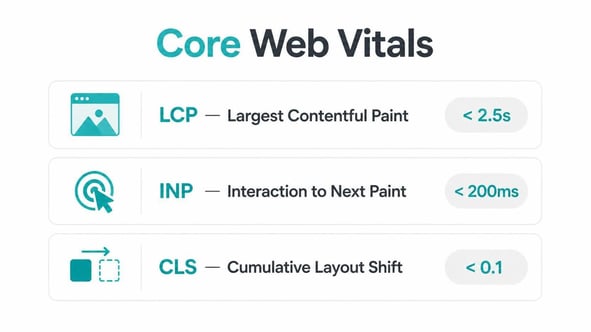
Measures how long it takes for the largest visible element on a page, usually a hero image or banner, to fully render. Target: under 2.5 seconds. Slow LCP is most often caused by unoptimized, oversized images or render-blocking scripts loading before the main content does.
Interaction to Next Paint (INP)
Measures how quickly a page responds to user interaction, clicks, taps, and keyboard input. Target: under 200 milliseconds. Slow INP usually stems from heavy JavaScript execution, often because too many apps are running simultaneous scripts.
Cumulative Layout Shift (CLS)
Measures visual stability, essentially how much page elements unexpectedly shift position as the page loads. Target: under 0.1. Common causes include images without defined dimensions and dynamically injected content, like app banners or pop-ups, that push existing content around after it's already rendered.
The Biggest Culprits Behind Slow Shopify Stores
1. App Overload
Every installed app typically adds its own JavaScript and sometimes CSS files, loaded on every page whether or not that app's functionality is even being used there. Stores running 15-20+ apps frequently suffer significant slowdowns purely from this cumulative script weight.
2. Unoptimized Images
Large, uncompressed product images are one of the most common, and most fixable, speed problems out there. Shopify's built-in image transformation tools (via Liquid's `image_url` filter) can serve properly sized, compressed, responsive images automatically when themes are coded correctly.
3. Render-Blocking Scripts and Fonts
Scripts and custom fonts loaded in a way that blocks the browser from rendering visible content until they finish downloading directly delay LCP.
4. Bloated or Poorly Coded Themes
Some themes, particularly older or overly feature-dense ones, carry a lot of unused code and inefficient Liquid logic that slows every page down regardless of how many apps you've installed.
Practical Steps to Speed Up Your Store
- Audit installed apps and remove any that aren't actively driving revenue or essential functionality. Every unused app is pure performance cost sitting there for no reason.
- Compress and properly size images before upload, and make sure your theme uses Shopify's responsive image filters rather than serving oversized originals.
- Defer non-critical JavaScript so it loads after the main visible content, instead of blocking initial render.
- Set explicit width and height attributes on images to prevent layout shift as they load in.
- Minimize custom font weights and variants. Each additional font file is another render-blocking resource you're asking the browser to wait on.
- Choose a genuinely well-coded theme rather than assuming all "fast" marketed themes perform equally. Test with real data, not just marketing claims on a sales page.
- Test regularly with Google PageSpeed Insights and Search Console's Core Web Vitals report, not just once at launch, but as an ongoing check as you add apps and content over time.
Realistic Expectations
Achieving perfect Core Web Vitals scores across every page type is genuinely difficult, especially on data-heavy collection or product pages. The realistic goal is consistently passing thresholds for the majority of your traffic, and monitoring continuously for regressions as you add new apps or content, not chasing a one-time fix that stays perfect forever.
How Amwhiz Builds for Speed From Day One
Rather than treating performance as a cleanup project after launch, Amwhiz builds every flat-rate store with performance as a core requirement from the start: a carefully selected, minimal app stack, properly optimized images using Shopify's native responsive image tools, and clean theme code without unnecessary bloat weighing it down. This avoids the common pattern where a store launches fast, then gradually slows down as apps pile up with nobody monitoring the cumulative performance cost.
A Realistic Speed Improvement Scenario
Consider a store running 22 apps accumulated over two years, with a homepage LCP of 4.8 seconds, well outside Google's recommended threshold. An audit turns up six apps installed for one-time promotions that ended months earlier, still quietly loading scripts on every page. Removing those, combined with compressing a set of oversized hero images and deferring a non-critical chat widget script, brings LCP down to under 2.5 seconds without touching the theme's core code at all. That's a fairly common outcome. Much of the speed problem on established stores comes from accumulated, unaudited app weight rather than a fundamentally flawed theme.
Balancing Functionality Against Performance
Every app decision is really a trade-off between the functionality it adds and the performance cost it carries. Before installing a new app, ask whether its function could be achieved through an app you've already got installed, or through a lightweight custom section instead. This habit, questioning each addition rather than installing reflexively whenever a new feature looks appealing, is what keeps a store fast over the long run instead of needing periodic, disruptive performance overhauls.
Frequently Asked Questions
How many apps is too many for a Shopify store?
There's no fixed number. It depends on each app's actual code weight, but every app should justify its performance cost with clear revenue or functional value. Regular audits matter more than hitting a specific ceiling.
Do Core Web Vitals really affect my search rankings?
Yes. Google has explicitly confirmed Core Web Vitals as a ranking signal, though content relevance and quality remain more significant overall factors.
Can I fix Core Web Vitals without a developer?
Some steps, like image compression and app audits, are accessible to store owners directly. Deeper fixes involving render-blocking scripts or theme code typically need developer involvement.
Does Amwhiz's build include performance optimization?
Yes. Performance, image optimization, a minimal necessary app stack, and clean theme code, is a core part of every build, not something tacked on as an optional extra.
How often should I audit my app stack for performance?
Every three to six months is a reasonable cadence, or right after any noticeable slowdown, since apps and their scripts can change behavior with their own updates over time.
Is it worth paying more for a "fast" theme if I still add many apps?
Not really. A well-coded theme gives you a strong foundation, but a heavy, unaudited app stack will slow down even the fastest theme out there. Ongoing app discipline matters just as much as initial theme quality.
Build Fast From the Start
Retrofitting speed onto a slow store is harder and more expensive than building it right the first time. Amwhiz delivers a performance-optimized, sales-focused Shopify store at a flat rate in 7 days. Reach out to get a store built for speed from day one.