-1.png?width=134&height=66&name=amwhiz-logo%20(1)-1.png)


The Fear That Keeps Businesses Stuck on the Wrong CRM Plenty of businesses know they've outgrown...
The Fear That Keeps You Overpaying
Nobody switches CRM for fun. By the time a business seriously looks at leaving Salesforce or HubSpot, it's usually because the renewal quote made someone wince, or the platform grew into something far bigger and pricier than they actually use.
But there's a fear that stops a lot of them: the migration itself. Losing data. Confusing the sales team. Deals slipping through the cracks during the switch. That fear is legitimate, and it's also completely manageable with the right playbook.
Here's how a move to Zoho is done properly, so your team barely feels it. This is the sequence we follow at Amwhiz when we bring businesses across.
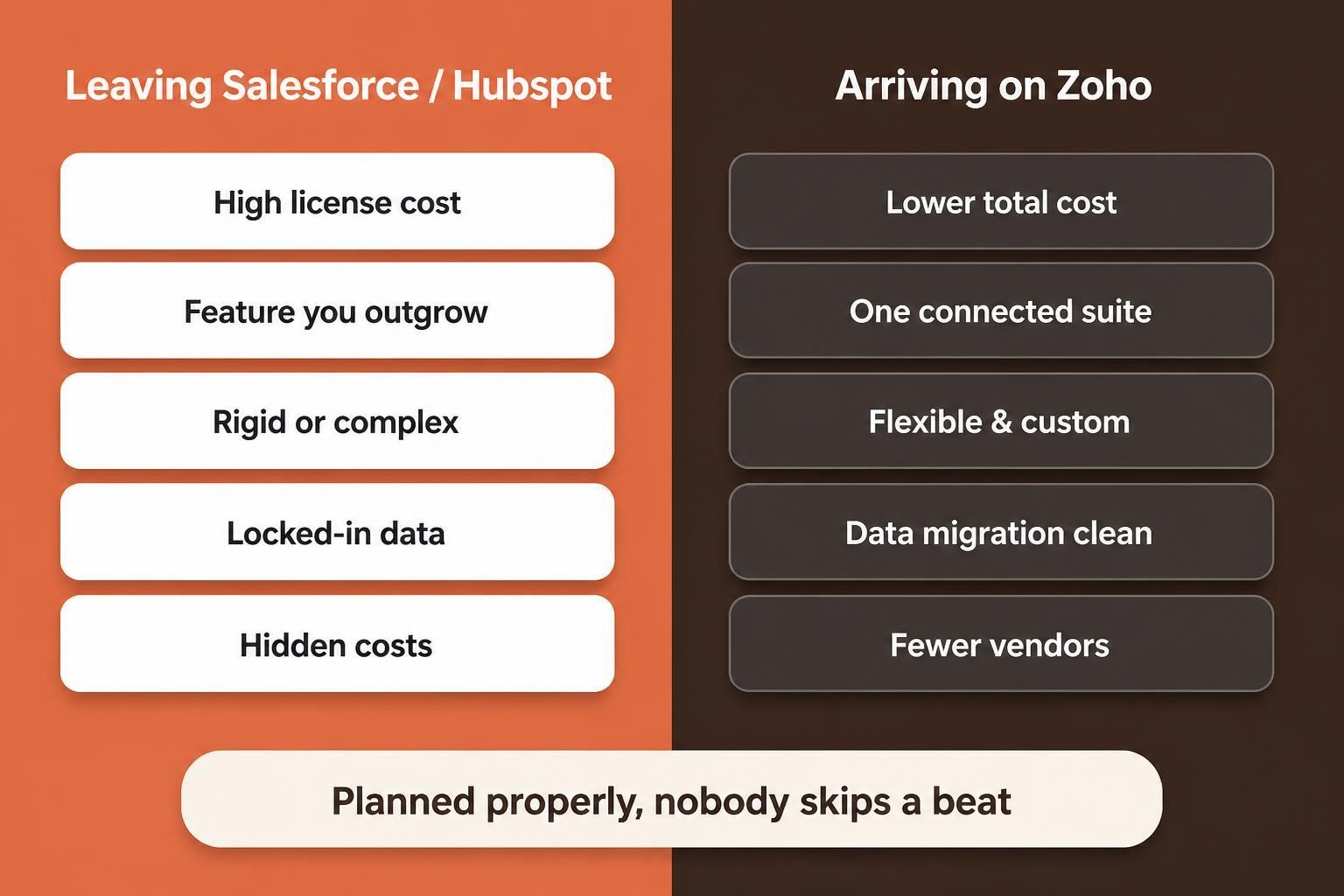
People usually leave for cost and complexity. The trick is arriving on Zoho without dropping anything on the way.
Why the Fear Is Overblown (When It's Done Right)
A migration goes wrong when someone treats it as a single dramatic weekend. Export everything Friday, import everything Sunday, cross your fingers, and pray on Monday.
Done properly, it's the opposite of dramatic. You build and validate the new system while the old one keeps running, move the data carefully, check it agrees, and only switch when you're certain. The disruption people fear comes from rushing. Take the fear seriously and it mostly evaporates.
Step One: Audit What You've Actually Got
Before anything moves, you look hard at your Salesforce or HubSpot setup. What data is in there? What's actually used versus what's just clutter? Which custom fields, workflows and reports matter, and which were built years ago by someone who's long gone?
A migration is a rare chance for a clean-out. You don't have to carry every stale custom field and dead workflow into the new system. Deciding what deserves to make the trip is half the value of the exercise.
Step Two: Map and Clean the Data
Next, your data gets mapped to how it'll live in Zoho, and cleaned on the way. Duplicates merged. Gaps filled or flagged. Inconsistent values standardised. This is where a migration quietly becomes an upgrade rather than a copy of your old mess.
Skip the cleaning and you import the same problems you were hoping to leave behind. Do it well and your team lands in a tidier, more trustworthy system than the one they left.
Step Three: Build It in Zoho First
The new home gets built before anyone moves in. Pipelines, fields, automations and reports are set up in Zoho CRM to match how your team works, taking the good from your old setup and quietly leaving the cruft. All of this happens while Salesforce or HubSpot carries on as normal, so there's no gap in service.
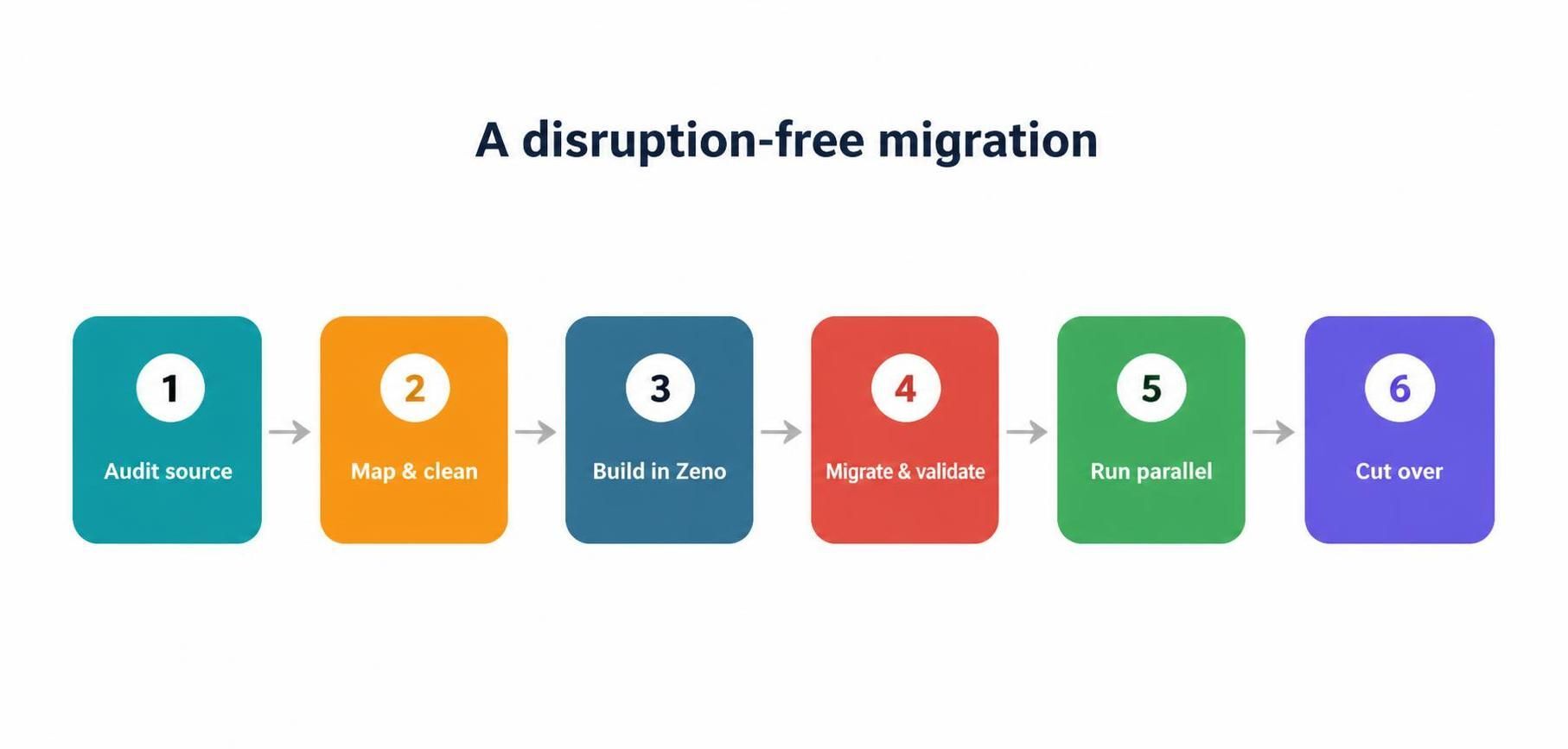
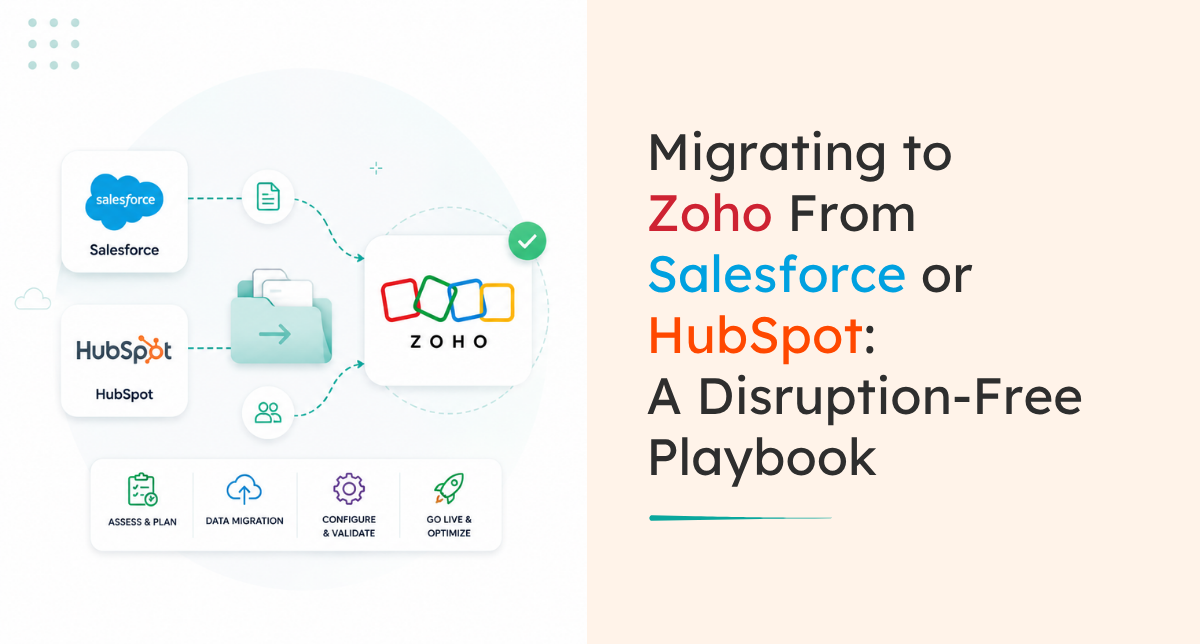
Audit, clean, build, migrate and validate, run in parallel, then cut over. In that order, calmly.
Step Four: Migrate, Validate, and Run in Parallel
Now the cleaned data moves into the built system, and, this is the important bit, you check it agrees before trusting it. Record counts. Key reports. A sample of deals and contacts, eyeballed to confirm they came across intact.
Where it helps, you run both systems side by side for a short spell, so there's a safety net while everyone gets comfortable. This parallel period is what turns the final switch from a leap of faith into a formality.
Step Five: Cut Over, With Training
Only when the new system is proven do you switch fully to Zoho and retire the old one. And you don't just hand the team a new tool and walk away, you train them, because a smooth data migration means nothing if the reps don't know how to work the new system.
Get this right and the switch feels less like a rupture and more like an upgrade that happened to land on a Tuesday.
The Cost of Staying Put
Fear of migrating keeps a lot of businesses paying for a system they've outgrown, and that inertia has its own price tag.
Every year you stay on a platform that's too expensive or too complex, you're paying the premium and absorbing the friction. The renewal that made you wince last time will wince again, probably higher. The features you're paying for but not using are still on the invoice. Meanwhile the switch you're avoiding gets no easier by waiting; if anything, the pile of data and custom clutter to migrate grows.
None of this means you should switch on a whim. But it's worth being honest that "staying put to avoid disruption" is a cost too, just a quieter one. When the numbers clearly favour a move and the only thing holding you back is nerves, a well-run, disruption-free migration is usually the cheaper path in the end.
Timing the Move
If you do decide to go, timing helps. Moving toward the end of a contract avoids paying twice, and choosing a slightly quieter period for your business gives the team room to adjust without a peak-season scramble. There's rarely a perfect moment, but a little planning around your renewal date and your busy season takes a lot of the pressure out of the switch. A partner will build the timeline around those realities rather than forcing an awkward date.
How Amwhiz Runs the Migration
Amwhiz is an authorized Zoho partner, and we move businesses off Salesforce and HubSpot onto Zoho without the drama. We audit your current setup, clean and map the data, build Zoho to fit how you sell, migrate and reconcile, run in parallel where it helps, and train your team before we retire the old system.
The result is a business that keeps selling right through the switch, lands on a cleaner system, and usually pays a good deal less to run it. That combination is why most migrations, done properly, are worth the nerves.
Frequently Asked Questions
Will we lose data moving from Salesforce or HubSpot?
Not when it's done properly. The data is mapped, cleaned, migrated and then reconciled against the source, so nothing is lost and your history arrives intact.
Will the sales team be disrupted?
Minimal disruption is the whole point. The new system is built and validated while the old one runs, and a parallel period plus training makes the switch smooth.
Can we bring our custom fields and workflows?
The ones worth keeping, yes. Migration is also a chance to drop the stale, unused customisations rather than carrying old clutter into a fresh system.
Why do businesses leave Salesforce or HubSpot for Zoho?
Usually cost and fit. Zoho often delivers what they actually use at a lower total price, with the bonus of being one connected suite rather than a single pricey app.
How long does a migration take?
It depends on data volume and complexity, but a careful phased approach with a parallel period is what keeps it safe. Scoping first sets a realistic timeline.
The Short Version
Migrating to Zoho from Salesforce or HubSpot is safe when you audit, clean and map the data, build Zoho first, migrate and reconcile, run in parallel, then cut over with training. The disruption people dread comes from rushing. Take it step by step and your team barely notices, while your bill usually drops.
Book a free CRM migration consultation.
Amwhiz, an authorized Zoho partner, will move you off Salesforce or HubSpot without dropping a deal. Visit amwhiz.com or email sales@amwhiz.com.