-1.png?width=134&height=66&name=amwhiz-logo%20(1)-1.png)



HubSpot CRM Migration Lessons: Common Mistakes and How to Avoid Them You're leaving your old CRM....
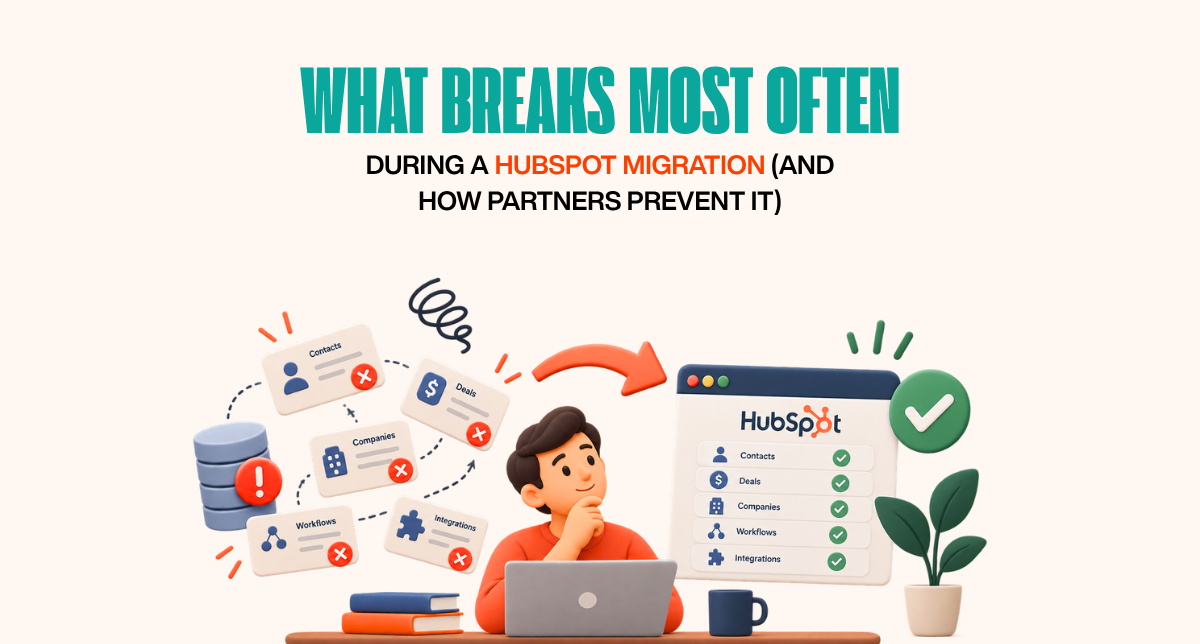
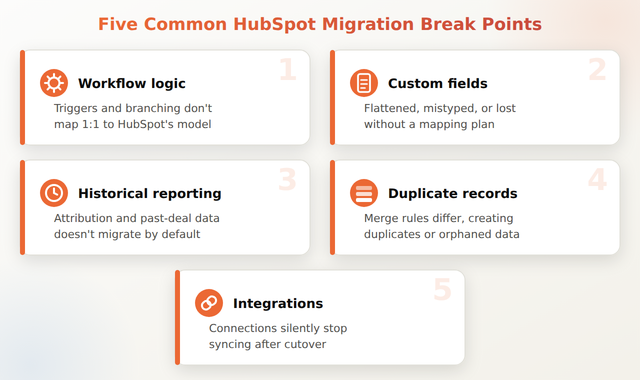
The things that break most often during a HubSpot migration are workflow automations that don't map cleanly to the new system, custom fields that get flattened or lost, historical attribution and reporting data, duplicate or orphaned records, and integrations that silently stop syncing after cutover. Amwhiz sees these same five failure points across most migrations, which is why our HubSpot migration services build in specific checks for each one before go-live rather than after.
What Breaks Most Often During a HubSpot Migration?
The Short Answer
Five things break most often: workflow automations built around the old system's logic, custom fields and properties that don't have a clean equivalent in HubSpot, historical reporting and attribution data that doesn't migrate at all without deliberate planning, duplicate or orphaned records introduced during import, and third-party integrations that silently stop working after cutover because nobody updated the connection. Experienced migration partners test each of these explicitly rather than assuming a clean data export means a clean migration.
Break Point 1: Workflow Logic That Doesn't Translate
Workflows built in Salesforce, Zoho, or Pipedrive are rarely a one-to-one match for HubSpot's automation model, trigger types, branching logic, and available actions all differ. A literal "copy the workflow" approach frequently produces something that looks similar but behaves differently, sometimes not firing at all, sometimes firing for the wrong records. This is one of the most common issues covered in our HubSpot CRM migration lessons post, and it's rarely caught until after go-live unless it's tested deliberately beforehand.
Break Point 2: Custom Fields With No Clean Equivalent
Every CRM has its own field types and validation rules. A multi-select field in one system might not have a direct match in HubSpot; a required field in the old system might be optional in the new one. Without an explicit field-mapping document reviewed before migration, custom fields commonly get flattened into generic text fields, losing structure and searchability, or dropped entirely if nobody notices they exist.
Break Point 3: Historical Reporting and Attribution
Standard record migration moves contacts, companies, and deals, it does not automatically preserve marketing attribution history, historical deal stage timestamps, or past campaign performance data tied to those records. Teams that don't plan for this specifically often discover months later that year-over-year reporting comparisons are impossible because the "before" data simply isn't in HubSpot in a usable form.
Break Point 4: Duplicate and Orphaned Records
Deduplication rules differ between platforms, and a record that was unique in the source system can split into duplicates in HubSpot if matching logic isn't configured before import. Orphaned records, deals with no associated contact, or contacts with no company, are a related and common byproduct of migrating relational data into a system with different association rules.
Break Point 5: Integrations That Stop Syncing After Cutover
Integrations built against the old system's API credentials or webhooks don't automatically know a migration happened. Shopify, Zoho, WhatsApp, or custom integrations frequently need to be explicitly repointed to the new HubSpot portal, and if that step is missed, the sync appears to work right up until go-live and then quietly stops, sometimes for days before anyone notices. Amwhiz's HubSpot custom integration services are typically bundled into migration engagements specifically to catch this. Our Pipedrive to HubSpot migration case study walks through how these break points showed up in a real project.
How Experienced Partners Prevent These Breaks
The common thread across all five break points is that they're preventable with a pre-migration audit: mapping every workflow's actual logic (not just its name), documenting every custom field's type and purpose, explicitly deciding what happens to historical reporting data, configuring deduplication rules before import, and testing every integration against the new portal before cutover, not after.
How Amwhiz Helps
Amwhiz runs a structured pre-migration audit against these exact five break points before any data moves, rather than discovering them after go-live. Our HubSpot migration services are built around catching workflow, field, reporting, duplicate, and integration issues in advance.
Frequently Asked Questions About What Breaks During HubSpot Migration
What's the single most common thing that breaks during a HubSpot migration?
Workflow automations that don't map cleanly to HubSpot's trigger and action model are the most frequent issue, since they often look correctly migrated but behave differently once live.
Can historical reporting data be migrated into HubSpot at all?
Some of it can, with deliberate planning, for example importing historical deal records with close dates preserved. Full marketing attribution history from another platform typically cannot be fully replicated and needs to be planned for as a known gap rather than assumed to transfer automatically.
How do you prevent duplicate records during migration?
By configuring HubSpot's deduplication and matching rules before the import runs, and by cleaning obvious duplicates in the source system first rather than relying on HubSpot to catch them after the fact.
Why would an integration stop working right after a migration?
Most integrations are tied to a specific portal's credentials or webhook endpoints. If those aren't explicitly repointed to the new HubSpot portal as part of the migration plan, the connection can appear intact but silently stop syncing.
How long does a pre-migration audit typically take?
A thorough audit commonly takes 1-2 weeks depending on the number of workflows, custom fields, and integrations involved, and is usually the first phase of a migration engagement rather than a separate project.
Is it possible to migrate to HubSpot without any of these issues?
It's possible to significantly reduce the risk by auditing all five break points before migration and testing thoroughly in a sandbox before cutover, but no migration is entirely risk-free, the goal is catching issues before they affect live data, not eliminating every possible edge case.
Conclusion
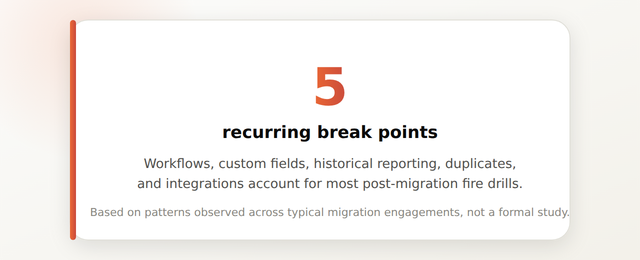
Most HubSpot migration problems trace back to the same five recurring break points: workflows, custom fields, historical reporting, duplicates, and integrations. Auditing each of these explicitly before migration, rather than assuming a clean export means a clean move, is what separates a smooth cutover from a post-launch scramble.
Amwhiz audits every migration against these known break points before data moves, so problems get caught in planning instead of after go-live. Visit amwhiz.com or email sales@amwhiz.com to get started.