
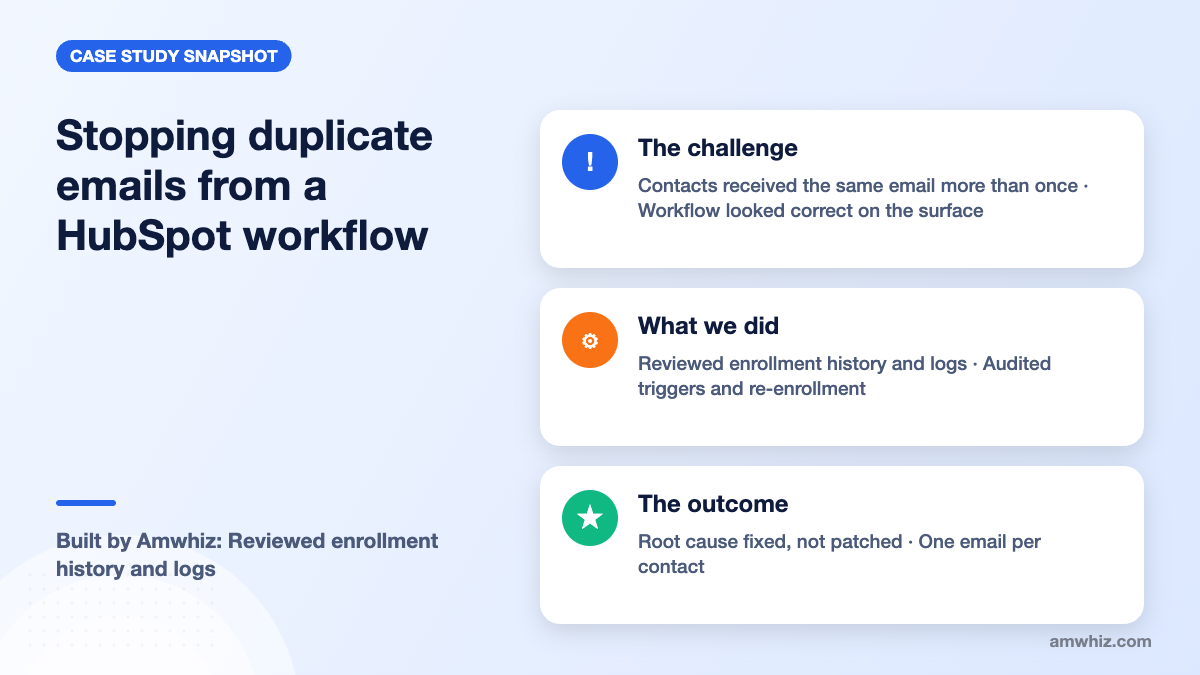
An ecommerce brand's HubSpot workflow was sending the same email to contacts more than once. Amwhiz traced the problem through enrollment history, re-enrollment triggers and overlapping automations, fixed the root cause and added safeguards so each contact now receives each email only once.
At a glance
- Industry: Ecommerce
- Platform: HubSpot Marketing Hub workflows
- Service: HubSpot consulting and workflow troubleshooting
- Scope: Root-cause diagnosis, workflow logic fixes, testing, prevention
What was going wrong?
The workflow was already built and running, but contacts were getting duplicate copies of the same email. For an ecommerce brand, that is more than an annoyance. Duplicate sends push up unsubscribe rates, invite spam complaints and quietly damage sender reputation, which then hurts every campaign that follows.
The client wanted someone who understood enrollment triggers, re-enrollment settings and workflow logic to find the cause quickly and make sure it did not come back.
Why do HubSpot workflows send duplicate emails?
In our experience, duplicate sends almost always come from a short list of causes:
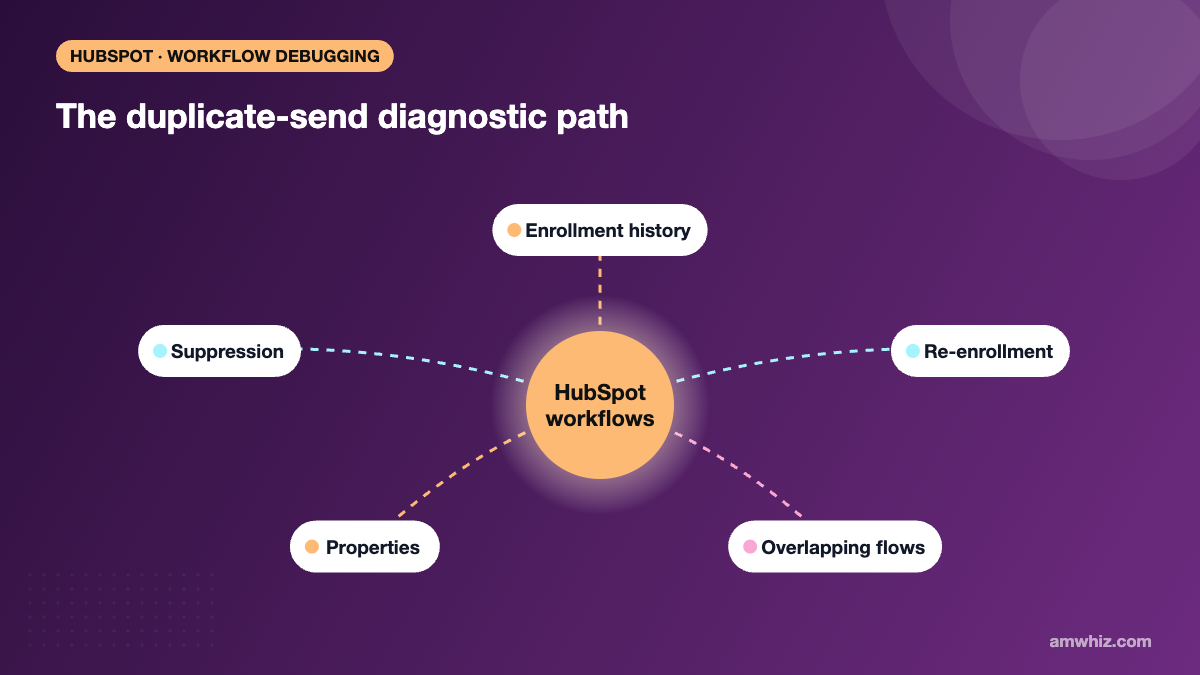
- Re-enrollment left on for a trigger that changes often
- Overlapping enrollment criteria across two or more workflows that send similar emails
- A property being reset by another automation, which re-qualifies the contact for enrollment
- Contacts meeting several triggers in the same workflow at slightly different times
The tricky part is that each workflow can look correct in isolation. The bug only appears when you look at how automations interact.
How did Amwhiz find and fix the root cause?
1. Start with the evidence
Amwhiz pulled the enrollment history and workflow logs for affected contacts. This shows exactly when each contact entered the workflow, which trigger enrolled them and which actions fired.
2. Audit triggers and re-enrollment
The team checked every enrollment trigger and its re-enrollment setting, looking for properties that change frequently or get rewritten by integrations.
3. Look across workflows, not just one
All active workflows that send to the same audience were compared for overlapping criteria. On a similar project, an onboarding workflow kept re-sending because its trigger property was being reset by a separate automation, causing repeat enrollments. That pattern is common and easy to miss.
4. Fix and protect
Once the cause was confirmed, the fix was applied at the source: tightening triggers, adjusting re-enrollment and resolving the conflicting automation. Amwhiz then added protective steps such as suppression lists and branch checks so a future change cannot easily bring the problem back.
5. Test with real records
Test contacts were run through the workflow to confirm that each email now sends once and the rest of the automation behaves as expected.
What changed for the business?
- Contacts receive each email once
- Lower risk of unsubscribes and spam complaints
- A cleaner, documented workflow setup the team can safely edit
- Confidence that future automations will not collide
If your workflows are behaving strangely, book a quick call with our HubSpot team.
How can you prevent duplicate workflow emails in HubSpot?
- Turn on re-enrollment only when you truly need it, and only for stable triggers.
- Keep a simple map of which workflows email which segments.
- Use suppression lists and if/then branches before send actions.
- Review workflows after any new integration goes live, since integrations often rewrite properties.
For more, read our guides on HubSpot workflow audits and common HubSpot workflow automation challenges.
Frequently asked questions
Why is my HubSpot workflow sending the same email twice?
The most common causes are re-enrollment triggers that fire repeatedly, overlapping workflows that target the same contacts, and properties that are reset by other automations or integrations, which re-qualify contacts for enrollment.
How do I check why a contact enrolled in a HubSpot workflow?
Open the workflow, go to the enrollment history or action logs, and search for the contact. HubSpot shows when they enrolled, which trigger qualified them and which actions ran.
Should I turn off re-enrollment in HubSpot workflows?
Not always. Re-enrollment is useful for repeat events such as repeat purchases. It should be limited to triggers that change only when the event truly happens again.
Can integrations cause HubSpot workflow problems?
Yes. Integrations that sync data into HubSpot can overwrite properties, which may re-enroll contacts or change branch outcomes. Review workflows whenever a new sync goes live.
Related reading
- Multi-hub HubSpot specialist support
- When to use custom code vs native automation in HubSpot
- 10 HubSpot automation ideas that save teams hours every week
- HubSpot for ecommerce marketing automation
Need a second pair of eyes on your HubSpot automations?
Amwhiz audits and fixes HubSpot workflows for ecommerce and B2B teams. Book a free 30-minute call with our team and we will map out the right next step with you.
Email: sales@amwhiz.com | Phone: +91 91500 65500

Leo Kaiser Anto is a Shopify Specialist and Ecommerce Expert focused on building high-converting, sales-driven websites that turn visitors into customers. He specializes in designing and developing Shopify stores that are optimized for performance, user experience, and maximum revenue generation. His expertise includes conversion-focused website development, ecommerce strategy, and funnel optimization, helping brands create online stores that not only look professional but actively drive sales growth. He also works extensively in WhatsApp Commerce integration, enabling businesses to connect their storefronts with real-time customer engagement, automated messaging, and direct sales channels. With a strong focus on sales performance and business growth, Leo builds ecommerce systems that are designed to scale, automate, and convert consistently.
Leave a comment
Your email address will not be published. Comments are reviewed before they appear.