
EDITOR – REVIEW: This topic overlaps an existing published post: /blog/how-to-build-a-lead-qualification-engine-using-hubspot-workflows and the draft Building AI Agents With n8n. Check overlap before publishing; give each post a distinct angle and link them to each other.
An AI lead qualification agent reads every new HubSpot lead, enriches it with company data, compares it against your ideal customer profile, writes a short qualification summary, sets a fit score and routes the lead to the right rep or nurture track, all within a minute. You can build one with n8n as the workflow engine, Claude (or another LLM) for reasoning, and HubSpot's API for reading and updating records.
Key takeaways
- AI is best at reading unstructured inputs: form messages, websites, LinkedIn-style descriptions.
- Keep hard rules (country, company size) in code; use AI for judgment calls.
- Write the AI's output to HubSpot properties so it's visible, reportable and auditable.
- Always include a human override and log every decision.
- Start with qualification and routing before letting AI send emails.
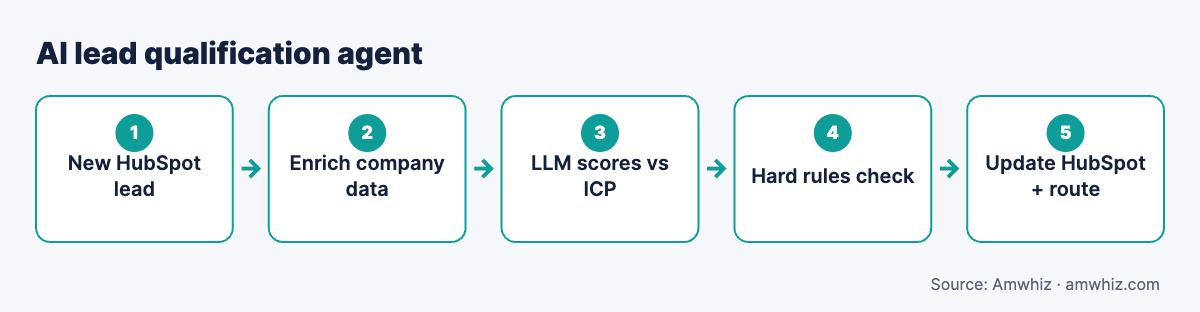
AI lead qualification agent.
What the agent does
- Trigger: a new contact or form submission in HubSpot
- Enrich: fetch company website text, domain data and any CRM history
- Qualify: the LLM compares the lead to your ICP and buying signals
- Score: returns fit (0–100), intent level, reasons and recommended action
- Update HubSpot: writes score, summary and lead status
- Route: assigns to an SDR, account owner or nurture list
- Notify: Slack or WhatsApp alert with summary for hot leads
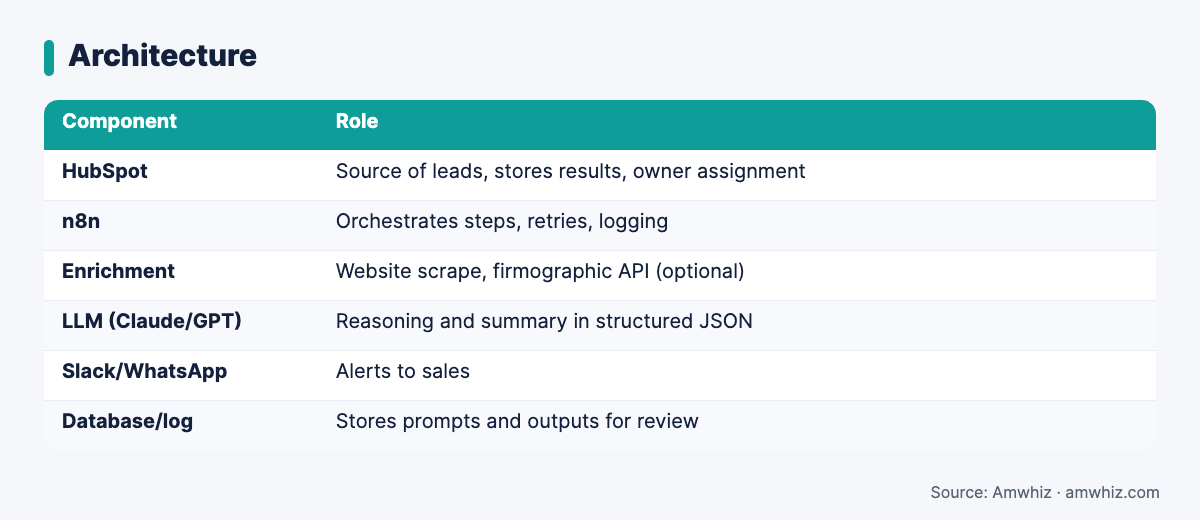
Architecture
| Component | Role |
|---|---|
| HubSpot | Source of leads, stores results, owner assignment |
| n8n | Orchestrates steps, retries, logging |
| Enrichment | Website scrape, firmographic API (optional) |
| LLM (Claude/GPT) | Reasoning and summary in structured JSON |
| Slack/WhatsApp | Alerts to sales |
| Database/log | Stores prompts and outputs for review |
Self-hosted n8n keeps data in your infrastructure. See self-hosted n8n vs n8n Cloud.
Architecture
Step-by-step build
Step 1: Define your ICP in writing
Example: "B2B companies in manufacturing, SaaS or D2C retail, 20–1,000 employees, in India, UAE, UK or Australia, using or evaluating HubSpot, Zoho or Shopify."
Step 2: Create HubSpot properties
- AI fit score (number)
- AI intent level (dropdown: high, medium, low)
- AI summary (multi-line text)
- AI recommended action (dropdown)
- AI qualified at (date)
Step 3: Trigger in n8n
Use a HubSpot webhook or a workflow webhook action on form submission to start the n8n workflow.
Step 4: Enrich the lead
- Fetch company website homepage and about page text
- Get existing HubSpot company and deal history
- Optional: firmographic API for employee count and industry
Step 5: Write the qualification prompt
Ask the model to return strict JSON:
You are a B2B lead qualification assistant for Amwhiz.
ICP: {icp}
Lead: {form_fields}
Company website summary: {website_text}
CRM history: {history}

Return JSON with:
fit_score (0-100), intent ("high"|"medium"|"low"),
reasons (max 3 bullet strings), recommended_action
("route_to_sales"|"nurture"|"disqualify"), summary (max 60 words).
If information is missing, say so in reasons. Do not invent facts.
Step 6: Validate the output
Check JSON format and value ranges in n8n. If invalid, retry once, then flag for manual review.
Step 7: Apply hard rules
Code overrides: disqualify competitors and students, force routing for existing customers, respect territory rules.
Step 8: Update HubSpot and route
Write properties, set lead status, assign owner by territory or round robin, create a task with SLA.
Step 9: Notify sales
Send a Slack or WhatsApp message with name, company, score, reasons and a link to the record.
Step 10: Review weekly
Compare AI scores with actual outcomes (meetings booked, deals created) and adjust the prompt and ICP.
Guardrails
- Never let the model invent company data; pass only fetched facts
- Log prompts and outputs for audit
- Let reps override and record the reason
- Don't send AI-written emails to prospects until qualification accuracy is proven
- Respect privacy laws and remove sensitive data from prompts
AI agent vs HubSpot's built-in AI
HubSpot offers its own AI features and agents on certain plans. A custom n8n agent makes sense when you need your own ICP logic, external data, a specific model, multi-system actions (Zoho, Shopify, WhatsApp) or full control over data and costs.
Costs
| Item | Typical cost |
|---|---|
| Build (n8n workflow, prompt, properties, routing) | INR 1 lakh to 3 lakh one-time |
| LLM usage | Usually a small cost per lead |
| n8n hosting | Self-hosted server or n8n Cloud plan |
| Ongoing tuning | Optional retainer |
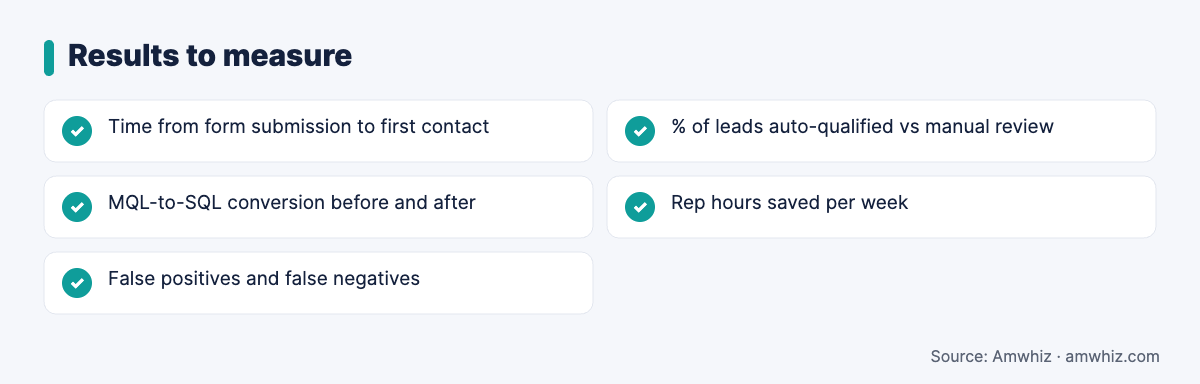
Results to measure
- Time from form submission to first contact
- % of leads auto-qualified vs manual review
- MQL-to-SQL conversion before and after
- Rep hours saved per week
- False positives and false negatives
Results to measure
Why choose Amwhiz?
Amwhiz builds AI-powered n8n workflows with Claude and GPT for HubSpot, Zoho and Shopify teams. As a HubSpot Diamond partner, we design the CRM properties, routing and reporting around the agent so sales trusts the output. Read how Amwhiz builds AI-powered n8n workflows.
Want help with this? Book a free AI automation workshop with the Amwhiz team.
Related guides
- HubSpot Lead Scoring for B2B: Model, Examples and a Ready-to-Use Template
- n8n Self-Hosting on AWS vs DigitalOcean: Setup, Cost and Security Checklist
- HubSpot WhatsApp Integration: Native vs Third-Party Apps vs Custom Build
- How to Build a Lead Qualification Engine Using HubSpot Workflows
Frequently asked questions
Can AI qualify leads in HubSpot automatically?
Yes. An AI workflow can read new leads, enrich them, score them against your ICP and update HubSpot properties and owners automatically.
Which AI model is best for lead qualification?
Models like Claude and GPT both work well. Choose based on accuracy on your data, cost and data-handling requirements.
Is it safe to send lead data to an AI model?
Use providers with business data terms, send only necessary fields, and consider self-hosted n8n to control data flow.
How accurate is AI lead qualification?
Accuracy depends on your ICP definition and data quality. Review outcomes weekly and refine prompts; keep humans in the loop at first.
Do I need HubSpot Enterprise for this?
No. The integration uses HubSpot's API and webhooks, which work on most paid editions.
Leave a comment
Your email address will not be published. Comments are reviewed before they appear.