-1.png?width=134&height=66&name=amwhiz-logo%20(1)-1.png)


Your Business Data Is Everywhere. What If It Could Work Together Automatically? Modern businesses...
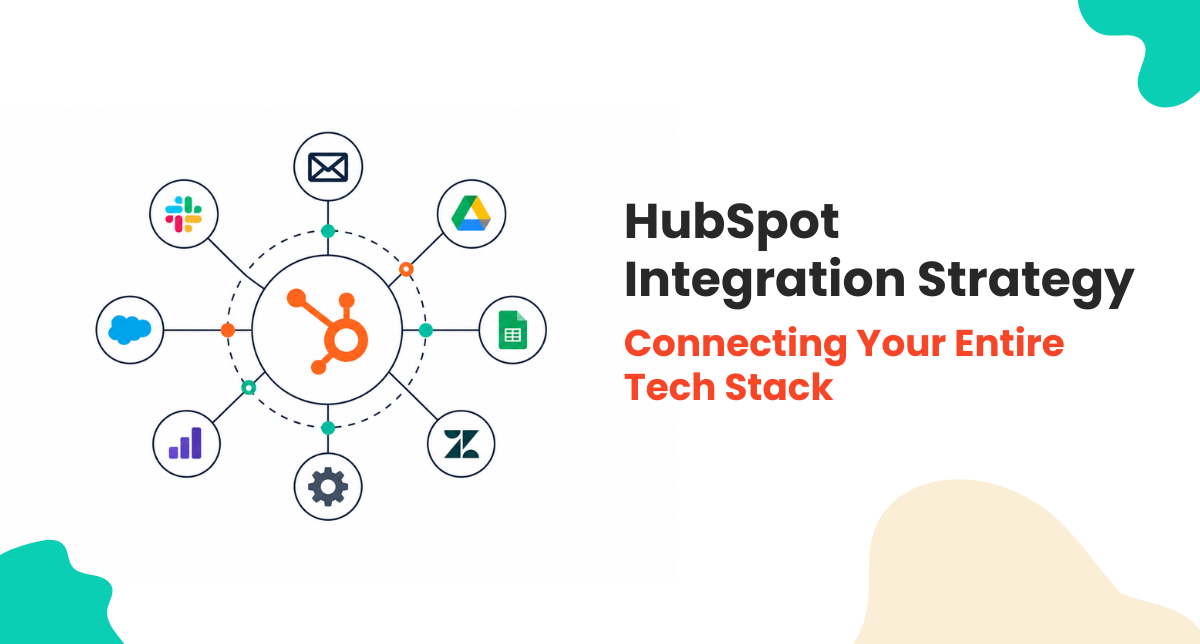
HubSpot Integration Strategy: Connecting Your Entire Tech Stack
You use HubSpot for CRM. But you also use accounting software for invoices. Project management for timelines. Analytics for insights. Communication tools for messaging. Email for campaigns. Each system has data. Each system is useful. But they don't talk to each other.
Without integration, data is duplicated. You enter customer info in HubSpot and accounting system. Customer moves. You update HubSpot. You forget to update accounting. Data gets out of sync. Reports show conflicting information.
A smart integration strategy connects your entire tech stack. Data flows between systems automatically. You have single source of truth. Reporting is unified. Your teams work efficiently because systems talk to each other.
Why Integration Matters to Your Business
Manual data entry wastes time. Sales rep enters deal in HubSpot. Accounting enters invoice in accounting system. Project manager enters timeline in project management. Each person does the same work. Multiply by team size. That's hours of wasted time weekly.
Manual data entry creates errors. Typo in accounting system doesn't sync to HubSpot. Invoice amounts don't match deal amounts. Customer information gets out of sync. Errors cascade into bad decisions.
Without integration, you can't see complete picture. Sales sees deals. Accounting sees invoices. Project manager sees timelines. No one sees the whole customer journey. Integration connects the dots.
Types of Integration Approaches
Native Integrations
HubSpot has native connectors to popular systems. Salesforce. Microsoft 365. Slack. Stripe. Shopify. These integrations are built and maintained by HubSpot. They're reliable and easy to set up. If integration exists natively, use it.
Marketplace Integrations
HubSpot App Marketplace has hundreds of integrations built by third parties. Zapier. Make. These platforms let you connect systems even if native integration doesn't exist. You can build complex workflows without custom code.
API Integrations
Most systems have APIs. You can build custom integrations using APIs. Connect to systems that don't have pre built integrations. Build exact workflows you need. But APIs require developer resources.
CSV Import Export
Lowest tech integration. Export data from system A. Import into system B. Works for one time migrations. Not good for ongoing sync. Use only when better options don't exist.
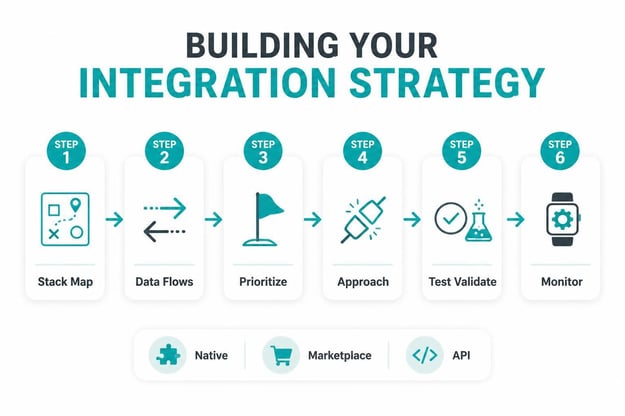
Building Your Integration Strategy
Step 1: Map Your Tech Stack
List all systems you use. CRM. Accounting. Project management. Analytics. Communication. Email marketing. Support. Every system that has data you need. This is your starting point.
Step 2: Identify Data Flows
For each system, what data needs to flow out? What data needs to flow in? Customer creates in HubSpot, flows to accounting and project management. Invoice created in accounting, flows back to HubSpot. Timeline created in project management, flows to HubSpot. Map all flows.
Step 3: Prioritize Integrations
Not all integrations are equally important. Accounting to HubSpot is critical. You need revenue data accurate. Project management to HubSpot is important. Analytics to HubSpot is nice to have. Start with critical, move to important, then nice to have.
Step 4: Choose Integration Approach
Native integration available? Use it. No native integration but marketplace solution exists? Use that. No marketplace solution? Consider API. Only use CSV as last resort. Each approach has trade offs of cost, complexity, and maintenance.
Step 5: Test and Validate
Set up integration in sandbox first. Test data flows. Verify accuracy. Make sure no data is lost. Test edge cases. Only launch to production after validation.
Step 6: Monitor and Maintain
After launch, monitor. Are data flows working? Are there errors? Do you need to adjust field mappings? Integrations need ongoing maintenance. Budget for quarterly reviews.
Common Integration Mistakes
Trying to Integrate Everything
You have 10 systems. You integrate all of them. Now you have 10 integrations to maintain. Complexity grows. Errors multiply. Start with critical integrations. Add others as they become necessary.
Not Defining Data Ownership
System A has customer data. System B also has customer data. Which one is source of truth? If you don't decide, you get conflicts. Make one system source of truth. Other systems sync from it.
Ignoring Data Quality at Source
Bad data in system A flows to system B. Bad data multiplies. Before integrating, fix data in source system. Make sure source data is clean.
Not Documenting Integration
You set up integration. Don't document how it works. Months later, something breaks. You don't remember configuration. Can't fix it. Document every integration. What flows? Why? What field maps to what field? When does it sync?
Forgetting About Errors
Integration syncs 1000 records. 5 fail silently. You don't notice. Bad data stays out of sync. Always monitor for errors. Set up alerts when integration fails. Review failed records and fix them.
FAQ About Integration Strategy
Should I integrate everything or just critical systems?
Start with critical. Accounting to HubSpot. ERP to HubSpot. Systems where data sync directly impacts business. Once critical integrations work well, add important systems. Analytics. Project management. Save nice to have for later. Don't boil the ocean. Build integrations in phases.
What's the difference between push and pull sync?
Push sync: when data changes in system A, immediately push to system B. Real time. Good for critical data. Pull sync: system B periodically checks system A for changes and pulls them. Delayed but less load on systems. Use push for critical, pull for non critical. Most integrations support both.
How often should data sync?
Depends on criticality. Financial data should sync real time or every hour. Customer data every 4 hours. Historical data daily. Define sync frequency based on how current data needs to be. Real time sync uses more resources. Daily sync uses less. Find balance.
What if two systems have conflicting data?
Define source of truth for each data type. Customer data source of truth is HubSpot. Financial data source of truth is accounting. If there's conflict, source of truth wins. Other system syncs back. Don't try to merge conflicting data. Choose winner and resolve the conflict.
Can I integrate with systems that don't have APIs?
Limited options. CSV import export works one way. Some integration platforms can handle complex systems via desktop automation. But it's fragile. Best practice: only integrate with systems that have APIs or marketplace integrations. Legacy systems without APIs are hard to work with.
How do I prevent duplicate records during integration?
Set up deduplication logic. Most systems can match on email or unique ID. Before syncing, check if record exists. If yes, update. If no, create. Use matching logic to prevent duplicates. Otherwise you end up with records synced multiple times.
What if integration breaks after HubSpot update?
This happens. HubSpot updates APIs. Third party integrations need to adapt. Monitor integrations after HubSpot updates. If sync stops working, contact integration vendor. Most reputable vendors update quickly. Cheaper integrations might be slow to update. Choose vendors you trust.
How much does integration cost?
Native integrations are free. Marketplace integrations vary. Zapier charges per task. Make charges per operation. Custom API integrations cost development time plus hosting. Start with native and free options. Add paid integrations as needed. Budget for ongoing licensing.
Should I use one big integration platform or multiple smaller ones?
One platform is simpler to manage. Zapier for everything. But if platform doesn't support a specific connector, you're stuck. Multiple platforms give flexibility. You use best platform for each integration. But complexity increases with multiple platforms. Start with one. Add others if needed.
How do I handle sensitive data in integrations?
Use secure authentication. OAuth tokens. API keys stored securely. Don't pass passwords in plaintext. Encrypt data in transit. Choose integration platforms with security certifications. When integrating payment or health data, use certified integrations. Security is critical. Don't cut corners.
Ready to Build Your Integration Strategy?
A well designed integration strategy connects your entire business. Data flows seamlessly. Teams are efficient. Customers get consistent experience. Your business operates as unified whole.
At Amwhiz, we're a HubSpot Diamond Solution Partner specializing in complex integrations and tech stack optimization.
Book a HubSpot consultation with Amwhiz today. We'll audit your current tech stack and design an integration strategy that connects everything.