-1.png?width=134&height=66&name=amwhiz-logo%20(1)-1.png)


Turning 'Low-Code' Into Something You Can Picture Amwhiz, an authorized Zoho partner, builds custom...
From a Spreadsheet Workaround to a Real App
Amwhiz, an authorized Zoho partner, takes business ideas from concept to working mobile app using Zoho Creator. This guide walks through how that development actually happens, step by step, so you know what to expect from a low-code project.
How Does an Idea Become a Zoho Creator App?
The Short Answer
An idea becomes a Zoho Creator app through a clear process: defining the requirements, designing the data model and forms, adding the business logic and automation, building the interface for web and mobile, testing, and launching. Because Zoho Creator is low-code, each stage is far faster than traditional development, so an idea can become a real, usable app in a fraction of the time and cost.
The key thing to understand is that low-code speeds up the building, but the discipline of good development still matters. A successful app comes from understanding the process first and designing it well, not from rushing to build. The steps below are how a rough idea becomes a reliable tool people actually use.
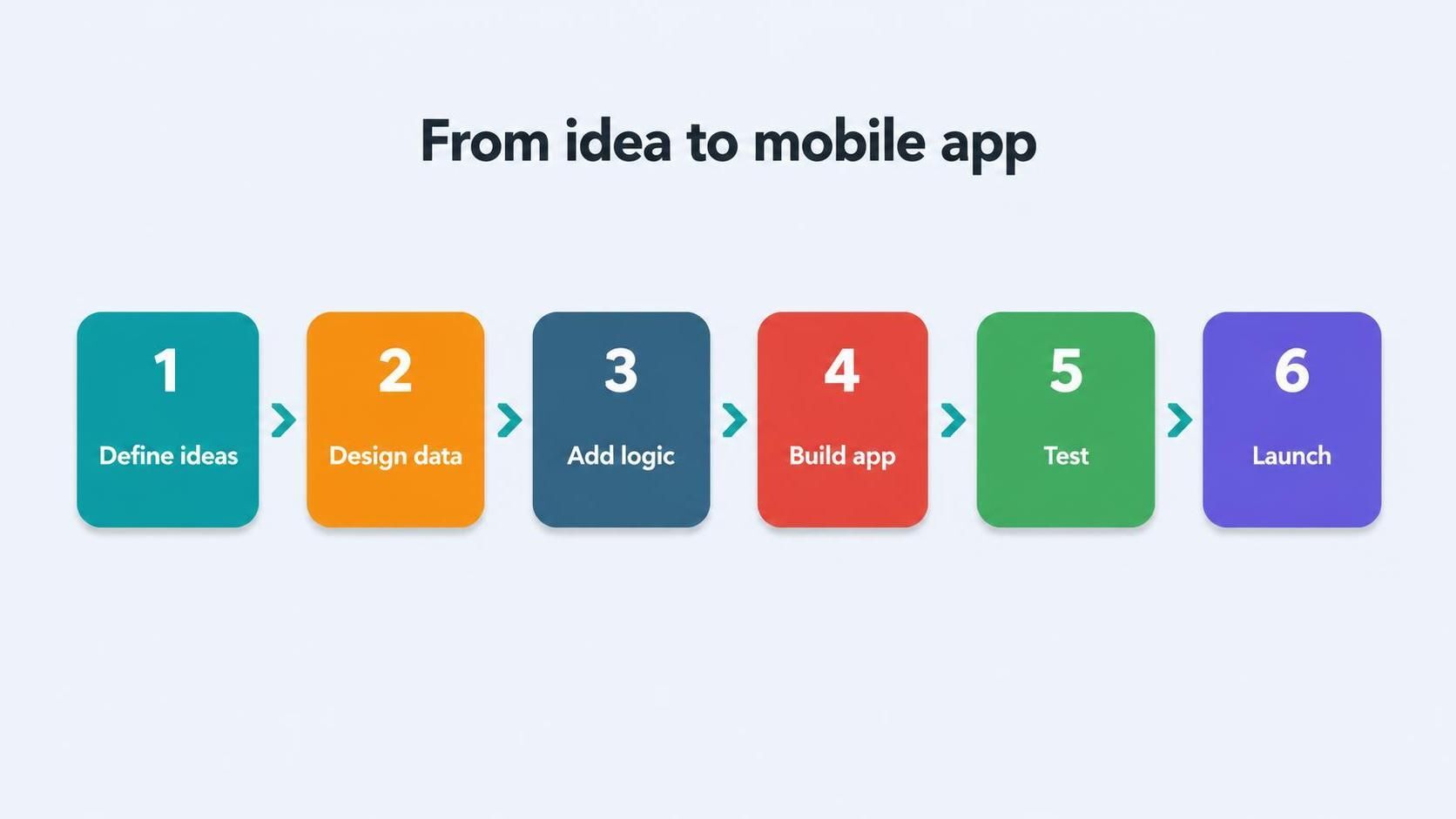
Development moves from defining the idea through data, logic, building, testing, and launch.
Step One: Define the Idea and Requirements
Every good app starts with clarity about what it needs to do. This means understanding the process the app will support, who will use it, what information it must capture, and what it should automate. Time spent here, turning a vague idea into clear requirements, prevents building the wrong thing and having to rework it later.
This stage is where a partner adds value early, asking the right questions to surface requirements you might not have articulated. A clear, agreed picture of what the app should do is the foundation everything else builds on, and getting it right up front is the single biggest factor in a smooth project.
Step Two: Design the Data Model and Forms
With requirements clear, the next step is designing how data is structured and captured. This means defining the forms users will fill in and the underlying data model that stores and relates the information. A well-designed data model is the backbone of the app, determining how well it works and how easily it can grow.
Getting the data design right matters enormously, because a poor structure creates problems that are hard to fix later. This is one of the areas where experienced design separates a solid app from a fragile one, even in a low-code tool, so it deserves real attention rather than rushing to the visible interface.
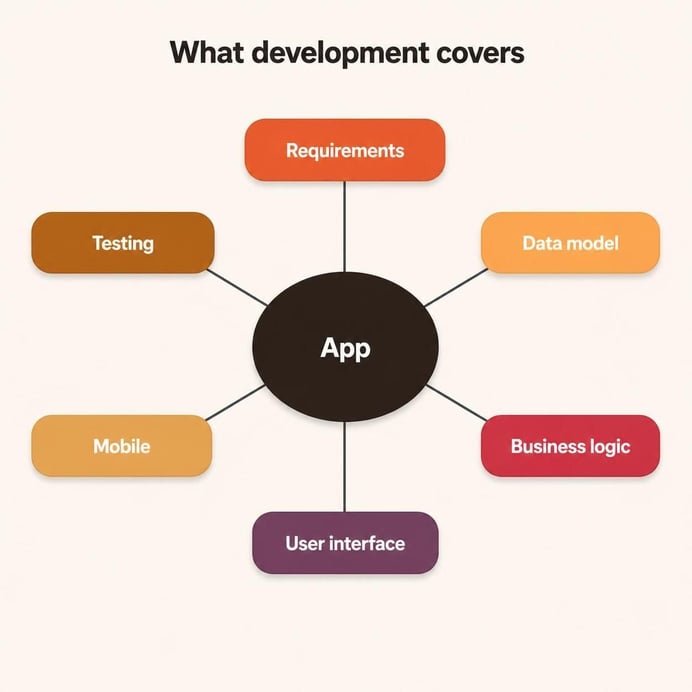
Development covers requirements, data model, logic, interface, mobile experience, and testing.
Step Three: Add Logic and Automation
An app is more than forms and data; it is the logic that makes it useful. This step adds the rules, calculations, workflows, and automations that make the app do real work: validating input, routing approvals, sending notifications, and updating related data. This is where the app starts to save time rather than just store information.
Zoho Creator handles much of this visually, with scripting available for more advanced logic. Designing this layer well is what turns a digital form into a genuine business tool, automating the steps that would otherwise be manual and enforcing the rules that keep the data reliable.
Step Four: Build the Interface for Web and Mobile
Next, the user interface is built for both web and mobile. Because Zoho Creator apps run on phones as well as browsers, the mobile experience is designed so the app is genuinely usable in the field, not just a shrunken web page. A clean, intuitive interface is what makes people actually adopt the app rather than avoid it.
The mobile experience is often central to the whole idea, especially for field teams. Designing it deliberately, so the app is fast and easy to use on a phone in real working conditions, is a big part of what makes the project succeed. An app people find awkward will not be used, however powerful it is underneath.
Step Five: Test, Refine, and Launch
Before launch, the app is tested with real scenarios and refined based on feedback. Testing catches the gaps between how you thought the process worked and how it actually works, and refining the app to match reality is what makes it reliable. Only once it is working well is it rolled out to users, with training and support to drive adoption.
- Test with real data and real user scenarios.
- Refine based on feedback before wide rollout.
- Train users so the app is adopted, not avoided.
- Support the launch to catch issues early.
Why Low-Code Changes the Economics
The reason this matters is that low-code changes what is possible. Traditional custom app development is so expensive and slow that many good ideas never get built. Zoho Creator makes building an app fast and affordable enough that businesses can create tailored tools for their specific needs, turning ideas that would have stayed in a spreadsheet into real applications.
This democratises custom software. A process that is important to your business but too niche for off-the-shelf products can now have its own well-built app, without an enterprise budget. That shift, from custom apps being a luxury to being practical, is what makes the idea-to-app journey worth taking.
How Amwhiz Delivers Zoho Creator Apps
Amwhiz is an authorized Zoho partner, and we take ideas from concept to working web and mobile app on Zoho Creator. We define requirements with you, design the data model and logic, build an interface that works well on mobile, test thoroughly, and support the launch. The result is a reliable, tailored app delivered far faster and more affordably than traditional development.
Because we do this regularly, we bring the discipline that makes low-code projects succeed: good requirements, solid data design, and a focus on adoption. Low-code removes the barrier of cost and time, but experienced delivery is what ensures your app is something your team actually relies on rather than another abandoned tool.
Frequently Asked Questions About Zoho Creator Development
How Long Does It Take to Build a Mobile App?
Simple apps can be built quickly, while complex ones take longer. Low-code is far faster than traditional development, and clear requirements up front keep the timeline predictable.
Do Zoho Creator Apps Work Offline?
Zoho Creator supports mobile use with offline capabilities for field scenarios, so staff can capture data without a connection and sync when back online, depending on how the app is configured.
Can I Change the App After It Launches?
Yes. Low-code apps are flexible and can be refined as your needs evolve, which is a major advantage over rigid off-the-shelf products or costly custom software.
What Makes a Low-Code Project Succeed?
Clear requirements, solid data design, and a focus on adoption. Low-code speeds up building, but understanding the process and designing well is what makes the app reliable and used.
Is a Custom App Worth It for a Small Business?
Often yes. Because low-code is affordable, even small businesses can build a tailored app for a process that packaged software does not fit, which was not practical before.
What Do I Need to Prepare Before Building?
A clear sense of the process the app should support and who will use it. You do not need technical specifications; a good partner turns your description of how the work happens into the requirements that drive the build, so the more clearly you can explain the process, the smoother it goes.
Can the App Grow With My Business?
Yes. A well-designed Zoho Creator app can be extended and adapted as your needs change, adding new fields, logic, or features over time. This flexibility is a major advantage over rigid off-the-shelf products that you have to work around.
How Involved Do I Need to Be in the Project?
Your input is most valuable at the start, defining the process and requirements, and during reviews, where you check the app matches how you work. Between those points the building is handled for you, so the demand on your time stays focused and manageable.
What Happens After the App Launches?
After launch, the app can be supported and refined as you use it and spot improvements. Because low-code is flexible, changes are quick to make, so the app keeps evolving with your business rather than being frozen at version one.
Conclusion
Turning an idea into a Zoho Creator mobile app follows a clear path: define requirements, design the data and forms, add logic and automation, build the web and mobile interface, then test, refine, and launch. Low-code makes each stage far faster, so an idea can become a real, usable app quickly and affordably.
The discipline of good development still matters, from clear requirements to solid data design and a focus on adoption. Done well, the journey from idea to app turns processes that would have stayed stuck in spreadsheets into reliable tools your team depends on, which is exactly what low-code makes possible.
Book a free Zoho Creator app consultation.
Amwhiz, an authorized Zoho partner, will take your idea from concept to working mobile app on Zoho Creator. Visit amwhiz.com or email sales@amwhiz.com to get started.