-1.png?width=134&height=66&name=amwhiz-logo%20(1)-1.png)


Introduction Thinking about switching platforms but worried about losing your data, SEO rankings,...
written by: Renuka M
Shopify migration services,
Shopify SEO migration,
Adobe Commerce to Shopify migration,
Magento to Shopify migration,
Migrate Adobe Commerce to Shopify,
Zero data loss Shopify migration
Introduction
Running your store on Magento now known as Adobe Commerce but struggling with performance, high maintenance, or scalability issues?
You are not alone.
Many growing businesses are moving away from complex systems and choosing Shopify for a faster, more scalable, and easier to manage ecommerce experience.
The biggest concern during migration is data loss and SEO impact.
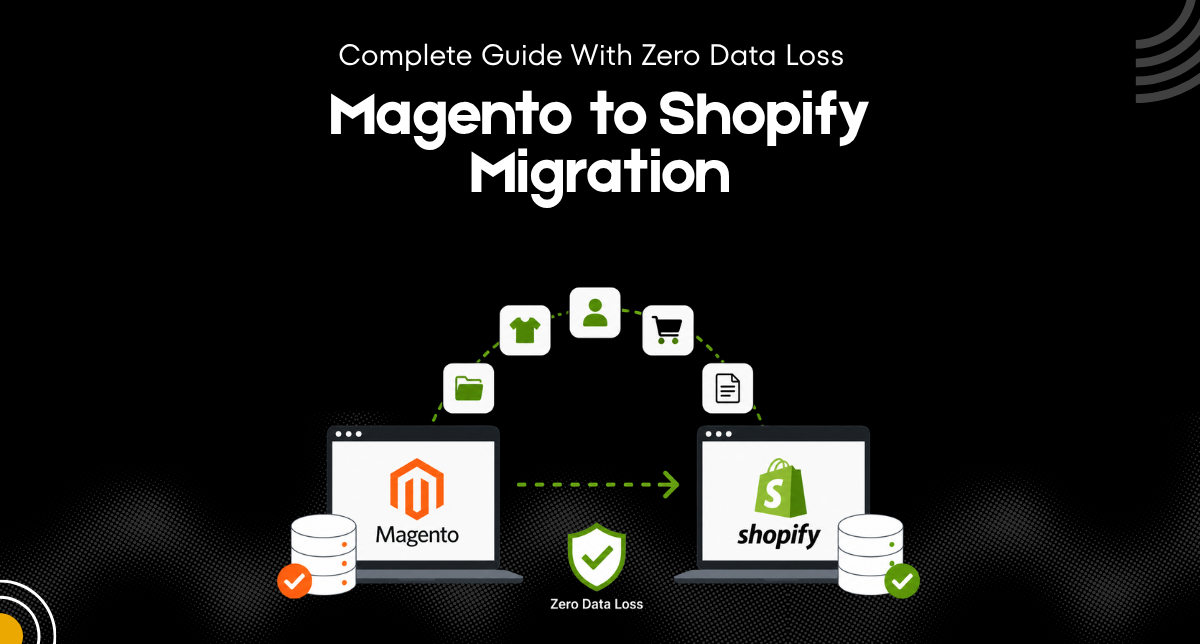
This guide shows you exactly how to handle a Magento to Shopify migration safely while preserving your data, traffic, and performance.
Many businesses using Adobe Commerce formerly Magento are now moving to Shopify to simplify operations, improve performance, and reduce maintenance costs.
Why Migrate from Magento Adobe Commerce to Shopify
Magento, now known as Adobe Commerce, is powerful, but it often requires heavy development resources, ongoing maintenance, and high costs.
Shopify offers a simpler and more efficient alternative.
Easy Store Management
Shopify handles hosting, security, and updates, reducing technical complexity.
Better Performance
Faster loading speeds improve both user experience and SEO.
Scalable Infrastructure
Shopify grows with your business without requiring constant technical upgrades.
All in One Ecosystem
From payments to integrations, everything is available in one platform.
Key Challenges in Magento to Shopify Migration
Before migrating, it is important to understand potential risks.
Data Loss
Incorrect migration can result in missing products, customers, or orders.
SEO Impact
URL changes and missing metadata can affect SEO rankings.
Integration Issues
Existing tools and extensions may not transfer directly.
Downtime Risks
Improper planning can lead to store downtime.
Step by Step Magento to Shopify Migration Process
Step 1: Audit Your Existing Magento Store
Start by analyzing your current setup.
- Export product data
- Review customer and order information
- Identify important pages and SEO assets
This ensures a smooth data migration.
Step 2: Backup Your Data
Always create a full backup before starting.
- Products and categories
- Customer details
- Order history
- Media files
This step guarantees zero data loss during migration.
Step 3: Set Up Your Shopify Store
Prepare your Shopify store for migration.
- Configure store settings
- Set up taxes and shipping
- Create collections and structure
A proper setup supports a seamless transition.
Step 4: Migrate Data to Shopify
Transfer your data carefully.
- Import products with images and variants
- Move customer accounts securely
- Transfer order history
You can use automated tools or custom solutions for accurate Adobe Commerce to Shopify migration.
Step 5: Design and Theme Customization
Rebuild your store design with improved performance.
- Use a modern theme or develop a custom design
- Ensure mobile responsiveness
- Optimize for speed and usability
This enhances overall user experience.
Step 6: Preserve SEO Rankings
Protect your SEO during migration.
- Set up 301 redirects from old URLs
- Transfer meta titles and descriptions
- Maintain site structure
- Submit updated sitemap
This ensures your SEO rankings remain stable.
Step 7: Integrate Apps and Tools
Reconfigure your ecosystem.
- Payment gateways
- Marketing tools
- Analytics platforms
- Inventory systems
These integrations support your store operations.
Step 8: Test Before Launch
Testing is critical before going live.
- Check product pages
- Test checkout process
- Verify payment systems
- Review mobile performance
This ensures a smooth Shopify store launch.
Step 9: Go Live and Monitor
After launch, monitor performance closely.
- Track traffic and rankings
- Fix issues quickly
- Optimize continuously
Post migration monitoring helps maintain stability.
How to Ensure Zero Data Loss?
To achieve zero data loss, follow best practices.
- Use reliable migration tools or experts
- Validate all data after transfer
- Keep backups at every stage
- Test thoroughly before launch
Accuracy and testing are key to a successful migration.
Why Shopify is the Better Choice?
Shopify simplifies ecommerce management while delivering high performance.
With faster speed, built in tools, and scalability, it gives businesses a strong advantage over Adobe Commerce.
For brands looking to grow without technical complexity, Shopify is the smarter platform.
Why Choose Amwhiz?
At Amwhiz, we specialize in seamless Shopify migration services with zero data loss and minimal downtime.
Our expertise includes
- Shopify development services
- Shopify POS solutions
- Custom Shopify app development
- Complete Shopify all in one solutions
We ensure your migration is smooth, secure, and optimized for growth.
Final Thoughts
A well planned Magento to Shopify migration can transform your ecommerce business.
With the right strategy, you can move your store without losing data, traffic, or performance.
Get Started with Amwhiz
Partner with Amwhiz to migrate your store to Shopify with confidence.
From planning to execution, we handle everything so you can focus on scaling your business.