-1.png?width=134&height=66&name=amwhiz-logo%20(1)-1.png)


Introduction Running your store on Magento now known as Adobe Commerce but struggling with...
written by: Renuka M
Shopify migration services,
Shopify store migration,
Migrate to Shopify,
Shopify data migration,
Shopify SEO migration,
Shopify migration guide
Introduction
Thinking about switching platforms but worried about losing your data, SEO rankings, or customer information?
You are not alone. Migration is one of the most critical phases in ecommerce, and even small mistakes can lead to traffic drops, broken pages, and lost sales.
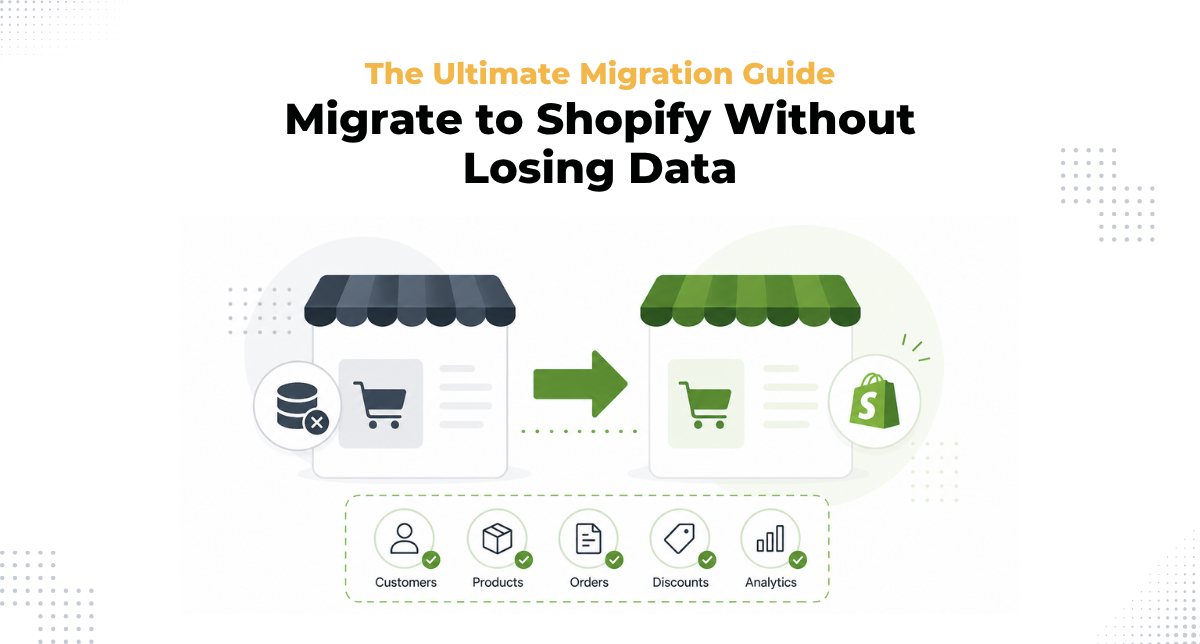
The good news is that with the right approach, you can migrate to Shopify smoothly without losing valuable data or performance.
This guide walks you through the complete Shopify migration process step by step.
Why Businesses Migrate to Shopify?
Choosing the right platform is key to scaling your business.
Shopify offers flexibility, scalability, and a powerful ecosystem that supports growth.
Businesses typically migrate to Shopify for
- Better performance and speed
- Easy store management
- Strong app ecosystem
- Scalable infrastructure
Step 1: Plan Your Migration Strategy
Before starting the migration, create a clear plan.
- Audit your existing store data
- Identify what needs to be migrated
- Set goals for performance and design
- Choose the right timeline
Proper planning ensures a successful Shopify store migration.
Step 2: Backup Your Existing Data
Always create a full backup before making any changes.
- Export products, customers, and orders
- Save website content and media files
- Store database backups securely
This step protects your data during the data migration process.
Step 3: Set Up Your Shopify Store
Create your new Shopify store and configure the basics.
- Add business information
- Set up currency and taxes
- Configure shipping settings
This prepares your store for incoming data and operations.
Step 4: Transfer Your Data
Move your data carefully to avoid errors.
- Import products with details and images
- Transfer customer data securely
- Migrate order history
You can use automated tools or manual methods depending on your needs.
Accurate Shopify data migration is essential to maintain business continuity.
Step 5: Design and Theme Setup
Your store design should match or improve your existing experience.
- Use a prebuilt theme or create a custom design
- Ensure mobile responsiveness
- Optimize for speed and usability
A well designed store improves user experience and conversions.
Step 6: Preserve SEO Rankings
One of the biggest concerns during migration is SEO.
- Set up 301 redirects from old URLs
- Maintain meta titles and descriptions
- Optimize page structure
- Submit updated sitemap to search engines
Protecting your Shopify SEO migration ensures you do not lose organic traffic.
Step 7: Integrate Apps and Tools
Rebuild your ecosystem with the right integrations.
- Payment gateways
- Marketing tools
- Analytics platforms
- Inventory systems
These integrations support your new store operations and growth.
Step 8: Test Everything Thoroughly
Before going live, test all functionalities.
- Check product pages
- Test checkout process
- Verify payment gateways
- Review mobile and desktop experience
Testing ensures a smooth Shopify store launch.
Step 9: Go Live and Monitor
Once everything is ready, launch your new store.
- Monitor traffic and performance
- Track sales and user behavior
- Fix issues quickly
Post launch monitoring is critical for a successful migration.
Common Migration Challenges
During Shopify migration, businesses may face
- Data inconsistencies
- Broken links
- SEO ranking fluctuations
- Integration issues
Planning and testing help overcome these challenges effectively.
Why Choose Amwhiz?
At Amwhiz, we specialize in seamless and secure Shopify migration services tailored for growing businesses.
Our expertise includes
- Shopify development services
- Shopify POS solutions
- Custom Shopify app development
- Complete Shopify all in one solutions
We ensure zero data loss, minimal downtime, and optimized performance.
Final Thoughts
Migrating your store does not have to be risky.
With the right strategy, tools, and expertise, you can migrate to Shopify without losing data, SEO rankings, or customer experience.
A well executed migration sets the foundation for long term growth and scalability.
Get Started with Amwhiz
Partner with Amwhiz for a smooth and reliable Shopify migration experience.
From planning to launch, we handle everything so you can focus on growing your business.