
EDITOR – REVIEW: This topic overlaps an existing published post: /blog/build-in-zoho-creator-vs-buy-software. Check overlap before publishing; give each post a distinct angle and link them to each other.
Choose Zoho Creator when you need an internal business app fast, your users are mostly employees, and the app lives close to other Zoho tools. Choose a custom web app when you need a customer-facing product, complex logic or UI, high transaction volume, or full ownership of code and data. Many businesses start on Creator and move specific parts to custom code as they grow.
Key takeaways
- Zoho Creator builds forms, workflows, reports and portals in weeks, not months.
- It's ideal for internal operations: approvals, inventory, field service, quality checks.
- Custom apps cost more upfront but remove platform limits on UI, performance and pricing.
- Creator pricing is per user; costs rise with many external users.
- A hybrid approach is common: Creator for internal ops, custom app for customers.
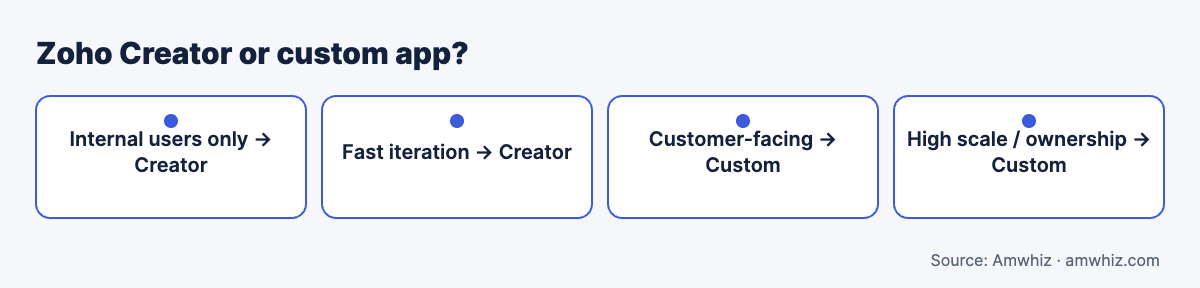
Zoho Creator or custom app?
What is Zoho Creator?
Zoho Creator is Zoho's low-code platform for building business apps with drag-and-drop forms, Deluge scripting, workflows, reports, dashboards, mobile apps and customer portals. It connects natively to Zoho CRM, Books, People and other Zoho apps.
Side-by-side comparison
| Factor | Zoho Creator | Custom web app |
|---|---|---|
| Time to first version | 2 to 6 weeks | 8 to 20+ weeks |
| Upfront cost | Low to moderate | Moderate to high |
| Ongoing cost | Per-user subscription | Hosting + maintenance |
| UI flexibility | Template-based, limited | Unlimited |
| Complex logic | Deluge, workable with limits | Any language/framework |
| Performance at scale | Platform limits apply | Designed for your load |
| External users | Portal users, priced separately | Unlimited, your pricing |
| Mobile | Auto-generated apps | Responsive web or native apps |
| Integrations | Native with Zoho; APIs for others | Anything via APIs |
| Code ownership | Platform-dependent | You own it |
| Vendor lock-in | High | Low |
When Zoho Creator is the right choice
- Internal apps for operations, HR, procurement, quality or field teams
- You already use Zoho CRM, Books or Zoho One
- Requirements will change often and you want to iterate quickly
- Users are mostly employees, in the tens or low hundreds
- Budget is limited and speed matters
Examples: purchase approval system, dealer onboarding, service visit app, inventory audit app, asset tracking.
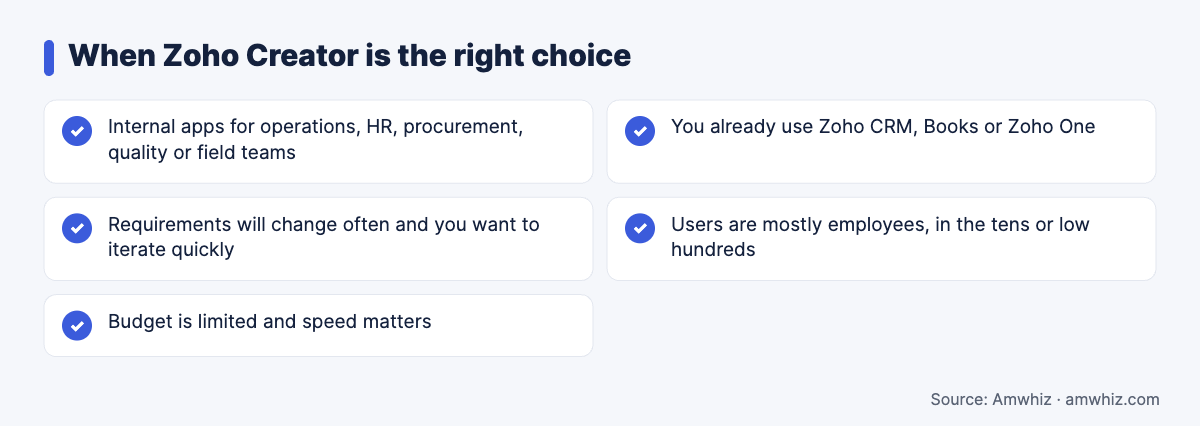
When Zoho Creator is the right choice
Signs you've outgrown Zoho Creator
- Customers or partners need a polished, branded experience
- You hit API, scripting or record limits in normal operation
- Pages slow down with large data sets or complex reports
- You need features Creator's UI components can't support
- Portal user costs rise as your customer base grows
- You need to sell the app as a product or SaaS
- Investors or enterprise clients ask about code ownership and security controls
When a custom web app makes sense
- Customer portals, marketplaces, booking platforms or SaaS products
- Complex workflows with heavy calculations or real-time features
- High concurrency and transaction volumes
- Specific security, compliance or hosting requirements
- Deep integrations with ERPs, payment systems or IoT
Read our guide to custom web app development cost and customer portal build vs buy. For the buy-vs-build angle, see when to build in Zoho Creator vs buy software.
Cost comparison example
A 50-user internal operations app:
| Item | Zoho Creator | Custom web app |
|---|---|---|
| Build | Lower | Higher |
| Year 1 licences/hosting | Per-user subscription | Cloud hosting |
| 3-year total | Usually lower | Higher upfront, lower per-user |
For 5,000 customer users, the picture often flips: custom becomes cheaper because there's no per-user fee.
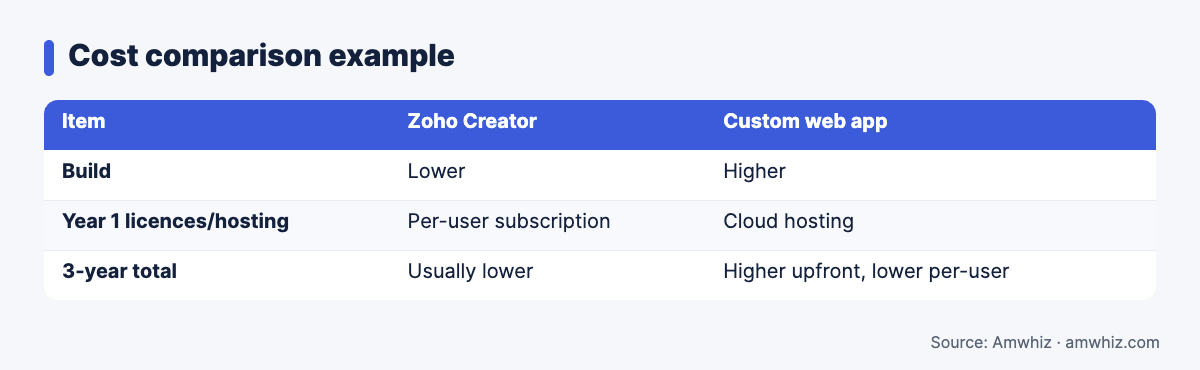
Cost comparison example
The hybrid approach
- Keep internal operations on Zoho Creator or Zoho CRM
- Build a custom customer-facing portal or app
- Connect them via APIs so data stays in sync
This gets you speed for internal tools and full control where customers see your brand.
Decision checklist
Answer yes or no:
- Will external customers use it daily?
- Do you need a fully custom UI?
- Will users exceed several hundred?
- Do you need to own the code?
- Are there heavy calculations or real-time features?
Three or more "yes" answers point to a custom build.
Why choose Amwhiz?
Amwhiz builds both Zoho Creator apps and custom web applications, so we can recommend what fits rather than what we sell. We often start with Creator for speed and move high-traffic or customer-facing parts to custom code when needed.
Want help with this? Book a free build-vs-low-code assessment with the Amwhiz team.
Related guides
- Integration Cost Calculator: HubSpot, Zoho, Shopify and ERP Sync (2026 Price Ranges)
- Zoho One Pricing in India 2026: All-Employee vs Flexible-User Plans Explained
- How to Integrate Shopify With an ERP: SAP Business One, Odoo, Tally and Zoho Compared
Frequently asked questions
Is Zoho Creator good for building business apps?
Yes, especially internal apps connected to other Zoho tools. It's fast to build and easy to change.
What are the main limitations of Zoho Creator?
Limited UI customisation, platform limits on scripting and API calls, per-user pricing and vendor lock-in.
Can Zoho Creator be used for customer portals?
Yes, Creator supports portals, but branded, high-traffic portals often work better as custom apps.
Can I migrate from Zoho Creator to a custom app later?
Yes. Data can be exported and logic rebuilt. Plan the data model carefully to make the move easier.
Is a custom web app more expensive than Zoho Creator?
Upfront, usually yes. Over several years with many users, a custom app can cost less because there are no per-user fees.
Leave a comment
Your email address will not be published. Comments are reviewed before they appear.