
Zoho CRM works well for schools, colleges, coaching institutes and edtech companies when it's set up around the admission journey: enquiry, counselling, application, document verification, fee payment and enrolment. The key pieces are lead capture from every source, fair counsellor routing, WhatsApp follow-ups, and fee reminders linked to Zoho Books or your payment gateway.
Key takeaways
- Model the student journey as a pipeline with clear stages and required data.
- Capture leads automatically from ads, website, education portals and WhatsApp.
- Route enquiries by course, city or language, with response-time SLAs.
- Use WhatsApp templates for reminders; students and parents respond faster than to email.
- Track source-to-enrolment conversion to cut wasted ad spend.
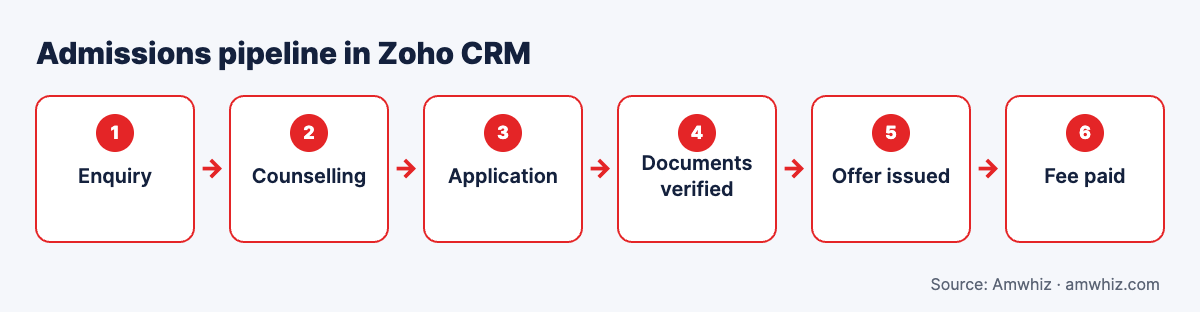
Admissions pipeline in Zoho CRM.
Why education teams need a CRM
- Thousands of enquiries arrive in peak season from many sources
- Counsellors work from spreadsheets and lose follow-ups
- Parents and students switch between call, WhatsApp and email
- Management can't see which campaigns produce enrolments
- Fee follow-ups are manual and inconsistent
Recommended data model
| Zoho module | Use for |
|---|---|
| Leads (Enquiries) | New enquiries before counselling |
| Contacts | Students and parents (linked) |
| Accounts | Schools, corporates or partner agencies (optional) |
| Deals (Applications) | Each application per course/intake |
| Custom module: Courses | Course, intake, fee, seats |
| Custom module: Documents | Document checklist and verification status |
Key fields: course interested, intake, city, preferred language, qualification, marks, budget, parent contact, counselling date, scholarship, source and campaign.
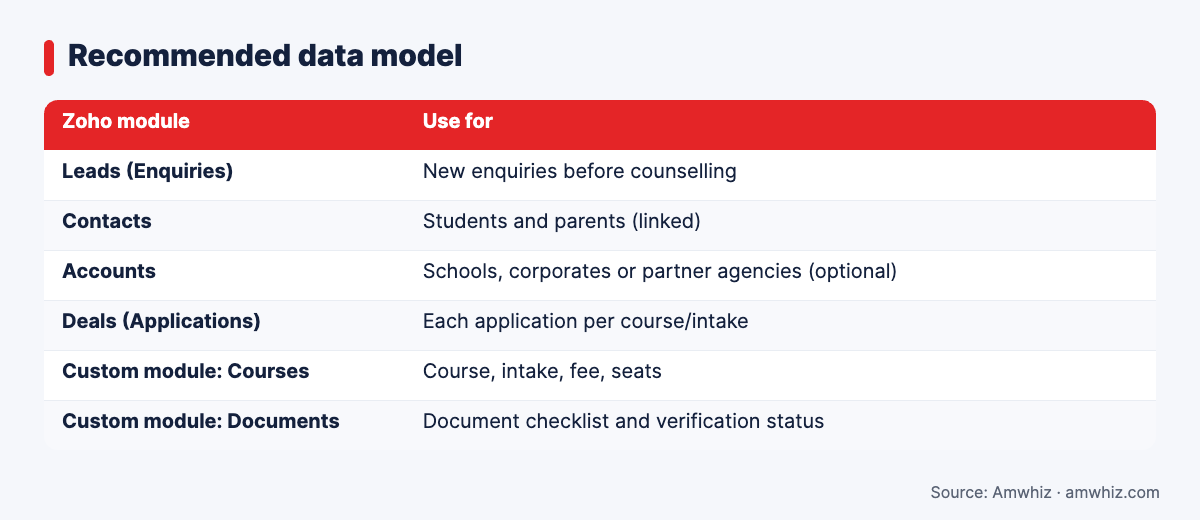
Recommended data model
Admissions pipeline stages
- New enquiry
- Contacted
- Counselling scheduled
- Counselling done
- Application submitted
- Documents verified
- Offer issued
- Fee paid (enrolled)
- Lost (with reason: fees, location, competitor, not eligible)
Use a blueprint to require data at key stages, such as counselling notes before "Counselling done" and documents before "Offer issued".
Lead capture sources
- Website and landing page forms
- Meta and Google lead ads
- Education portals and aggregators (via API, email parsing or CSV import)
- Click-to-WhatsApp ads
- Walk-ins and events (mobile form or QR code)
- Missed calls and IVR
Each lead should carry source, campaign and course so you can measure cost per enrolment.
Counsellor routing rules
- Round robin within a course team
- Language-based routing (Hindi, Tamil, Arabic, English)
- City or campus-based routing
- Re-assignment if not contacted within 1 to 2 hours
- Cap on open leads per counsellor during peak season
WhatsApp follow-up journeys
| Trigger | WhatsApp template |
|---|---|
| New enquiry | Welcome + brochure + book counselling link |
| Counselling booked | Confirmation and reminder 2 hours before |
| No response 48 hours | Follow-up with FAQs or scholarship info |
| Application incomplete | Reminder with list of missing documents |
| Offer issued | Offer letter and fee payment link |
| Fee due | Reminder 7 days, 3 days and 1 day before due date |
See WhatsApp Business API for education.
Fee payments and reminders
Connect Zoho CRM to Zoho Books or your payment gateway so:
- Offer stage creates an invoice or payment link
- Payment updates the application to "Enrolled" automatically
- Instalment schedules trigger reminders
- Finance and counsellors see the same status
Reports that matter
- Enquiries by source and course
- Contact rate within 1 hour
- Counselling-to-application conversion by counsellor
- Cost per enrolment by campaign
- Lost reasons by course
- Fee collection vs due
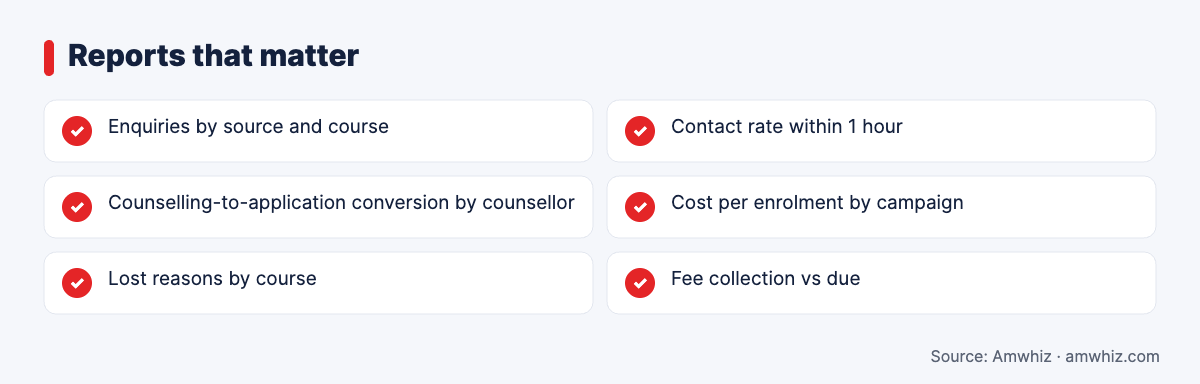
Reports that matter
Implementation timeline
A standard admissions CRM takes 3 to 5 weeks; adding portals, multiple campuses and fee integration may take 6 to 8 weeks. Start before your admission season, not during it.
Why choose Amwhiz for Zoho CRM in education?
Amwhiz builds Zoho CRM setups that match how admissions teams actually work, with WhatsApp journeys, counsellor routing, document tracking and fee integrations. We also connect lead sources and ad platforms so you can see cost per enrolment.
Want help with this? Book a free admissions CRM consultation with the Amwhiz team.
Related guides
- WhatsApp Business API for Education: Admissions, Fee Reminders and Parent Updates
- Zoho CRM Implementation Checklist for SMBs (With Timeline and Cost)
- HubSpot Lead Scoring for B2B: Model, Examples and a Ready-to-Use Template
- HubSpot WhatsApp Integration: Native vs Third-Party Apps vs Custom Build
Frequently asked questions
Is Zoho CRM good for educational institutions?
Yes. With a custom admissions pipeline, routing and WhatsApp integration, Zoho CRM handles enquiry-to-enrolment workflows for schools, colleges and edtech companies at a reasonable cost.
Can Zoho CRM send WhatsApp messages to students?
Yes, through the WhatsApp Business API using approved templates for reminders, confirmations and fee notices.
How do I track which campaigns bring enrolments?
Capture source and campaign on every enquiry and carry them through to the enrolment stage, then report cost per enrolment by campaign.
Can Zoho CRM manage fee instalments?
With Zoho Books or a payment gateway integration, Zoho CRM can track invoices, instalments and payment status, and trigger reminders.
How long does it take to set up an admissions CRM?
Typically 3 to 5 weeks, or up to 8 weeks for multi-campus setups with integrations.
Leave a comment
Your email address will not be published. Comments are reviewed before they appear.