
A Zoho CRM implementation runs through seven stages: requirements, edition and users, data model, process automation (workflows and blueprints), integrations, data migration, and training with go-live. Most SMB implementations take 3 to 6 weeks and cost roughly ₹50,000 to ₹3 lakh depending on customisation and integrations.
Key takeaways
- Map your sales process before touching settings.
- Use Leads only if you truly qualify before creating contacts and accounts.
- Blueprints enforce process; workflows automate actions. Use both carefully.
- Integrate Zoho Books, WhatsApp, telephony and your website from the start.
- Train by role and appoint a CRM owner.
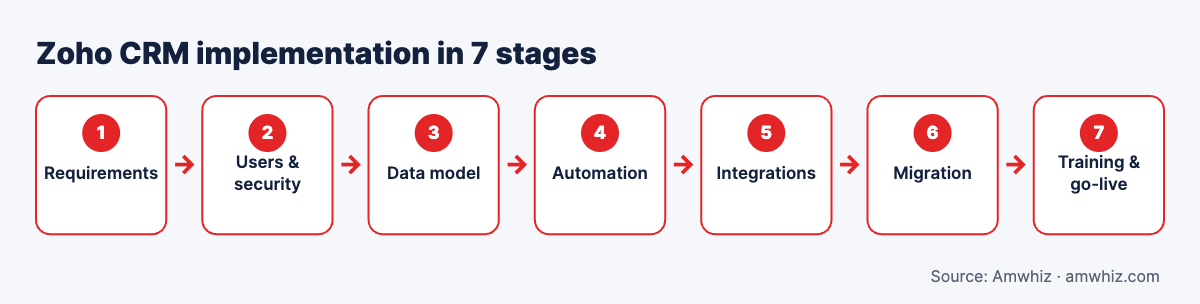
Zoho CRM implementation in 7 stages.
Stage 1: Requirements (week 1)
- ☐ List business goals for the CRM (lead response, pipeline visibility, collections)
- ☐ Map lead sources (website, IndiaMART, JustDial, WhatsApp, ads, referrals, walk-ins)
- ☐ Map sales stages from enquiry to payment
- ☐ List approvals (discounts, credit terms)
- ☐ Define reports management wants weekly
- ☐ List systems to integrate (Books, Tally, Shopify, telephony, WhatsApp)
Stage 2: Edition, users and security
- ☐ Choose edition (Standard, Professional, Enterprise, Ultimate) or Zoho One
- ☐ Create roles (hierarchy) and profiles (permissions)
- ☐ Set up territories if you sell by region
- ☐ Configure data sharing rules
- ☐ Enable two-factor authentication
Stage 3: Data model
- ☐ Decide whether to use Leads module or go straight to Contacts/Accounts
- ☐ Customise fields per module; remove unused defaults
- ☐ Create picklists for source, industry, product interest
- ☐ Add custom modules (projects, sites, dealers) if needed
- ☐ Design page layouts by team
- ☐ Set validation rules and mandatory fields
Stage 4: Process automation
- ☐ Build deal pipelines per business line
- ☐ Create blueprints for stage-by-stage processes (e.g. site visit → quote → negotiation)
- ☐ Set assignment rules (round robin, territory)
- ☐ Workflow rules for follow-up tasks and alerts
- ☐ Email templates and auto-responders
- ☐ SLA/escalation rules for uncontacted leads
- ☐ Deluge functions for custom logic (see Zoho Deluge examples)
Stage 5: Integrations
- ☐ Website forms (Zoho Forms or webforms)
- ☐ Lead marketplaces (IndiaMART, JustDial, TradeIndia)
- ☐ Email (Zoho Mail, Gmail or Outlook)
- ☐ Telephony / IVR for call logging
- ☐ WhatsApp Business API for templates and chat
- ☐ Zoho Books for quotes, invoices and payments
- ☐ Shopify, ERP or Tally if applicable
Stage 6: Data migration
- ☐ Collect data from spreadsheets, old CRM, email lists
- ☐ Deduplicate and standardise
- ☐ Import in order: accounts, contacts, deals, activities
- ☐ Validate sample records
Stage 7: Training and go-live
- ☐ Role-based training for reps, managers and admins
- ☐ Mobile app setup for field sales
- ☐ Dashboards for leadership
- ☐ Go-live date and old system freeze
- ☐ 30-day hypercare and adoption review
Implementation timeline
| Week | Activities |
|---|---|
| 1 | Requirements and design |
| 2 | Setup: users, modules, fields, layouts |
| 3 | Automation and blueprints |
| 4 | Integrations |
| 5 | Migration and testing |
| 6 | Training and go-live |
Simple setups can finish in 2 to 3 weeks; complex ones with custom modules and multiple integrations can take 8 weeks or more.
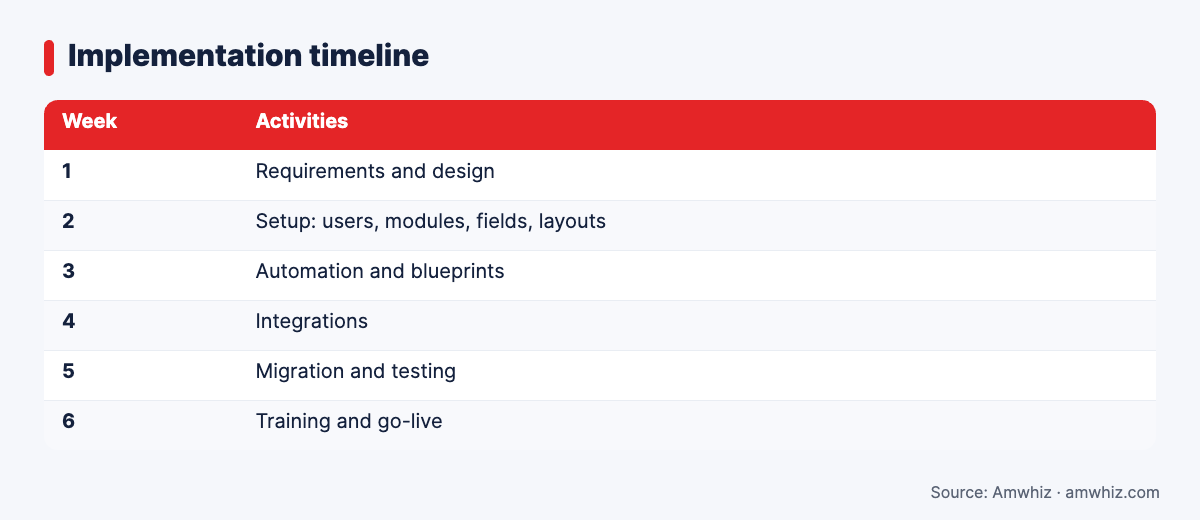
Implementation timeline
How much does Zoho CRM implementation cost?
| Scope | Typical range (INR) |
|---|---|
| Basic setup: one pipeline, import, standard fields | ₹30,000 to ₹75,000 |
| Standard: workflows, blueprints, Books integration | ₹75,000 to ₹2,00,000 |
| Advanced: custom modules, Deluge, multiple integrations | ₹2,00,000+ |
Licences are separate. See Zoho implementation pricing in 2026.
Common mistakes
- Using every default module and field
- Over-engineering blueprints so reps can't move deals
- No lead source tracking, so marketing ROI is unknown
- Skipping the Books integration, so sales can't see payments
- No CRM owner after go-live
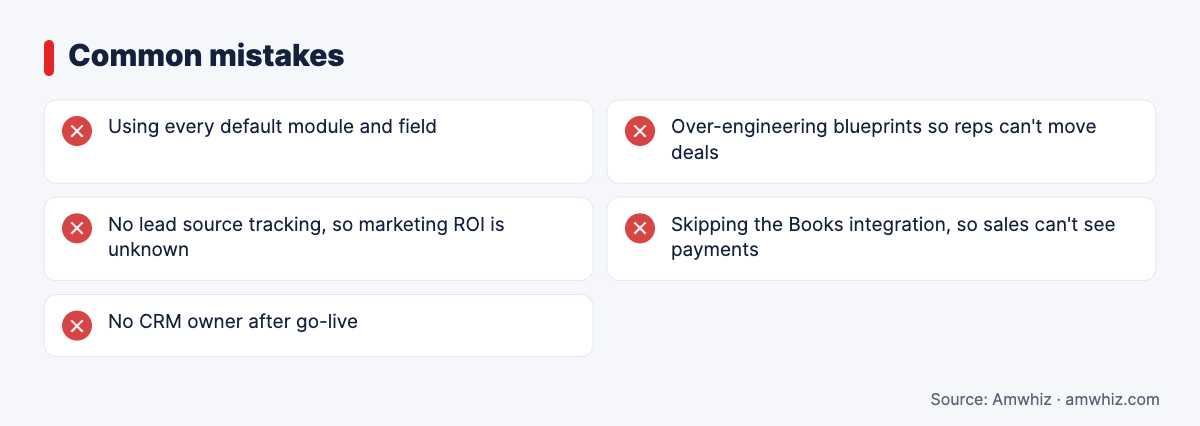
Common mistakes
Why choose Amwhiz for Zoho CRM implementation?
Amwhiz implements Zoho CRM and Zoho One for SMBs in India and the GCC. We map your process first, build blueprints your team can follow, and connect CRM with Zoho Books, WhatsApp, telephony and your store.
Want help with this? Book a free Zoho CRM scoping call with the Amwhiz team.
Related guides
- Zoho CRM for Education: Admissions Pipeline, Counsellor Routing and Fee Follow-ups
- Zoho One Pricing in India 2026: All-Employee vs Flexible-User Plans Explained
- HubSpot Implementation Checklist for Businesses Moving to a Modern CRM
Frequently asked questions
How long does Zoho CRM implementation take?
Most SMB implementations take 3 to 6 weeks. Basic setups can be done in 2 weeks; complex ones can take 8 weeks or more.
What is a blueprint in Zoho CRM?
A blueprint enforces a step-by-step process on records, defining which transitions are allowed, who can make them and what data is required at each step.
Should I use the Leads module in Zoho CRM?
Use it if you qualify many enquiries before they become real opportunities. If most enquiries are already qualified, go straight to contacts, accounts and deals.
Can Zoho CRM integrate with WhatsApp?
Yes, through the WhatsApp Business API using Zoho's integration, marketplace extensions or custom integrations.
Do I need a Zoho partner for implementation?
Not for simple setups. A partner helps with custom modules, blueprints, migrations and integrations.
Leave a comment
Your email address will not be published. Comments are reviewed before they appear.