-1.png?width=134&height=66&name=amwhiz-logo%20(1)-1.png)



Introduction What if your store could reply to every customer instantly, recover abandoned carts,...
written by: Renuka M
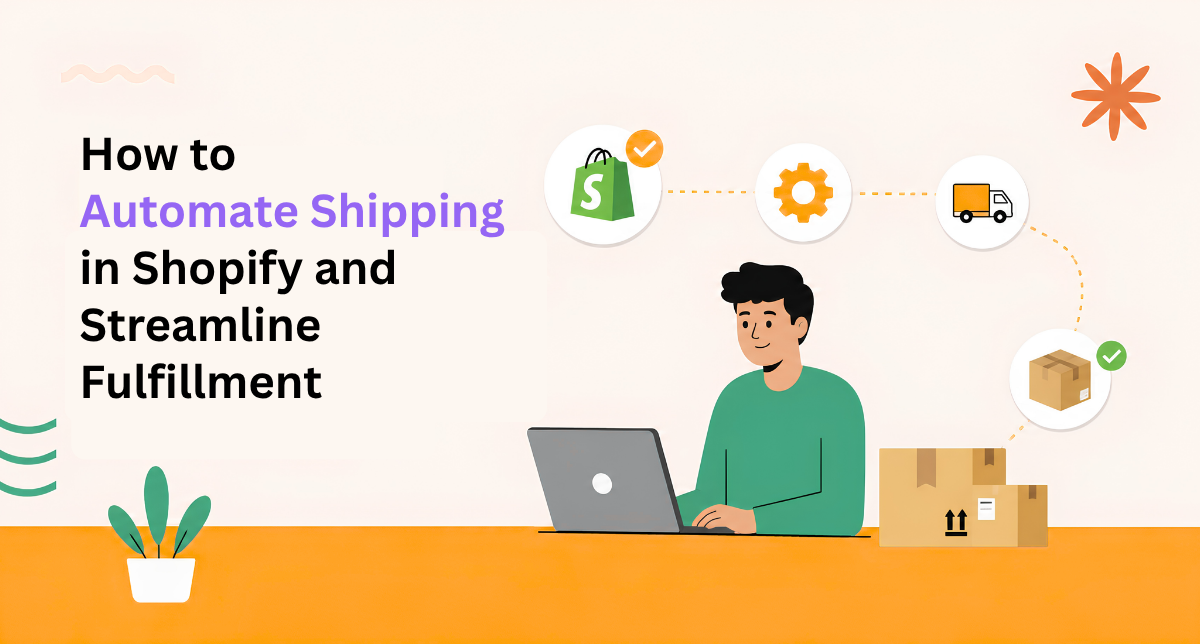
Automate Shopify Shipping and Streamline Fulfillment Operations
Manual shipping is killing your time. Creating labels. Updating tracking. Communicating with customers about their orders. It's repetitive. It's error-prone. It's keeping you from focusing on growing your business.
You're losing money too. Manual processes create mistakes. Wrong addresses. Missing information. Customers receive incorrect items or late shipments. Returns spike. Customer satisfaction drops.
Shipping automation fixes this completely and saves you hours every single week.
The Real Cost of Manual Shopify Shipping Processes
Let's do the math. You process 50 orders per day manually. Each order takes 5 minutes to handle (create label, input address, arrange pickup, send tracking email). That's 250 minutes, about 4 hours daily. Five days a week. Twenty hours monthly.
That's one person's full time job just managing shipping. But there's also the hidden cost of errors. You ship to wrong address (expensive mistake). Customer gets upset. You spend an hour dealing with the complaint. Now that's 5 hours for one error.
With automated Shopify shipping, the entire process is handled instantly when the order is placed. No errors. No time wasted. No customer complaints.
What You Can Automate
- Label generation instantly when order is placed (no manual work)
- Carrier selection automatically picking best rate based on your rules
- Tracking updates sent to customers automatically (no manual emails)
- Return labels generated on demand (customer-initiated)
- Inventory syncs across all sales channels (no manual updates)
- Shipping notifications sent at every stage (customer stays informed)
- International shipment handling (customs forms generated automatically)
- Carrier insurance applied based on order value (no forgotten claims)
The Real Impact of Automating Shopify Shipping
One person handling 100 orders manually takes all day. Same person with automation handles 1,000 in an hour. That's massive leverage. You've essentially hired ten more people without adding payroll.
But the real impact is customer experience. Customers get instant confirmation their order shipped. They get tracking information immediately. They can follow their shipment in real-time. They feel cared for. They leave five-star reviews. They buy again.
And profit improves. You're negotiating better rates with carriers because you're processing more volume. You're not paying for rushed delivery because most orders go out same-day (thanks to automation speeding up fulfillment). You're not refunding money due to lost packages because you know exactly where everything is.
How to Implement Shopify Shipping Automation
Step 1: Choose Your Carriers
USPS, FedEx, UPS, DHL, Canada Post, regional carriers. Shopify supports all major carriers. Most businesses use multiple carriers to get best rates. USPS for small items. FedEx or UPS for heavier orders.
Step 2: Set Carrier Rules
Tell the system which carrier to use based on package size and weight. Orders under 1 pound? USPS. Between 1-5 pounds? FedEx. Over 5 pounds? UPS. The system automatically selects the cheapest option for each package.
Step 3: Configure Zone-Based Shipping
Different rates for different zones. Local delivery. Regional. Nationwide. International. The system calculates the correct rate automatically at checkout. No manual intervention.
Step 4: Enable Automation Rules
When order is placed, automatically generate label. When label is created, automatically notify customer. When shipment is in transit, automatically send tracking updates. When delivered, automatically request review.
Advanced Shopify Shipping Features That Save Money
Bulk Rate Discounts
The more volume you ship, the better rates you negotiate. Shopify handles all of this. You get commercial rates automatically without having to negotiate anything.
Carrier Insurance
High-value orders automatically get insurance. Low-value orders skip insurance (save money). The system applies insurance intelligently based on order value.
Returns Management
Customer wants to return? They request a return in Shopify. A return label is generated instantly. You monitor all returns in one dashboard. The whole process is automated.
International Shipping
Shipping internationally? Customs forms are generated automatically with the right information. Duties are calculated. Delivery confirmations are tracked. No manual paperwork.
FAQ About Shopify Shipping Automation
Which carriers does Shopify shipping support?
USPS, FedEx, UPS, DHL, Canada Post, Australia Post, Royal Mail, plus many regional carriers depending on your location. Most major carriers are supported.
Can I really use multiple carriers?
Yes. Shopify automatically selects the cheapest option based on rules you set. This saves money on every shipment and ensures the best rate always.
Do customers see real-time tracking?
Yes. Automatic email with tracking link sent when shipment goes out. Customers can follow their package in real-time through the carrier's tracking system.
What about returns and replacements?
Return labels generate automatically. Customers print at home or pick up in-store. You monitor all returns in Shopify. Returns are tracked and inventoried automatically.
Does automation work with all fulfillment methods?
Yes. Works with your own fulfillment, 3PL partners, dropshippers, print-on-demand, everything. No matter how you fulfill, automation handles it.
How much money do I save with shipping automation?
Typical savings: 10-20% on shipping costs through better carrier rates. Plus 20+ hours per month of labor saved. On 100 orders daily, that's roughly $500-1000 monthly saved.
What if I ship internationally?
Automation works for international shipping too. Customs forms generated automatically. Duties calculated. Tracking works across borders. Less headache, lower risk.
Can I offer free shipping and still save money?
Yes. By automating carrier selection, you get the best rates, which means you can offer free shipping and still maintain margin. Customers love free shipping.
What if a carrier messes up a shipment?
You'll know immediately because you're tracking everything. You can issue a refund or replacement quickly. Customer never wonders what happened to their order.
How do I handle regional carriers with different pricing?
Set up shipping zones with different carriers and rates per zone. The system automatically applies the correct rate based on customer location. No manual calculation.