-1.png?width=134&height=66&name=amwhiz-logo%20(1)-1.png)



The Fear That Keeps Businesses Stuck on the Wrong CRM Plenty of businesses know they've outgrown...
The Three Words That Make CRM Migrations Terrifying
Contacts. Deals. Workflows. Those three things are why moving CRM feels so risky. Lose a chunk of contacts and you've lost relationships. Lose deal history and your pipeline is fiction. Lose workflows and your team's automated routines break overnight.
So the real question isn't "should we move to HubSpot?" It's "can we move without losing any of that?" The answer is yes, and here's exactly how it's protected.
This is how to migrate to HubSpot without losing contacts, deals, or workflows, from Amwhiz, a HubSpot partner.
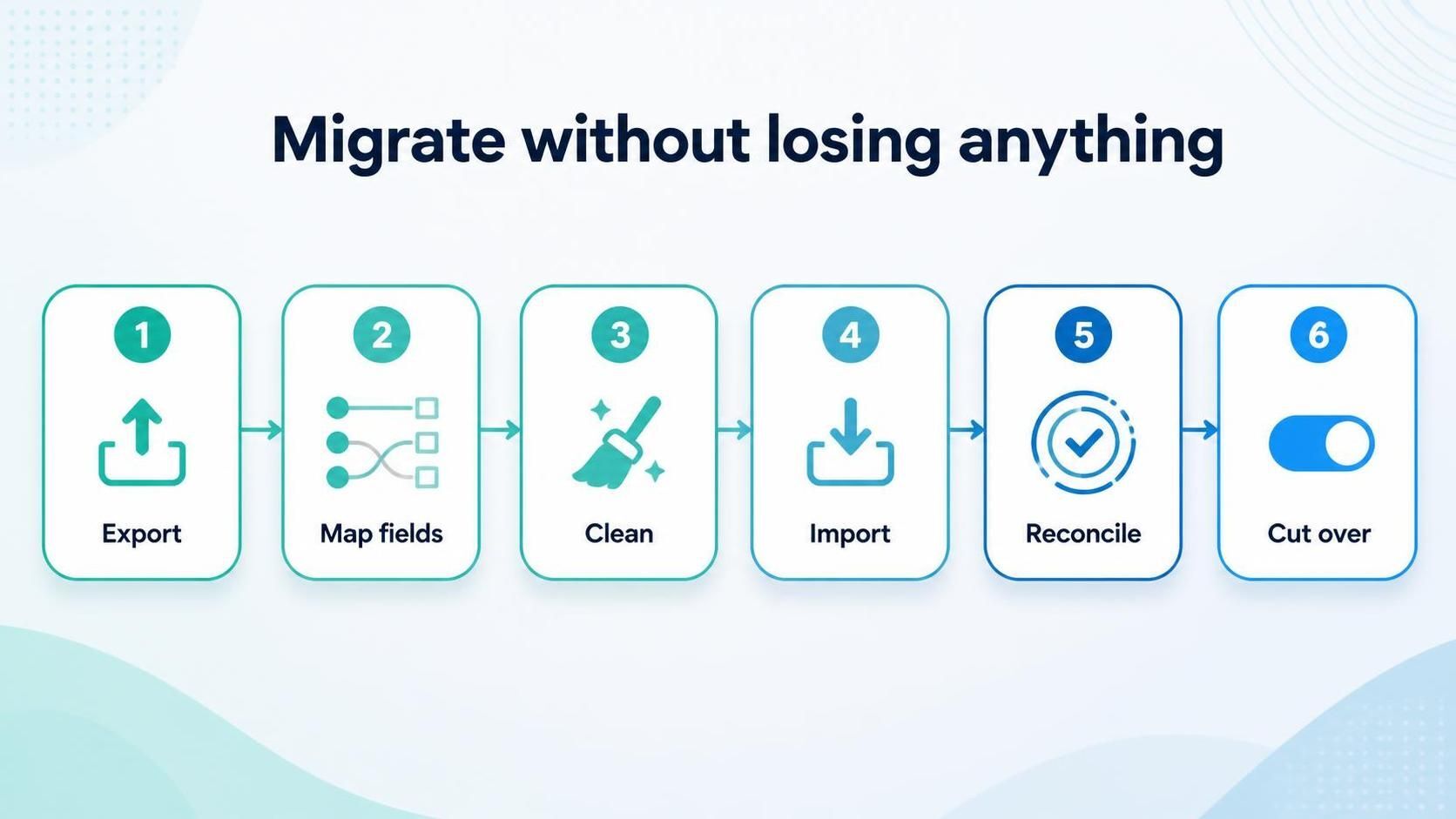
Export and audit, map fields, clean, import and check, reconcile, cut over. Nothing slips through.
Protecting Your Contacts
Contacts are the heart of your CRM, so they get the most care. Every contact is exported, mapped to HubSpot's structure, deduplicated, and imported, then counted and checked against the source. If you had ten thousand contacts, you should have ten thousand clean contacts in HubSpot, with their details intact.
The deduplication matters as much as the count. A good migration doesn't just move contacts, it arrives with fewer duplicates than you started with, so your database is cleaner on the other side.
Protecting Your Deals and Their History
Deals are trickier than contacts because they carry relationships and history. Each deal has to keep its link to the right contact and company, land in the correct pipeline stage, and hold its value and history. Lose any of that and your pipeline becomes unreliable.
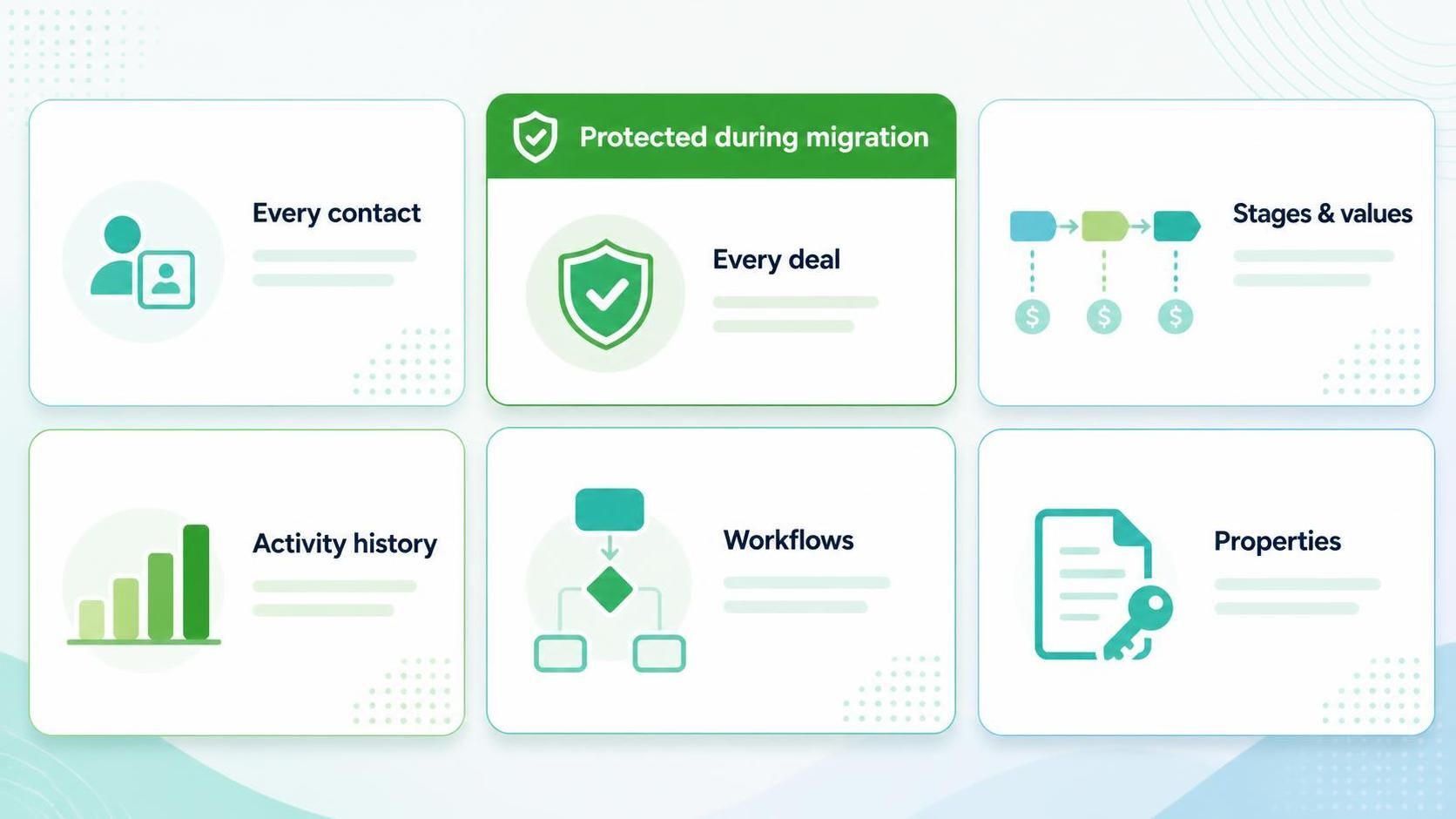
Every contact, every deal, deal stages and values, activity history, workflows, and custom properties.
Careful mapping preserves those relationships and stages, so your pipeline in HubSpot looks exactly like the reality you had before, just in a better system.
Protecting Your Activity History
The notes, emails, and calls logged against your contacts and deals are easy to overlook and painful to lose. That history is the context your team relies on. A thorough migration brings it across, so a salesperson opening a contact in HubSpot sees the full story, not a blank slate.
Rebuilding Your Workflows
Workflows don't transfer like data; they're rebuilt in HubSpot. This is actually a chance to improve them. The automations you relied on in your old CRM are recreated in HubSpot, often better, taking advantage of what HubSpot does well rather than copying old limitations.
The key is not to forget any. A proper audit lists every workflow you have, so each one is deliberately rebuilt rather than quietly lost in the move.
The Safety Net: Reconciliation
The guarantee that nothing is lost is reconciliation. After everything moves, it's checked against the source: contact counts, deal totals, key records, and workflows all confirmed. Only when it all agrees do you rely on HubSpot. This step is why a well-run migration can promise no loss with a straight face.
The Safety Net Worth Insisting On
If there's one part of a migration you should never let anyone skip, it's the checking. Before you rely on HubSpot and retire the old system, the migrated data is reconciled against the source: record counts, key deals, contact details, and workflows all confirmed to have come across intact.
This validation is what turns a nervous switch into a confident one. Problems are found and fixed here, before go-live, rather than discovered weeks later by a frustrated team. Any partner promising a safe migration should be able to show you exactly how they verify that nothing was lost. If they can't, that's a warning sign.
How Amwhiz Protects Your Data
Amwhiz is a HubSpot partner, and we migrate to HubSpot with your contacts, deals, and workflows fully protected. We audit and export everything, map fields and relationships carefully, clean and deduplicate, rebuild your workflows, and reconcile the result against your old system before you rely on it.
Your contacts arrive intact and cleaner, your deals keep their history and stages, and your automations work from day one. The three words that make migrations terrifying become the three things we guarantee.
Frequently Asked Questions
Will I lose contacts moving to HubSpot?
No, when done properly. Contacts are exported, mapped, deduplicated, imported, and then counted against the source, so none are lost and duplicates are reduced.
Do deals keep their history and stage?
Yes. Careful mapping preserves each deal's contact and company links, pipeline stage, value, and history, so your pipeline in HubSpot matches reality.
What happens to my workflows?
They're rebuilt in HubSpot, often improved, based on a full audit of what you had, so none are forgotten and your automations work from day one.
Is activity history migrated too?
A thorough migration brings across notes, emails, and calls, so your team sees the full context on each contact and deal rather than a blank slate.
How is "no data loss" actually guaranteed?
Through reconciliation. Everything is checked against the source after the move, so any gap is caught and fixed before you rely on HubSpot.
The Short Version
You can migrate to HubSpot without losing contacts, deals, or workflows. Contacts are mapped and deduplicated, deals keep their history and stages, activity history comes across, workflows are rebuilt, and reconciliation confirms nothing was lost. The scary part is entirely manageable with the right approach.
Book a free HubSpot migration consultation.
Amwhiz will migrate your CRM with contacts, deals, and workflows fully protected. Visit amwhiz.com or email sales@amwhiz.com.